
Traffic Chief Calls for Enhanced Infrastructure and Modern Equipment to Address Traffic Collisions

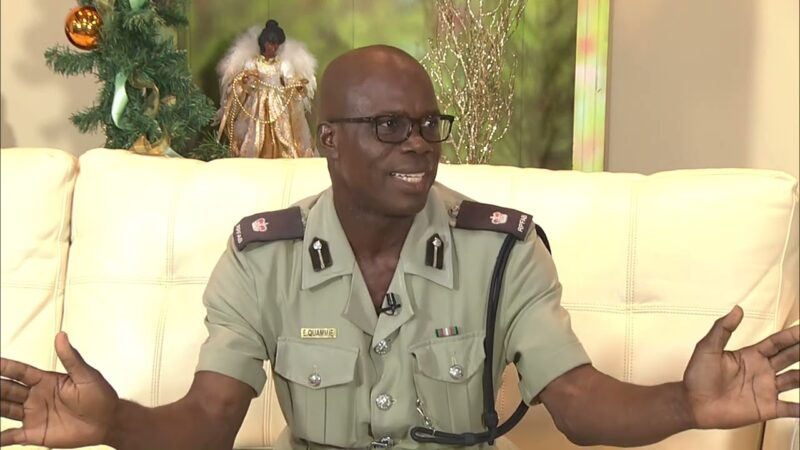
The head of the traffic department is stressing the need for improved infrastructure and modernized equipment to manage incidents of traffic collisions in the country.
Superintendent Elsom Quammie Traffic Department Boss points to a spike in collisiondifferent partnerships must be forged with different stakeholders.
“We have the Public Works Department, the Transport Board and even the APUA, the Antigua Public Utility, they should be a great partner within road safety and traffic control. For instance, there are some times they dug across the road and it’s not properly fixed and all these little things contribute to road traffic accidents.” Quammie said.
He said with collaborative efforts the goal can be achieved.

“I would like to be a mighty force, driven force to create stronger bonds, stronger partnership with our stakeholders so that we’ll be able to see a difference because as I said, the traffic police we alone cannot do it, we need the support of our stakeholders and partners to see things going.” Quammie said.
He also pointed to the need for more road signs, advance technology, better road markings and other improvements.
“We need more signage, we need more road marking, we need more speed, speedometer, speed signs. We need to more or less get more advanced technology, cameras at our major intersections to track speed. We need more radars on our road, we need more radar guns, there’s still a need for radar guns”.
This story was first published by Antigua News on : antigua.news/2024/07/09/traffic-chief-calls-for-enhanced-infrastructure-and-modern-equipment-to-address-traffic-collisions. © 2024 Antigua News. Republication without permission is not allowed.

About the author
The Editorial Staff refers to all reporters employed by Antigua.news. When an article is not an original creation of Antigua.news—such as when it is based on a press release, other media articles, letters to the editor, or court decisions—one of our staff members is responsible for overseeing its publication.
Read our editorial standards and corrections policy. Spotted an error? Contact the newsroom.
More from Antigua and Barbuda
View section
Karim Edwards’ Trial Over Fatal Friars Hill Road Crash Postponed Until December
More than four years after the collision that claimed the life of medical student Kenneth Mathew and left Priyanjana Das with life-altering injuries, the accused driver is still awaiting trial.
By Cory Wayland

Jury Rejects Self-Defence Claim And Finds Kareem Simon Guilty Of Dennis Edwards’ Murder
Jury rejects Simon’s self-defence claim after video footage reveals details of the fatal confrontation on Lower All Saints Road.
By Cory Wayland

Tourism Ministry and ABTA Working with Bert Kirchner on Proposed Louis Tomlinson Campaign
Minister Michael Freeland has held talks on the project, which aims to turn international exposure into visitor interest and bookings.
By Shermain Bique-Charles

Your Child Is Safe at Home, But Are They Safe Online?
Games, chats and social media are where our children play and make friends. Here is what every parent and guardian needs to know to keep them safe there.
By Editorial Staff
Comments
Be the first to comment.