
PM Browne Welcomes UN Adoption of Multi-Dimensional Vulnerability Index

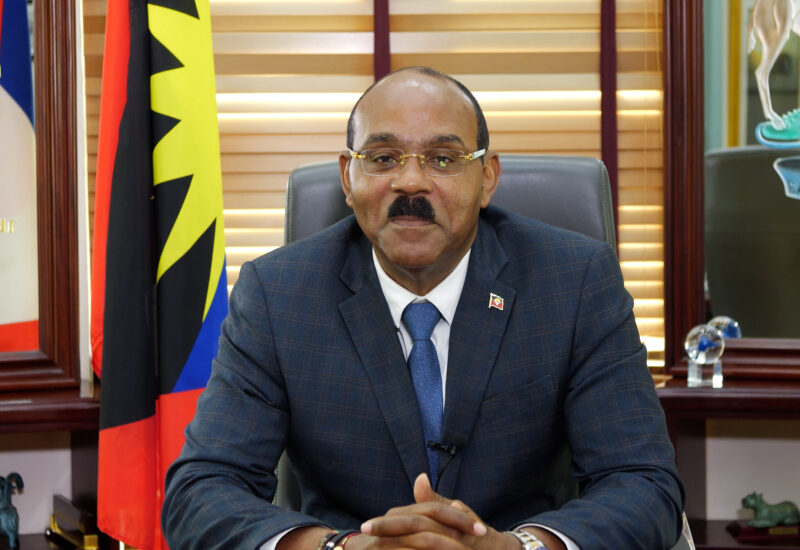
Prime Minister Gaston Browne has expressed his enthusiasm for the recent development at the United Nations, where the Multi-Dimensional Vulnerability Index (MVI) has been officially adopted.
This new measuring tool is seen as a significant step forward for countries like Antigua and Barbuda.
Unlike the traditional reliance on Gross National Income (GNI) by international financial institutions such as the World Bank and the International Monetary Fund, the MVI will provide a more comprehensive way to assess eligibility for concessionary loans.
All member states of the United Nations made the decision to adopt the MVI at 6:00 PM on Wednesday, July 10th.

This marks the culmination of nearly three years of dedicated efforts, with Antigua and Barbuda playing a leading role in bringing this pioneering initiative to fruition.
The finalization of the MVI’s adoption took place during the “Silence Procedure” at the UN, during which member states had the opportunity to raise objections. The unanimous silence on the MVI symbolizes the full endorsement of the index by all UN member states.
Prime Minister Browne expressed pride in Antigua and Barbuda’s significant contribution to the development of the MVI.
The index is a long-awaited development tool for vulnerable states, especially small island developing states. It will use a country’s vulnerability and lack of resilience to facilitate access to development funding.
The Prime Minister also hailed the MVI as a valuable strategic planning tool for determining the vulnerability and resilience profiles of developing countries.
This story was first published by Antigua News on July 11, 2024: antigua.news/2024/07/11/pm-browne-welcomes-un-adoption-of-multi-dimensional-vulnerability-index. © 2024 Antigua News. Republication without permission is not allowed.

About the author
The Editorial Staff refers to all reporters employed by Antigua.news. When an article is not an original creation of Antigua.news—such as when it is based on a press release, other media articles, letters to the editor, or court decisions—one of our staff members is responsible for overseeing its publication.
Read our editorial standards and corrections policy. Spotted an error? Contact the newsroom.
More from Antigua and Barbuda
View section
Hundreds Caught In Miles-Long Gas Lines As Dealers Protest Increased Margins
Motorists are scrambling for fuel as leading service stations shut their pumps for the second time in weeks, while WIOC’s Friars Hill station reportedly remains the only WIOC location still dispensing gasoline.
By Cory Wayland

Four-Country CARICOM Free Movement Scheme Reports 939 Processed as Antigua Maintains Separate Conditions for TCN Transfers
Antigua and Barbuda remains outside the four-country scheme, while proposing strict limits and safeguards for temporary transfers of third-country nationals from the US.
By Shermain Bique-Charles

Elderly Man Found Dead Inside Ovals Home
Police are investigating after an elderly man was discovered unresponsive at his home in Ovals on Wednesday morning, with no indication of foul play at this stage.
By Cory Wayland

WATCH: Taxi Operators Call for Proper Policing as Minister Freeland Reviews Concerns in St. John’s
Taxi association representatives say vehicles occupying designated spaces and soliciting cruise passengers are affecting operations around Heritage Quay.
By Shermain Bique-Charles
Comments
Be the first to comment.