
Ismail Haniyeh chief of Hamas has been killed in Iran following a rocket strike

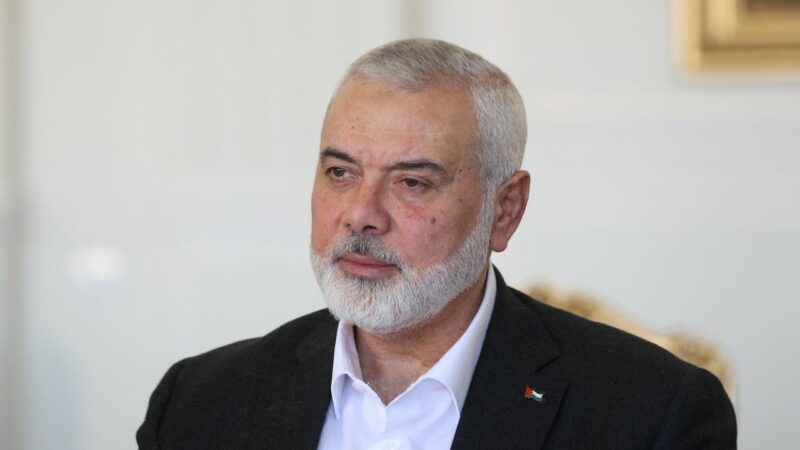
by Mick the Ram
Hamas has announced that one of its leaders, Ismail Haniyeh, has been killed in Tehran, with the blame immediately pointed at Israel. According to Iranian media, an air strike hit a building for war veterans in the city where Haniyeh was staying, at around 02:00 (22:30 GMT).
Early indications suggest that the 62-year-old chief and his bodyguards died when a rocket – thought to have been fired by Israeli jets from outside Iranian airspace – hit the house where he was staying in Iranian capital.
As is always the case, Israel has not responded, but it seems to have been a very well-planned and executed operation. There was a photograph posted on social media by the Israeli government’s press office showing the deceased with a caption stating: “eliminated”, but that was quickly deleted.
The attack occurred hours after he attended the inauguration of new Iranian President Masoud Pezeshkian, who was sworn in earlier that day. Video footage showed Haniyeh meeting the president and Iran’s supreme leader, Ayatollah Ali Khamenei, who since learning of the death has vowed “harsh punishment” against Israel, and has declared three days of national mourning.
Ismail Haniyeh may not have been in charge of day-to-day events on the ground in Gaza, but as the Hamas leader in exile, he was believed to be vital in negotiations brokered by Qatar, the US and Egypt for a ceasefire. He had lived in Qatar for the past several years.
The timing of his killing seems to indicate that this was a wider part of Israel’s threatened retaliation for the Hezbollah rocket attack that killed 12 children and young people in the Israeli-occupied Golan Heights last weekend.
US Secretary of State Antony Blinken said the assassination was “something we were not aware of or involved in”. Several countries, including Iraq, Turkey, Russia and Qatar have condemned the attack.
His official funeral will be held on Thursday 1 August in Tehran, with the burial taking place on Friday 2 August in Doha, Qatar, according to a senior Hamas official.

This story was first published by Antigua News on : antigua.news/2024/07/31/ismail-haniyeh-chief-of-hamas-has-been-killed-in-iran-following-a-rocket-strike. © 2024 Antigua News. Republication without permission is not allowed.

About the author
The Editorial Staff refers to all reporters employed by Antigua.news. When an article is not an original creation of Antigua.news—such as when it is based on a press release, other media articles, letters to the editor, or court decisions—one of our staff members is responsible for overseeing its publication.
Read our editorial standards and corrections policy. Spotted an error? Contact the newsroom.
More from World
View section
Spain Votes After an Eviction Shook Its Government
An elderly tenant’s eviction helped trigger the November 29 snap election. Pedro Sánchez is recovering in some polls, but the right still has the clearer route to a governing majority.
By Dario Item

Dozens of KFC Restaurants Closing Across 10 U.S. States as Major Franchise Operator Files for Bankruptcy
Financial troubles, falling sales and millions in unpaid franchise fees have forced a major KFC operator into bankruptcy, with 72 restaurant locations affected and more closures possible.
By Cory Wayland

Robert Pattinson is the new James Bond
The Twilight and The Batman star succeeds Daniel Craig as 007 in the next James Bond film, directed by Denis Villeneuve and written by Steven Knight.
By Mick the Ram

Microsoft Outage cripples millions globally
Outlook, Teams and Copilot users reported disruptions across 74 countries as Microsoft cited increased load on its infrastructure.
By Mick the Ram
Comments
Be the first to comment.