
APUA Ready for Tropical Storm

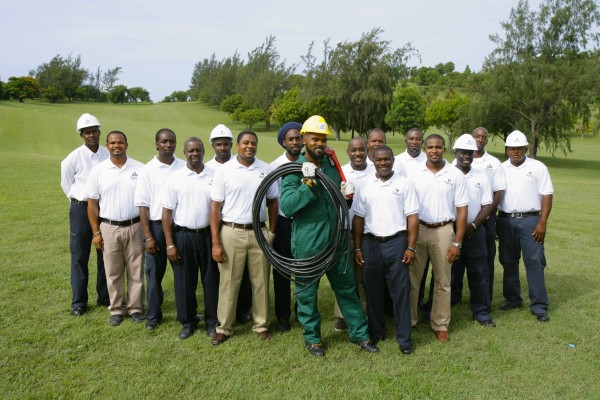
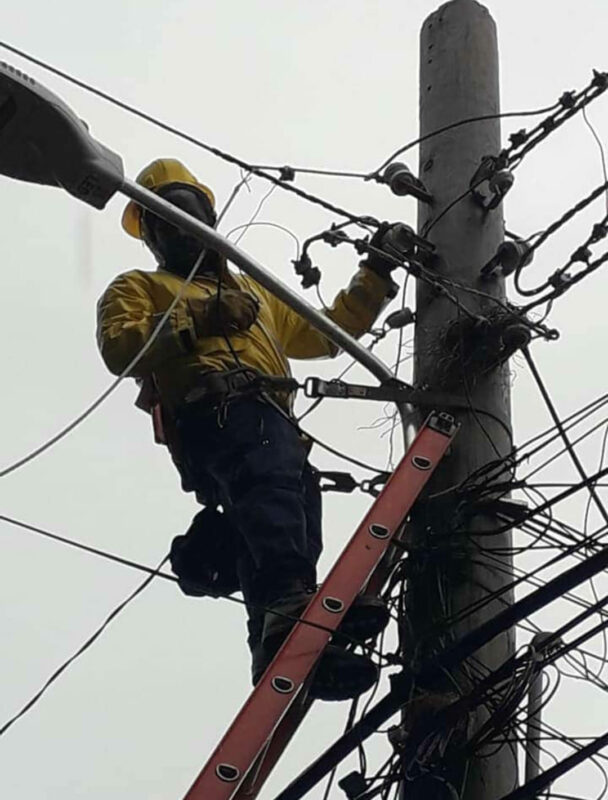
The APUA Electricity Business Unit has been conducting frequent line and pole maintenance and Utility Vegetation Management throughout the year. An adequate stock of restoration supplies is in storage in the event of infrastructural damage.
Customers are reminded to prepare for the possibility of power outages as several factors may disrupt electrical services, including but not limited to; strong winds, downpours of heavy rain, and lightning.
The APUA Water Business Unit is actively filling storage tanks to secure potable water for post-storm distribution.
Desalination plants might be temporarily shut down to prevent moisture in High Voltage Electrical Panels and Motors for up to 48 hours after the storm, safeguarding equipment from permanent damage.
The APUA Telecommunications Business Unit is in the final stages of securing network cables and refilling generators at cell sites in preparation for potential power outages. We advise customers to disconnect sensitive devices like modems and PABX equipment.
Customers are reminded of the following safety procedures to adhere to before, during, and after a storm:
Please ensure that a qualified electrician correctly installs a transfer switch to isolate your generator from APUA power.

Ensure your generator is in a well-ventilated area. Do not interfere with electrical wires; always treat downed power lines as energized and dangerous.
Customers are encouraged not to remove and/or severely downed telephone lines.
Switch off and unplug sensitive electronic appliances such as televisions, modems, cable boxes, microwave ovens, and computers.
If low voltage is experienced, please turn off the main switch in your home.
Charge your mobile devices and power banks.
Keep a battery-operated AM/FM Radio for updates throughout and after the storm.
Ensure that enough potable water is stored to sustain a household for at least 7 days.
Antigua Public Utilities Authority remains committed to ensuring that the safety of our employees, the general public of Antigua and Barbuda, and equipment are our paramount priority. The electricity network will be closely monitored
during a storm and based on the severity of the storm and or/loss of extensive load we may be forced to completely close the entire network to protect lives and equipment.
We encourage the general public to continue to adhere to guidelines from the National Office of Disaster Services and the Meteorological Office as we experience these adverse weather conditions. We also encourage customers to connect to our social media platforms for further updates.
During an active storm, crews are not dispatched to address electricity faults and outages until it is safe to do so.
Specific timelines will not be available until restoration for impacted areas has commenced.
After the storm, our Restoration Plan will be immediately implemented upon the advice of the Met Office.
This story was first published by Antigua News on August 12, 2024: antigua.news/2024/08/12/apua-ready-for-tropical-storm. © 2024 Antigua News. Republication without permission is not allowed.

About the author
The Editorial Staff refers to all reporters employed by Antigua.news. When an article is not an original creation of Antigua.news—such as when it is based on a press release, other media articles, letters to the editor, or court decisions—one of our staff members is responsible for overseeing its publication.
Read our editorial standards and corrections policy. Spotted an error? Contact the newsroom.
More from Antigua and Barbuda
View section
WATCH: Taxi Operators Call for Proper Policing as Minister Freeland Reviews Concerns in St. John’s
Taxi association representatives say vehicles occupying designated spaces and soliciting cruise passengers are affecting operations around Heritage Quay.
By Shermain Bique-Charles

OPINION: The World Must Rise Up With A Single Voice Against All Forms Of Terrorism
Cuban Ambassador Sergio Martinez Gonzalez calls for a united global stand against terrorism as CARICOM and Cuba commemorate the victims of the 1976 Cubana Airlines bombing and reaffirm their opposition to terrorism in all its forms.
By Editorial Staff

SLBMC Cancer Symposium Expands to Include Community Discussions
The 2026 symposium added a dedicated community day, bringing patients, families and caregivers into wider discussions on cancer care.
By Shermain Bique-Charles

Browne Announces New WIOC Gas Stations as Dealers Strike Again
Prime Minister Gaston Browne says WIOC will invest in additional storage tanks and fuel pumps as another round of industrial action by service station operators affects the country.
By Cory Wayland
Comments
Be the first to comment.