
Antigua and Barbuda Faces Mixed Fortunes in ECCB International Netball Series

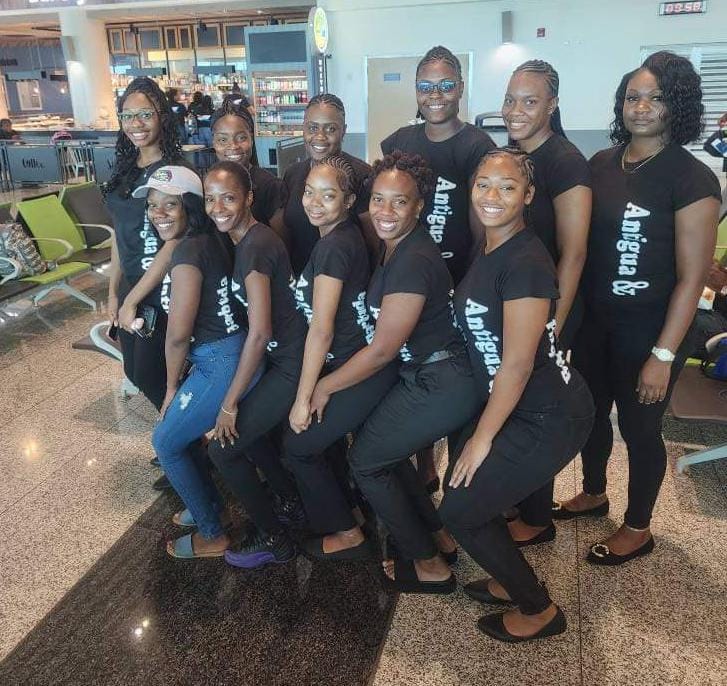
Antigua and Barbuda’s national netball team has experienced a rollercoaster start to the 4th ECCB International Netball Series, currently underway in St Lucia.
The tournament began on September 21 and will run until September 30.
In their opening game on September 22, Antigua and Barbuda showcased their competitive spirit by securing a 39-37 victory over Grenada.
However, Antigua and Barbuda’s fortunes took a turn in their second match on September 23. Facing a formidable St Lucia team, they suffered a 55-38 defeat.
The series has seen other noteworthy performances as well. St Lucia, the host nation, has maintained an unbeaten run, dominating Montserrat 66-9 in their opening match before overcoming Antigua and Barbuda. St Vincent and the Grenadines have also impressed, securing decisive victories against Dominica (72-32) and Anguilla (87-8).
The tournament features seven teams from Eastern Caribbean Central Bank (ECCB) member countries, including Anguilla, Antigua and Barbuda, the Commonwealth of Dominica, Grenada, Montserrat, Saint Lucia, and Saint Vincent and the Grenadines.
These nations are vying for the prestigious Gloria Ballantyne Championship trophy. The Cayman Islands are participating as a guest team, adding an international flavor to the competition.
Organized by the ECCB in collaboration with the Caribbean Netball Association and the St Lucia National Netball Association, the series will feature a total of 21 scheduled matches.
Netball enthusiasts can follow the action live, with Day Three games streaming today at 3:30 pm on the ECCB Facebook page and the ECCB Connects YouTube channel.

This story was first published by Antigua News on : antigua.news/2024/09/24/antigua-and-barbuda-faces-mixed-fortunes-in-eccb-international-netball-series. © 2024 Antigua News. Republication without permission is not allowed.

About the author
The Editorial Staff refers to all reporters employed by Antigua.news. When an article is not an original creation of Antigua.news—such as when it is based on a press release, other media articles, letters to the editor, or court decisions—one of our staff members is responsible for overseeing its publication.
Read our editorial standards and corrections policy. Spotted an error? Contact the newsroom.
More from Antigua and Barbuda
View section
More Than 12,000 Registered for CHOGM as Overseas Participation Nears 5,000
Organisers say the accreditation total includes local workers and participants preparing to support the Commonwealth gathering.
By Shermain Bique-Charles

VIDEO: Sherese ‘Washington’ Bramble Arrested During Live CHOGM Town Hall Broadcast
Sources say police were seeking Bramble in connection with a separate matter unrelated to the meeting.
By Editorial Staff

Emergency Response Teams to Stage Mass Casualty Drill at Scotts Hill Ahead of CHOGM
Emergency personnel will simulate a serious vehicle crash to test hospital readiness, while a separate evacuation exercise is planned for the CHOGM opening ceremony venue.
By Cory Wayland

Karim Edwards’ Trial Over Fatal Friars Hill Road Crash Postponed Until December
More than four years after the collision that claimed the life of medical student Kenneth Mathew and left Priyanjana Das with life-altering injuries, the accused driver is still awaiting trial.
By Cory Wayland
Comments (1)
KK September 24, 2024, 12:50 PM