
Happy 56th Anniversary Lions Club

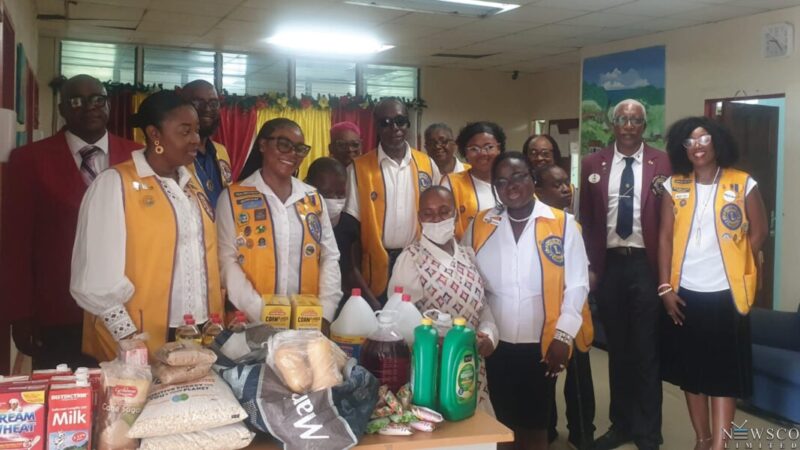
The Antigua Lions Club marked its 56th anniversary of service to the people of Antigua and Barbuda with a series of engaging activities under the theme “Embracing the Journey of Service: Creating Our Legacy of Change.”
The week of activities leading up to the actual observance included a Media Day, a “Honk for the Anniversary” event at the Roundabout, and a Sunset Cruise.
On October 14, following a church service, the club, in partnership with District Governor Lion Alan Alexander PMJF, distributed food packages to the Care Project.
The Antigua Lions Club is a distinguished charitable organization within a global network of over 48,000 clubs and 1.4 million members dedicated to supporting those in need worldwide. Established on October 14, 1968, the club currently boasts 76 members.
Over the past 56 years, it has undertaken numerous service initiatives, such as providing free eyeglasses and vision screenings in primary and secondary schools across Antigua and Barbuda, in collaboration with the New York-based Barbudan Network Society.
Additionally, in partnership with Dr. Dwayne “Baba” Thwaites Bio Health Laboratory, more than 800 men are screened for prostate cancer annually.
The club also offers financial support to families requiring immediate medical assistance, both locally and internationally.
Each week, members prepare hot meals for about 30 individuals and distribute food packages to those in urgent need.
The Antigua Lions also work alongside the Diabetes Association and Breast Friends, supporting their various initiatives.
Their annual events, such as the Thanksgiving Takeaway Dinner, Wine and Tapas event, and Golf Tournament, play a crucial role in fundraising and facilitating their services.

This story was first published by Antigua News on : antigua.news/2024/10/17/happy-56th-anniversary-lions-club. © 2024 Antigua News. Republication without permission is not allowed.

About the author
The Editorial Staff refers to all reporters employed by Antigua.news. When an article is not an original creation of Antigua.news—such as when it is based on a press release, other media articles, letters to the editor, or court decisions—one of our staff members is responsible for overseeing its publication.
Read our editorial standards and corrections policy. Spotted an error? Contact the newsroom.
More from Antigua and Barbuda
View section
Freeland Challenges Qualifier Schedule as College Commitments Complicate Team Selection
Basketball president says the timing of another qualifying round created difficulties for overseas players and added financial pressure
By Shermain Bique-Charles

School League Referee Calls for Investigation Into Alleged Verbal Abuse by Grammar School Coach
Devon Ollivere is seeking a public apology and safeguards for match officials following an alleged confrontation with Chesley Browne at Radio Range Football Field.
By Editorial Staff

Janica Adams Earns Special Recognition at Regional Tourism Youth Congress
Antigua and Barbuda’s Junior Minister of Tourism impressed with a creative destination pitch highlighting culture, adventure and bun and cheese ice cream.
By Shermain Bique-Charles

Dr Benjamin Calls for Community-Based Mental Health Care to Replace Clarevue Model
The consultant psychiatrist says meaningful reform must include housing, family support and direct involvement from people living with mental health conditions
By Shermain Bique-Charles
Comments
Be the first to comment.