
PM Browne Applauds Granting of Pardon to Marcus Garvey

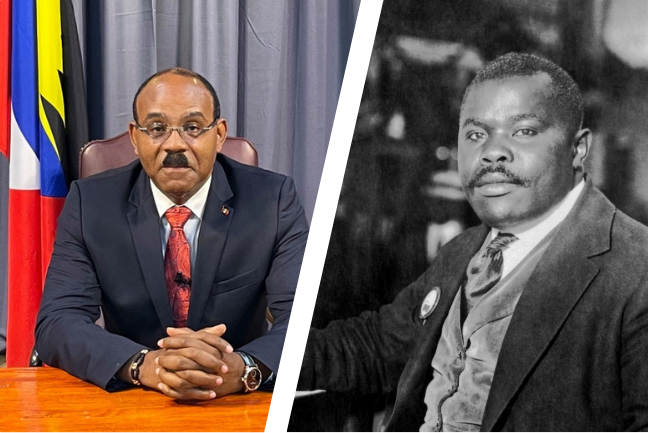
Outgoing US President Joe Biden’s decision to posthumously pardon the influential black nationalist Marcus Garvey has received enthusiastic approval from Prime Minister Gaston Browne.
In a Facebook post, PM Browne expressed his confusion upon hearing about Hunter Biden’s pardon, especially in light of Marcus Garvey’s circumstances. He emphasized that Garvey was unjustly incarcerated in the United States for his efforts to empower and unite the Black community.
“Several CARICOM leaders, myself included, reached out to President Biden advocating for this pardon. We are pleased that he has taken action and granted it. Hats off to President Biden and his team,” he stated.

The announcement of Garvey’s pardon broke on Sunday, highlighting his significant contributions to promoting black pride and entrepreneurship during the 1920s. He founded the Black Star Line (1919−1922), a shipping company established to facilitate the transportation of goods and African Americans within the global economy.
President Biden’s posthumous pardon reflects a growing recognition of Garvey, who inspired figures like Malcolm X and other civil rights activists. His conviction for mail fraud in the 1920s is viewed by many as politically charged, aimed at stifling his rising influence as a proponent of racial pride. Following his conviction, Garvey was deported to Jamaica, where he was born, and he passed away in 1940.
The Reverend Martin Luther King Jr. acknowledged Garvey’s profound impact, stating he was the first to instill a sense of dignity and destiny in millions of Black people on a significant scale.
This story was first published by Antigua News on : antigua.news/2025/01/20/pm-browne-applauds-granting-of-pardon-to-marcus-garvey. © 2025 Antigua News. Republication without permission is not allowed.

About the author
The Editorial Staff refers to all reporters employed by Antigua.news. When an article is not an original creation of Antigua.news—such as when it is based on a press release, other media articles, letters to the editor, or court decisions—one of our staff members is responsible for overseeing its publication.
Read our editorial standards and corrections policy. Spotted an error? Contact the newsroom.
More from Antigua and Barbuda
View section
King Charles III arrives in Antigua and Barbuda for historic Royal Visit
The Monarch’s arrival marks his first visit to Antigua and Barbuda as King, with the country preparing to welcome Commonwealth leaders for CHOGM.
By Cory Wayland

Nuri Katz Backs Browne’s CIP Exit Proposal, Urges Caribbean Leaders to Follow Suit
The Apex Capital Partners CIP expert supports negotiating a phase-out tied to EU assistance as Antigua and Barbuda seeks a transition until 2030.
By Shermain Bique-Charles

PM Browne Offers to End CIP, Seeks EU Support and Transition Until 2030
Prime Minister proposes a managed closure to preserve Schengen visa-free travel, warning that an abrupt end could threaten public finances, development projects and banks.
By Shermain Bique-Charles

CHOGM Organisers Scrap Park-and-Ride System for November 1 and 2 Events
Patrons can now park near Sir Vivian Richards Stadium as organisers introduce revised parking arrangements, eliminating the need to use previously designated shuttle locations.
By Cory Wayland
Comments
Be the first to comment.