
Miss St. John’s Rural East, Tia James, Gives Back to Clare Hall Secondary with Climate-Resilient and Multimedia Enhancements

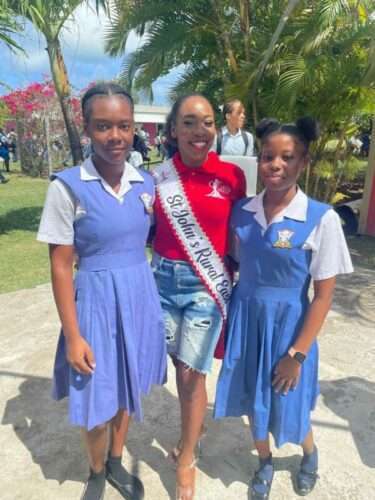

As part of her community service initiative in the Antigua and Barbuda Labour Party (ABLP) Labour Queen Pageant 2025, Miss St. John’s Rural East, Tia James, returned to her alma mater — Clare Hall Secondary School — to donate two large air conditioning units and a state of the art-multimedia system.
This donation is part of a broader effort to create more climate-resilient educational environments. The AC units will provide relief from rising temperatures linked to climate change and will complement earlier contributions made by the area’s Member of Parliament Maria Browne.
In addition, the donation of a state of the art-multimedia- system — including speakers and multimedia equipment and a TV — is a timely investment, enhancing the school’s ability to host assemblies, plays, pageants, and community-cantered activities with proper audio and visual support.
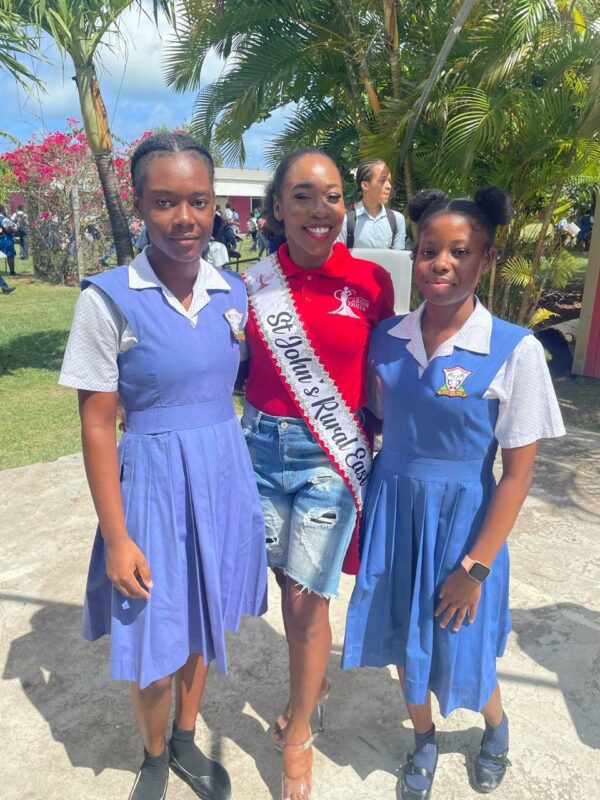
With the school’s growing student population and its increasing role as a hub for community events, the upgrades are both functional and forward-looking.

Ms. James, who proudly serves in the Antigua and Barbuda Defence Force for the past six years, spoke passionately to the students during the handover. Reflecting on her own time at Clare Hall, she shared:
“Returning to Clare Hall Secondary School brings back cherished memories,” Ms. James remarked. “It’s here that I learned the values of perseverance and community service. I’m honoured to contribute to the school’s growth and to support the next generation of leaders.”
“When I attended this school, I was active in pageants like Teen Splash and our school competitions, participated in sports, and was involved in extracurriculars. But I never lost focus on my academics. You can be well-rounded — you don’t have to choose one or the other.”
She also encouraged students to avoid negativity and stay committed to their goals:
“Block out the noise and don’t let anyone dim your light. Stay focused, get involved, and give back when you can — that’s how we build community.”
The school’s administration extended deep appreciation for the donation, emphasizing how much it will benefit both students and the wider Clare Hall community.
This story was first published by Antigua News on : antigua.news/2025/04/30/miss-st-johns-rural-east-tia-james-gives-back-to-clare-hall-secondary-with-climate-resilient-and-multimedia-enhancements. © 2025 Antigua News. Republication without permission is not allowed.

About the author
The Editorial Staff refers to all reporters employed by Antigua.news. When an article is not an original creation of Antigua.news—such as when it is based on a press release, other media articles, letters to the editor, or court decisions—one of our staff members is responsible for overseeing its publication.
Read our editorial standards and corrections policy. Spotted an error? Contact the newsroom.
More from Antigua and Barbuda
View section
Chinese Partners Join Social Protection Board in Successful Food Distribution
Donated meals and hands-on support bring assistance to members of the public, with Operations Manager Emily Baltimore praising the partnership.
By Shermain Bique-Charles

Residents Inside CHOGM Security Zone Warned About Temporary Re-entry Restrictions
Police say people may leave their homes during the opening ceremony restrictions but could face difficulty returning before controls are lifted.
By Shermain Bique-Charles

No Nationwide Lockdown for CHOGM, Officials Assure Public
Temporary security restrictions and convoy stops will affect selected areas while businesses and essential services continue operating.
By Shermain Bique-Charles

Police Say Previous Grays Farm Investigation Led To Washington Bramble’s Arrest at Town Hall Meeting
Police say several attempts to locate Bramble for questioning had been unsuccessful before officers arrested him during Wednesday’s town hall meeting.
By Cory Wayland
Comments (3)
Stone April 30, 2025, 6:17 PM
Anya April 30, 2025, 7:20 PM
Juju Bee April 30, 2025, 8:32 PM