
LETTER: Urgent Road Repairs in Golden Grove | Resident Calls on Minister

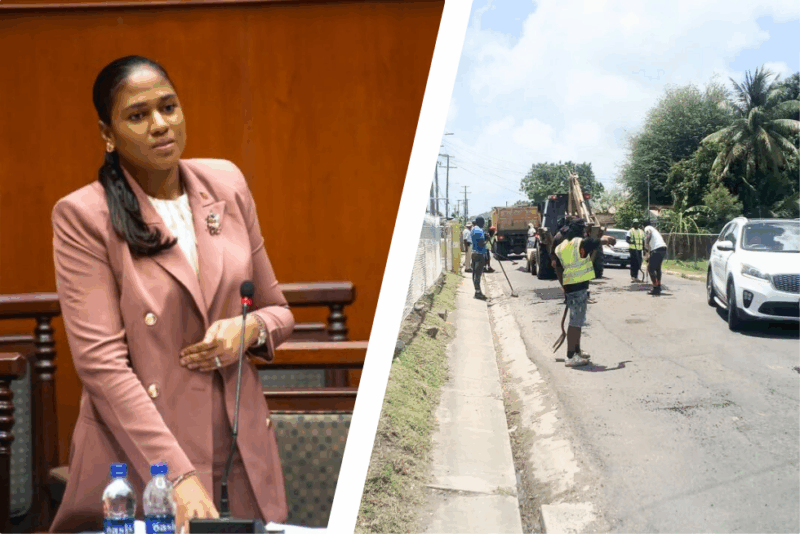
Dear Minister Maria Browne,
I am a resident of Golden Grove New Extension, and I am reaching out to you for assistance with a pressing and increasingly burdensome road situation in my area.
The condition of the road in my community has deteriorated significantly, primarily due to the construction of the bridge along the main road. As a result, vehicles were diverted through our neighborhood, and the increased traffic has severely damaged our road.
I have contacted Mr. Richard Lewis on several occasions. He has provided temporary relief in the past and has made sincere efforts to assist me, but his influence is limited as his party is not currently in power. I also reached out to Mr. Michael Joseph, but unfortunately, I have not received any support.

In desperation, three weeks ago I visited the Public Works Department to request some waste material to help fill the worsening potholes. I spoke with Mr. Crump, who kindly assured me he would speak with someone to assist me. However, I later learned that he was removed from his post before anything could be done.
This situation is not only affecting the residents, but it is also taking a serious toll on my business. I have already spent out of my own pocket trying to maintain the road, but it is becoming unsustainable.
I am therefore kindly asking for your help in addressing this issue. The residents of Golden Grove New Extension are in urgent need of relief, and any assistance you can provide to help restore the road would be deeply appreciated.
Thank you for your time and consideration. I look forward to your support.
Respectfully,
Ms. Benjamin
This story was first published by Antigua News on : antigua.news/2025/06/02/letter-urgent-road-repairs-in-golden-grove-resident-calls-on-minister. © 2025 Antigua News. Republication without permission is not allowed.

About the author
The Editorial Staff refers to all reporters employed by Antigua.news. When an article is not an original creation of Antigua.news—such as when it is based on a press release, other media articles, letters to the editor, or court decisions—one of our staff members is responsible for overseeing its publication.
Read our editorial standards and corrections policy. Spotted an error? Contact the newsroom.
More from Antigua and Barbuda
View section
Tourism Ministry and ABTA Working with Bert Kirchner on Proposed Louis Tomlinson Campaign
Minister Michael Freeland has held talks on the project, which aims to turn international exposure into visitor interest and bookings.
By Shermain Bique-Charles

Your Child Is Safe at Home, But Are They Safe Online?
Games, chats and social media are where our children play and make friends. Here is what every parent and guardian needs to know to keep them safe there.
By Editorial Staff

HIGH SCHOOL STUDENTS CONTINUE TO BENEFIT FROM SANDALS FOUNDATION’S CARE FOR KIDS SCHOLARSHIP PROGRAMME
Kyrah Edwards and Erwin Christopher receive third annual scholarship payments, supporting their education while encouraging community service.
By Shermain Bique-Charles

Chinese Embassy Welcomes Caribbean Youth Parliamentarians for Cultural Exchange
Ambassador Jiang Wei calls for greater understanding through dialogue, while House Speaker Osbert Frederick praises the young leaders.
By Shermain Bique-Charles
Comments (6)
Stone June 2, 2025, 10:45 AM
Juju Bee June 2, 2025, 12:16 PM
Unruly One June 3, 2025, 5:41 AM
Vicky June 2, 2025, 2:16 PM
Antigua Surf June 2, 2025, 7:47 PM
Rhea June 2, 2025, 7:48 PM