
Caribbean Radio Lighthouse Celebrates 50 Years of Gospel Broadcasting

This Sunday, September 7, 2025, the Caribbean Radio Lighthouse (C.R.L.) will mark a milestone: 50 years of broadcasting the Gospel of Jesus Christ to listeners across the Eastern Caribbean.
What began as a small AM-only station has grown into a multi-platform broadcaster, airing on AM, FM, and online streaming. Over the past five decades, Caribbean Radio Lighthouse has played a vital role in the community, not only delivering spiritual guidance through music and programs, but also providing important updates on healthy living, lifestyle, and weather emergencies. On several occasions, the station has been the only one to remain on-air during storms, offering critical information to listeners.
C.R.L.’s commitment to excellence has earned it multiple accolades, including “Radio Station of the Year” in 2022 by the Antigua and Barbuda Gospel Music Association (ABGMA), as well as repeated recognition as “Gospel Station of the Year.” Its lighthouse logo reflects the station’s mission: guiding listeners to safety, both physically and spiritually, through a foundation grounded in the Word of God.
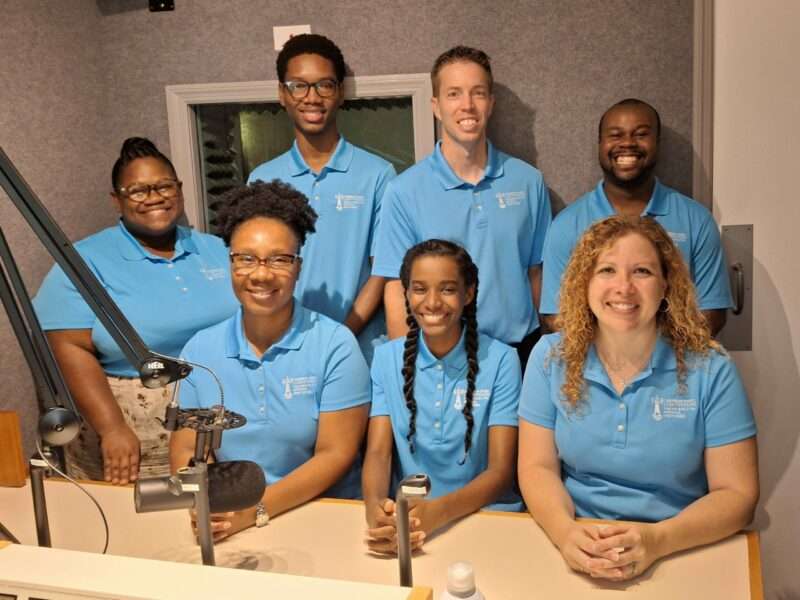
To celebrate its 50th anniversary, Caribbean Radio Lighthouse will host a special church service at the Royalton Antigua Resort in Five Islands, beginning at 10:00 AM. Evangelist Dr. Steve Pettit, host of C.R.L.’s “The Daily Platform”, will deliver the message, while Pastor Kevin Inafuku will lead special music. The event will feature songs of praise, listener testimonies, highlights from the station’s history, and gifts for attendees.
The station continues to broadcast 24 hours a day on 1160 AM, 92.3 FM, and online at www.RadioLighthouse.org, maintaining its role as a trusted voice in the Eastern Caribbean.
For more information, listeners can contact Caribbean Radio Lighthouse at 1(268)462-1454, via WhatsApp at 1(268)782-1454, or email [email protected].
This story was first published by Antigua News on : antigua.news/2025/09/03/caribbean-radio-lighthouse-celebrates-50-years-of-gospel-broadcasting. © 2025 Antigua News. Republication without permission is not allowed.

About the author
The Editorial Staff refers to all reporters employed by Antigua.news. When an article is not an original creation of Antigua.news—such as when it is based on a press release, other media articles, letters to the editor, or court decisions—one of our staff members is responsible for overseeing its publication.
Read our editorial standards and corrections policy. Spotted an error? Contact the newsroom.
More from Antigua and Barbuda
View section
Trade Winds Hotel Workers Meet With Union Representative
The visit was part of the Antigua and Barbuda Workers’ Union’s regular outreach to hotel employees.
By Cory Wayland

WISH to Host ‘Behind the Screen’ Workshop Addressing Digital Violence Against Women and Girls
WISH and regional partners will host a workshop in Antigua on December 5 to raise awareness of digital violence against women and girls and promote online safety.
By Editorial Staff

AIDS Secretariat Symposium Tackles HIV Stigma, Prevention and Sexual Health Awareness
Health professionals and community stakeholders gathered for an afternoon of discussions on HIV prevention, testing, treatment, sexual consent, mental health and healthy relationships ahead of World AIDS Day.
By Cory Wayland

Police Launch Operation Season Watch, Remove 12 Vehicles From Roads in Christmas Crackdown
Police stopped approximately 140 vehicles during coordinated patrols and checkpoints as Commissioner Everton Jeffers warns that intensified crime-fighting and traffic enforcement will continue into the new year.
By Cory Wayland
Comments (3)
Juju Bee September 3, 2025, 10:13 AM
Hallelujah Amen September 3, 2025, 12:03 PM
Informed citizen September 3, 2025, 10:29 PM