
Halo Foundation Honours Charles Walwyn with 2025 Crystal Volunteer Award

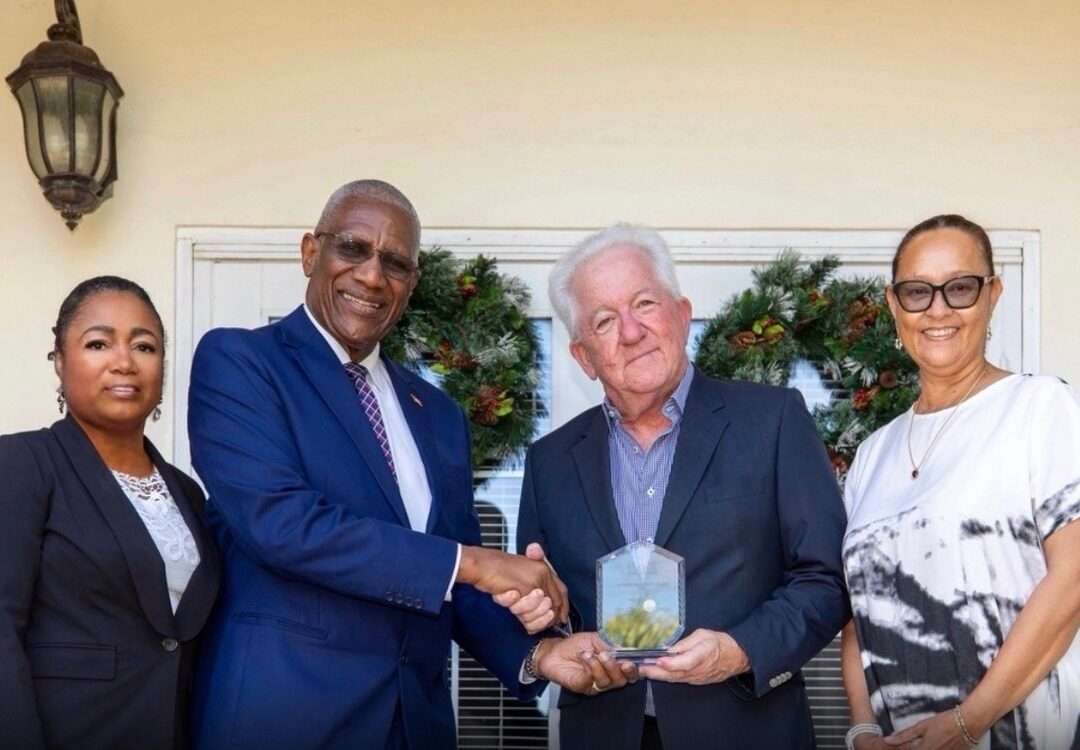
The Halo Foundation has named Mr. Charles Walwyn, Managing Director of Grant Thornton, as the recipient of its 2025 Crystal Volunteer Award, recognising more than a decade of unwavering support and service to the organisation’s mission.
The award was presented during a recent special ceremony, where Her Excellency Lady Sandra Williams expressed heartfelt appreciation for Mr. Walwyn’s consistent generosity and commitment to the Foundation. She described him as a dependable pillar of support, noting that his interest in the Foundation’s work has remained strong over the years.
“The door of Mr. Walwyn is one we can knock on each time with the certainty that he will always respond with kindness,” Lady Williams said. She also acknowledged the quiet but steadfast contribution of his wife, Mrs. Karen Walwyn, whose support has complemented her husband’s efforts.
The Crystal Volunteer Award is presented annually to individuals who demonstrate exceptional commitment, service, and goodwill toward The Halo Foundation. Mr. Walwyn’s long-standing partnership has contributed significantly to the advancement of the Foundation’s youth-focused programmes and wider community outreach initiatives throughout Antigua and Barbuda.
In highlighting Mr. Walwyn’s contribution, the Halo Foundation also extended thanks to its wider network of partners and supporters who continue to play a vital role in sustaining its work. The organisation reaffirmed its commitment to empowering young people and strengthening communities, noting that its impact is made possible through the continued support of dedicated individuals and organisations across the country.
This story was first published by Antigua News on : antigua.news/2026/01/22/halo-foundation-honours-charles-walwyn-with-2025-crystal-volunteer-award. © 2026 Antigua News. Republication without permission is not allowed.

About the author
The Editorial Staff refers to all reporters employed by Antigua.news. When an article is not an original creation of Antigua.news—such as when it is based on a press release, other media articles, letters to the editor, or court decisions—one of our staff members is responsible for overseeing its publication.
Read our editorial standards and corrections policy. Spotted an error? Contact the newsroom.
More from Antigua and Barbuda
View section
PM Browne Says Government Will Acquire Land if Needed to Secure Beach Access
The prime minister said the government would first seek agreements with property owners and has proposed public beach parks in Antigua and Barbuda.
By Shermain Bique-Charles

Public Consultation on Proposed Zen Long Bay Hotel Set for December 2
Residents and other interested parties are invited to ask questions and share their views at the Glanvilles Community Center.
By Shermain Bique-Charles

19-Year-Old Shaquan Boyle Found Hiding Under Vehicle After Escaping Police at Hospital
The Fort Road teenager was recaptured in the parking lot of Sir Lester Bird Medical Centre hours after reportedly escaping police custody while using the emergency department restroom.
By Cory Wayland

Police Launch Search at Sir Lester Bird Medical Centre After Suspect Escapes Custody
A man detained during a police operation in Fort Road reportedly disappeared after requesting to use the restroom while receiving medical attention at the hospital.
By Cory Wayland
Comments (2)
Juju Bee January 22, 2026, 4:59 PM
Informed citizen January 22, 2026, 7:19 PM