
Thirteen Delegates Announced for 2026 Labour Queen Pageant

By Cory Wayland
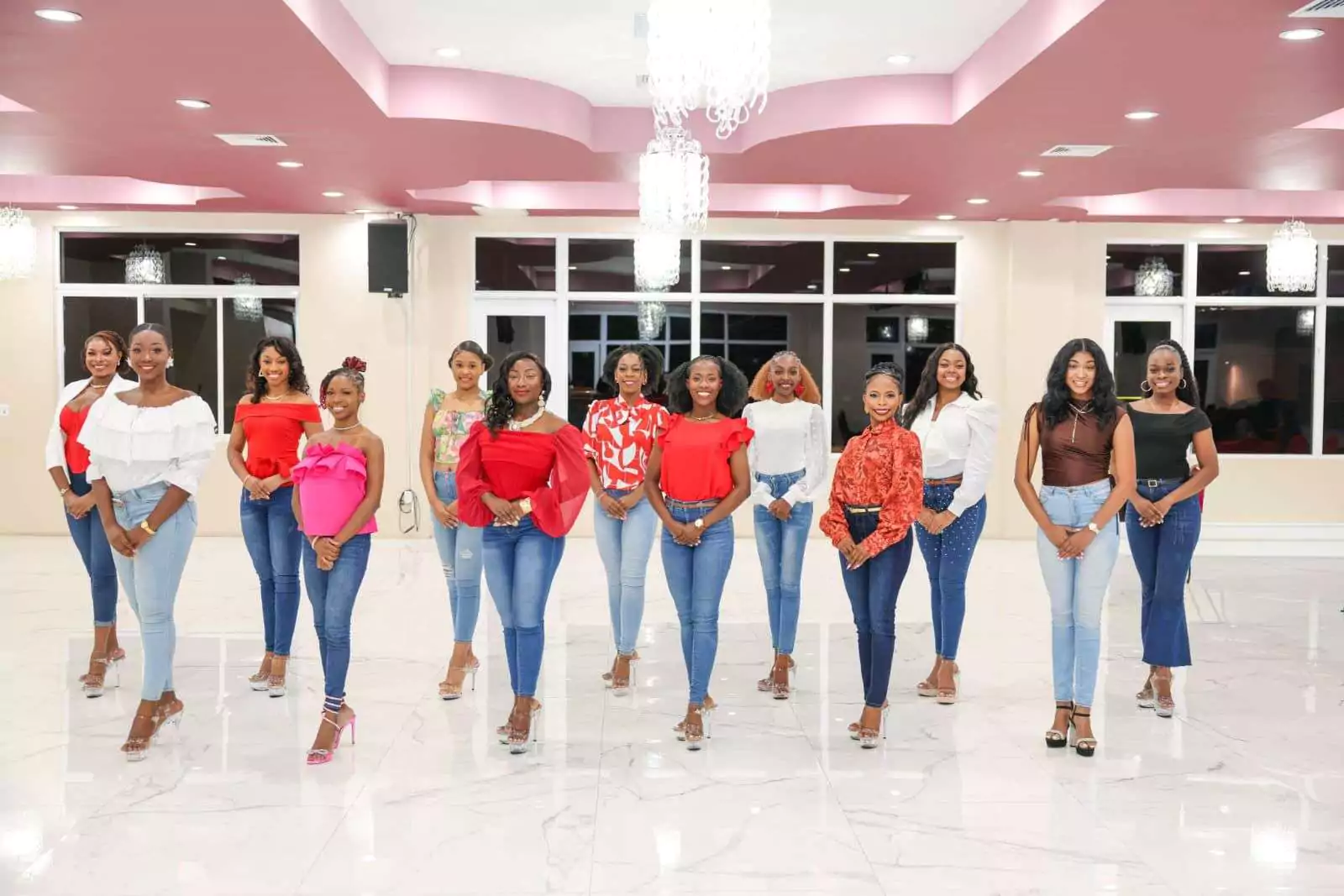
Excitement is building ahead of this year’s Labour Queen Pageant following the official announcement of the thirteen delegates who will compete for the coveted title.
Organizers revealed the contestants this week, noting that the pageant continues to be a key feature of the Labour Day celebrations, highlighting young women who represent their constituencies with pride while showcasing talent, confidence and community spirit.
The delegates selected to compete this year are Treveisha Adams representing St. John’s Rural West; Aliyah Andrew of St. John’s Rural East; Jolisa Cato representing St. John’s City West; Jonelly Encarnacion of All Saints East & St. Luke; Mia Griffith representing St. John’s City West; Iszarea Lloyd of St. Philip’s North; Andrecia Lewis representing All Saints West; Nakierra Martin of St. George; Tonya Phillips representing St. John’s Rural South; Maydoria Smith of St. John’s Rural West; Julissa Stoute representing St. Paul; Jessica Tracey of St. John’s Rural North; and Queenela Williams of St. Mary’s South.
Over the coming weeks, the delegates will undergo preparations and training as they gear up for the competition, which traditionally features several judged segments designed to test poise, presentation, talent and overall stage presence.
The Labour Queen Pageant is scheduled to take place on May 2 and is expected to draw strong support from communities across Antigua and Barbuda as residents rally behind their representatives.
Organizers also indicated that the official photoshoot featuring the delegates will be released soon, giving the public an opportunity to learn more about each contestant and follow their journey leading up to the pageant night.
This story was first published by Antigua News on : antigua.news/2026/03/10/thirteen-delegates-announced-for-2026-labour-queen-pageant. © 2026 Antigua News. Republication without permission is not allowed.

About the author
Cory Wayland is the Social Media Co-ordinator at Antigua.News, where he manages digital content strategy, audience engagement, and real-time news publications across social platforms. With a keen eye for trending topics and a commitment to factual storytelling, Cory plays a key role in shaping the online voice of Antigua.News.
Read our editorial standards and corrections policy. Spotted an error? Contact the newsroom.
More from Antigua and Barbuda
View section
ABEC Chairman Arthur Thomas Completes OAS Electoral Training Programme in Washington
The five-day programme brought together electoral officials from across the Americas to strengthen election observation, electoral security and public confidence in democratic processes.
By Cory Wayland

Minister Rawdon Turner Rejects Claims of Restricted Public Access to Jolly Beach
The Social and Urban Transformation Minister says public access remains open, the walking distance has been reduced and the government plans to establish a dedicated beachfront park.
By Cory Wayland

Illegal Guns Fueling Violence Across Caribbean as Criminal Networks Grow More Sophisticated
Suriname's Justice and Security Minister warns that illegal firearms trafficking is becoming increasingly difficult to combat, urging CARICOM countries to strengthen border security, intelligence-sharing and regional cooperation.
By Cory Wayland

Antiguans Warned of Possible Fuel Price Increases Despite Falling Global Oil Prices
Government spokesman Maurice Merchant says continued instability in the Middle East could force higher prices at the pumps, even as international crude oil benchmarks record another weekly decline.
By Cory Wayland
Comments (4)
My view March 10, 2026, 1:44 PM
Informed citizen March 10, 2026, 8:50 PM
Kool March 10, 2026, 9:52 PM
Ash March 10, 2026, 11:46 PM