
Replacement Voter ID Applications Climb Past 27,000 in April Report

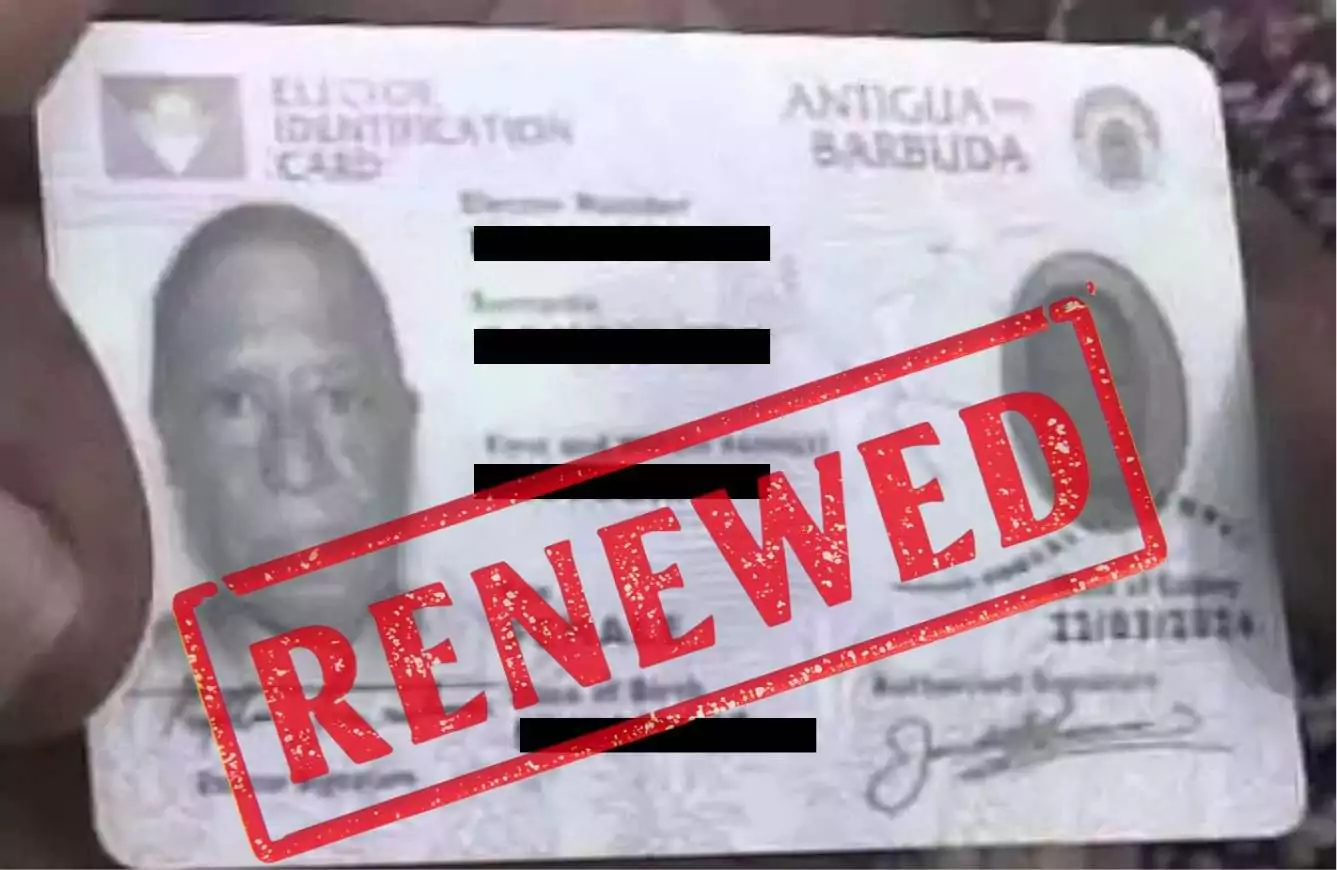
The Antigua and Barbuda Electoral Commission (ABEC) has reported a significant increase in applications for replacement voter identification cards, with cumulative figures surpassing 27,000 as of April 11, 2026.
According to the latest official report released by ABEC, a total of 27,322 applications have been recorded for replacement voter ID cards, reflecting steady public engagement ahead of the upcoming general election.
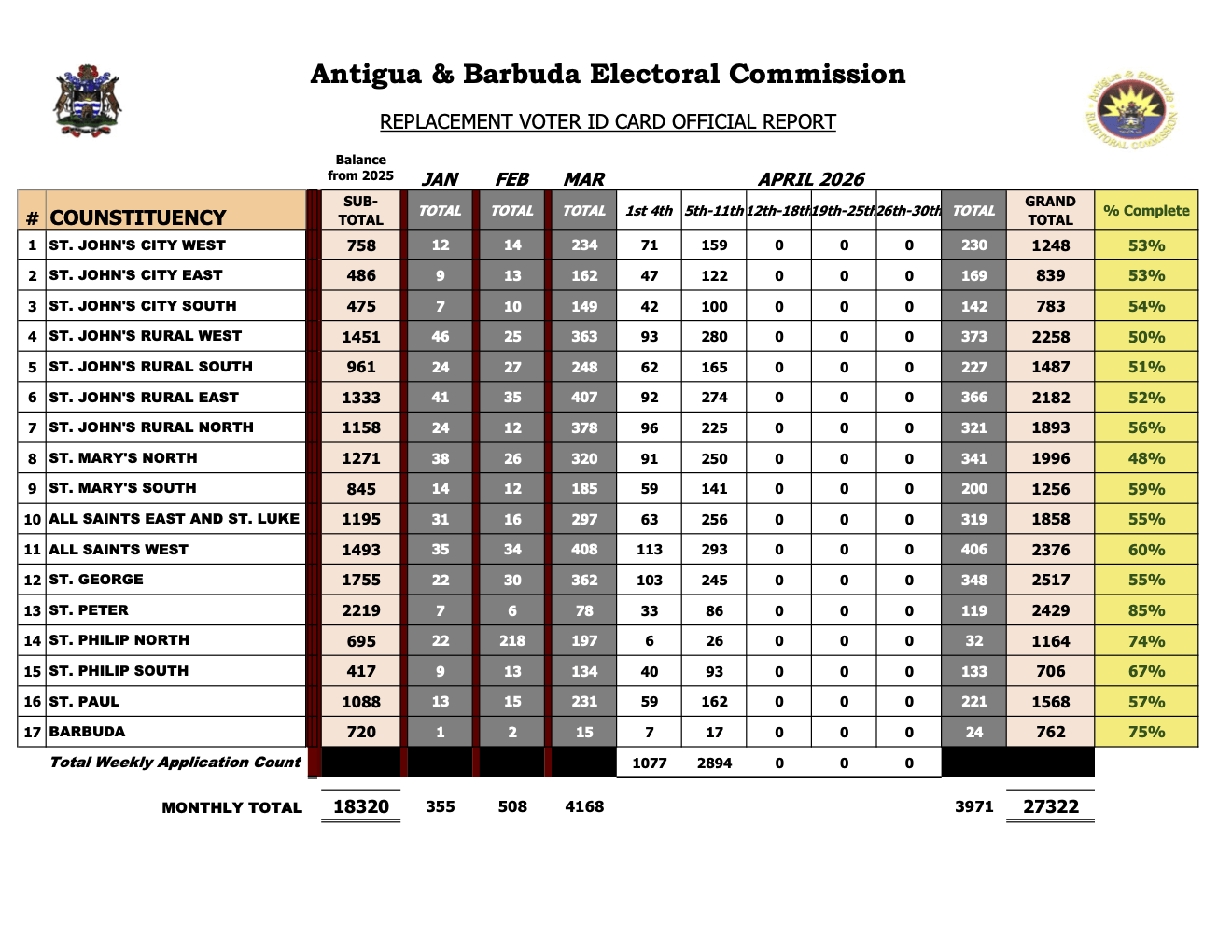
The data shows that activity has been spread across all 17 constituencies, with varying levels of completion. St. Peter recorded the highest level of progress at 85 percent completion, followed by Barbuda at 75 percent and St. Philip North at 74 percent.
In contrast, several constituencies remain around the halfway mark, including St. John’s Rural West (50 percent), St. John’s Rural South (51 percent), and St. Mary’s North (48 percent), indicating continued work is needed to reach full coverage.
The report also outlines weekly application activity, with thousands of submissions recorded during the early weeks of the rollout. The Electoral Commission noted that over 18,000 applications were already in the system prior to April, with additional submissions continuing throughout February and March.
Among the constituencies with the highest total application figures are St. George with 2,517 applications, St. John’s Rural West with 2,258, and St. John’s Rural East with 2,182.
ABEC’s replacement ID card initiative forms part of broader efforts to ensure that all eligible voters are properly documented ahead of the next election. The Commission has been encouraging citizens to complete the process early to avoid last-minute delays.
With several constituencies still below 60 percent completion, officials are expected to intensify outreach efforts in the coming weeks to ensure maximum participation.
This story was first published by Antigua News on : antigua.news/2026/04/12/replacement-voter-id-applications-climb-past-27000-in-april-report. © 2026 Antigua News. Republication without permission is not allowed.

About the author
The Editorial Staff refers to all reporters employed by Antigua.news. When an article is not an original creation of Antigua.news—such as when it is based on a press release, other media articles, letters to the editor, or court decisions—one of our staff members is responsible for overseeing its publication.
Read our editorial standards and corrections policy. Spotted an error? Contact the newsroom.
More from Antigua and Barbuda
View section
UPDATE: Fire Contained After Gutting Christ the King High School Library
Firefighters brought the blaze under control at the Old Parham Road campus. The cause remains unknown.
By Shermain Bique-Charles

BREAKING: Firefighters Respond to Blaze at Christ the King High School
Crews are at the school on Old Parham Road, while a separate fire has been reported on Friars Hill Road.
By Shermain Bique-Charles

Antigua Rejected $100 Million Royal Caribbean Plan Over Fort James Beach Access
The prime minister says the cruise company sought exclusive access to the proposed development area. The government is drawing up plans for a public beach park at Fort James.
By Shermain Bique-Charles

Antigua Eyes New Air Routes but Sees Hotel Capacity as a Hurdle
Turkish Airlines, Qatar Airways and Emirates are among the carriers the government would like to attract.
By Shermain Bique-Charles
Comments
Be the first to comment.