
LETTER TO THE PUBLIC: Condemning Billboard Vandalism and Calling for Respectful Political Engagement

Dear Editor,
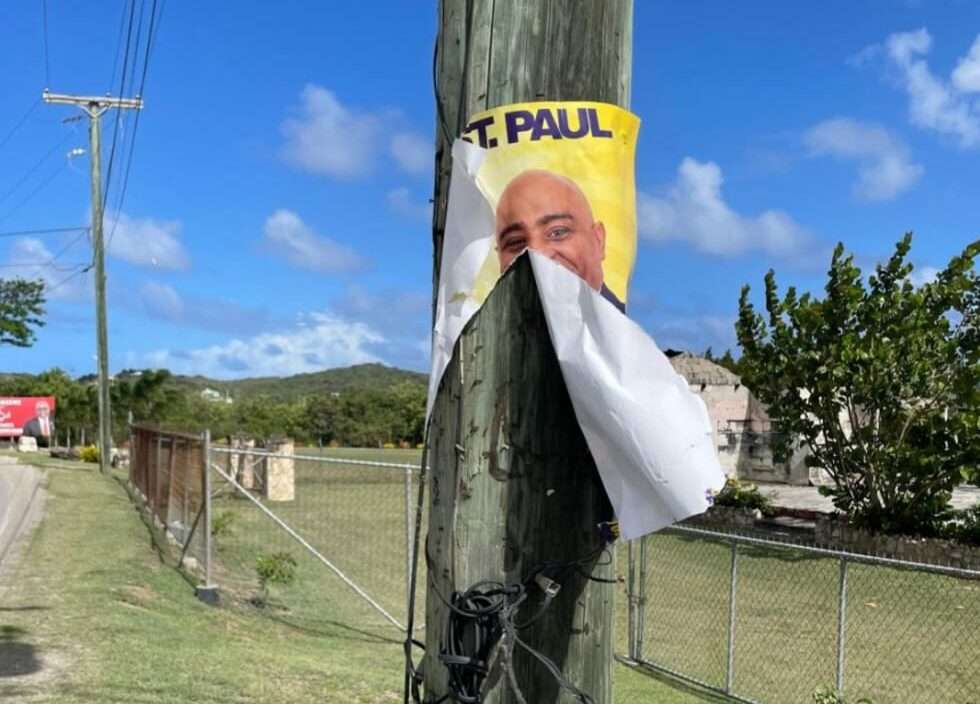
The recent destruction of a political billboard in Freeman’s Village is deeply concerning and must be unequivocally condemned. Acts of vandalism, particularly in the heat of an election season, not only damage property but also undermine the very foundation of our democracy: the right to free expression.
Antigua and Barbuda has a proud history shaped by resilience, struggle, and the pursuit of self-determination. That legacy demands that we engage each other with respect, even when our political views differ. Democracy does not require uniformity of thought—it requires tolerance, dialogue, and the maturity to accept that others may not share our perspectives.
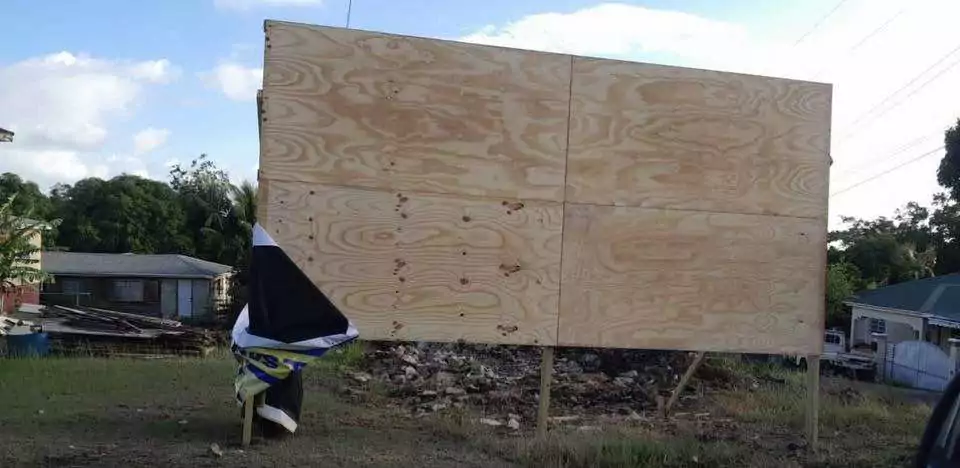
What we are witnessing is a troubling shift away from healthy political competition toward hostility and division. Destroying campaign materials, silencing opposing voices, or intimidating supporters does not strengthen any cause—it weakens the democratic process for everyone.
We must remind ourselves that elections are not battles to be fought with anger and destruction, but opportunities to present ideas, debate policies, and allow the people to decide. There is strength in disagreement when it is handled with dignity.
Let us reject acts of vandalism and instead commit to a culture of respect. We can stand firmly in our beliefs while still respecting the rights of others to do the same. We can disagree without being disagreeable.
At this critical moment in our nation’s journey, let us rise, not in conflict but in unity, understanding, and respect for the democratic values we all share.
Sincerely,
Glenford Peters
This story was first published by Antigua News on : antigua.news/2026/04/19/letter-to-the-public-condemning-billboard-vandalism-and-calling-for-respectful-political-engagement. © 2026 Antigua News. Republication without permission is not allowed.

About the author
The Editorial Staff refers to all reporters employed by Antigua.news. When an article is not an original creation of Antigua.news—such as when it is based on a press release, other media articles, letters to the editor, or court decisions—one of our staff members is responsible for overseeing its publication.
Read our editorial standards and corrections policy. Spotted an error? Contact the newsroom.
More from Letters to the Editor
View section
LETTER: Employees Raise Management And Safety Concerns At Denis Bowers Rehabilitation Centre
Concerned employees call for an independent investigation into alleged management failures, staffing shortages and conditions affecting staff and residents.
By Editorial Staff

LETTER: A Call for Immediate Action on Excessive Noise, Traffic Obstruction and Blocked Emergency Routes
A public letter urges police to address loud music, traffic obstruction and blocked emergency access near Valley and Desouza Road.
By Editorial Staff
OPINION: THE $3 BILLION WAKE-UP CALL: Who Owns Caribbean Tourism?
By Editorial Staff
LETTER: Concerned Parent Raises Questions About Fairness at Clare Hall Secondary School
By Editorial Staff
Comments (3)
Rolling Stone April 20, 2026, 11:13 AM
Sweet Pea April 20, 2026, 12:49 PM
Ash April 20, 2026, 8:15 PM