
Minister Responsible for Festivals Meets with Carnival Committees as Preparations Intensify for Carnival 2026

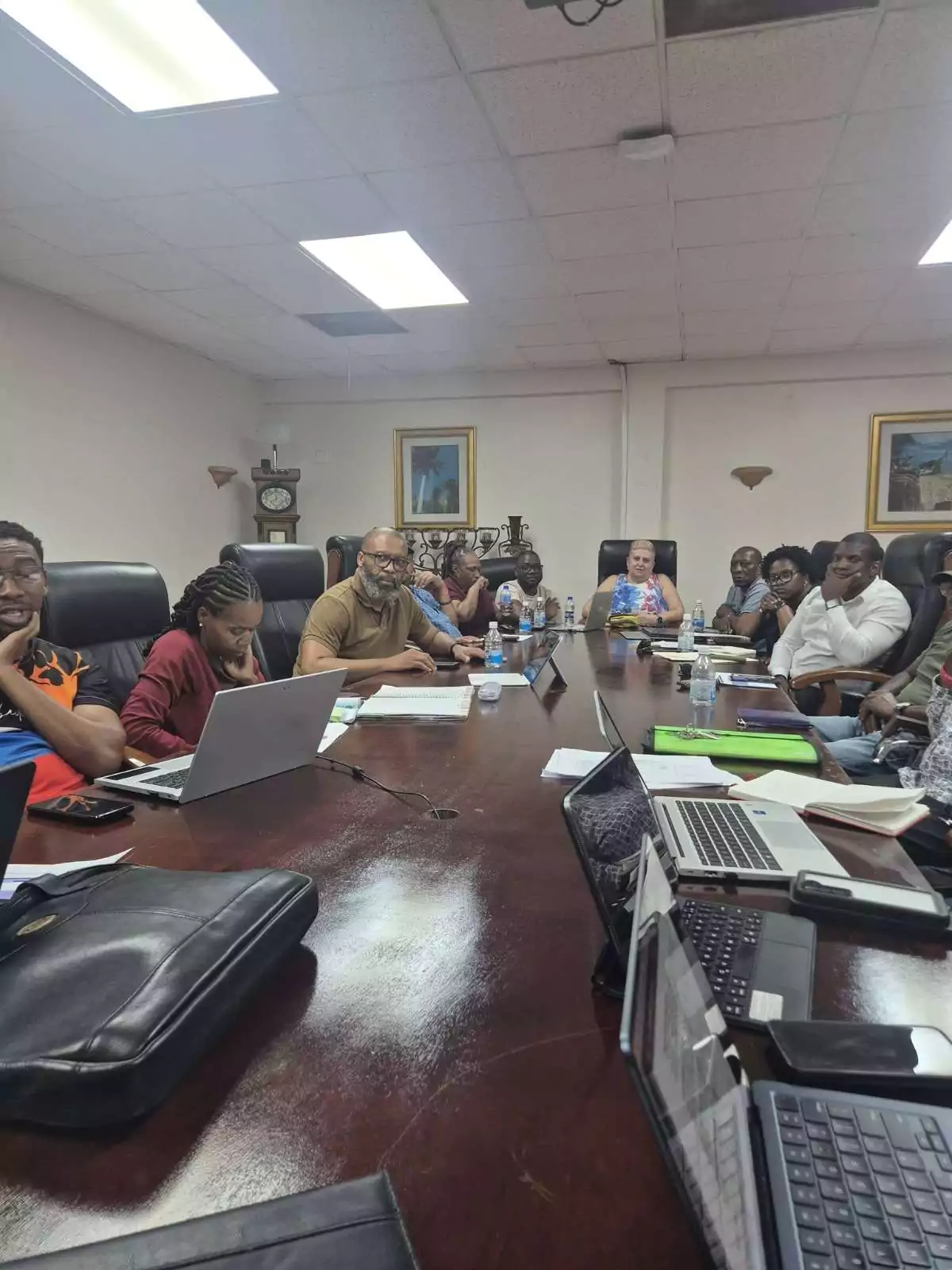
Minister of Sports and Creative Industries with responsibility for Festivals, Dwayne George, has met with members of the Festivals Commission and its various subcommittees as preparations continue to intensify for Carnival 2026.
The meeting focused on ensuring that all major aspects of the country’s premier cultural celebration are properly coordinated to deliver a carnival season that is exciting, safe, well-organized, and enjoyable for both residents and visitors.
Minister George said collaboration, planning, and strong coordination remain critical as Antigua and Barbuda prepares to host what is expected to be one of the biggest carnival celebrations in recent years.
“We are putting the necessary systems and structures in place to ensure that Carnival 2026 is an unforgettable experience,” George said. “Our goal is to showcase the very best of Antigua and Barbuda’s culture, creativity, and spirit while maintaining a safe and enjoyable environment for everyone.”
The minister also commended committee members, volunteers, and organizers for their continued dedication and hard work behind the scenes.
He noted that the success of Carnival depends heavily on the collective efforts of the various committees responsible for events coordination, logistics, security, entertainment, marketing, and overall festival management.
Carnival 2026 is expected to feature an exciting lineup of cultural events, music, pageantry, and street celebrations aimed at highlighting Antigua and Barbuda’s rich cultural heritage and vibrant creative industries sector.
George said the government remains fully committed to supporting the successful execution of the festival and ensuring that Carnival continues to grow as a major cultural and tourism product for the country.
This story was first published by Antigua News on : antigua.news/2026/06/04/minister-responsible-for-festivals-meets-with-carnival-committees-as-preparations-intensify-for-carnival-2026. © 2026 Antigua News. Republication without permission is not allowed.

About the author
Shermain Bique-Charles is an accomplished journalist with over 24 years of dynamic experience in the industry. Renowned for her exceptional storytelling and investigative skills, she has garnered numerous awards that highlight her commitment to journalistic integrity and excellence. Her work not only informs but also inspires, making her a respected voice in the field.
Read our editorial standards and corrections policy. Spotted an error? Contact the newsroom.
More from Antigua and Barbuda
View section
COP31 Fails to Adopt Antalya Pact, Leaving Island Nations Without a Climate Finance Road Map
Antigua and Barbuda pushed for grants that small islands could get more easily. The summit’s proposed pact offered a way to work out how much money should flow, but no agreement on the amount.
By Dario Item

ABEC Chairman Arthur Thomas Completes OAS Electoral Training Programme in Washington
The five-day programme brought together electoral officials from across the Americas to strengthen election observation, electoral security and public confidence in democratic processes.
By Cory Wayland

Minister Rawdon Turner Rejects Claims of Restricted Public Access to Jolly Beach
The Social and Urban Transformation Minister says public access remains open, the walking distance has been reduced and the government plans to establish a dedicated beachfront park.
By Cory Wayland

Illegal Guns Fueling Violence Across Caribbean as Criminal Networks Grow More Sophisticated
Suriname's Justice and Security Minister warns that illegal firearms trafficking is becoming increasingly difficult to combat, urging CARICOM countries to strengthen border security, intelligence-sharing and regional cooperation.
By Cory Wayland
Comments (1)
Apex Jones June 4, 2026, 10:22 AM