
Ministry Honours Old Road Centenarian Alberta Roberts-Nicholas on Her 100th Birthday


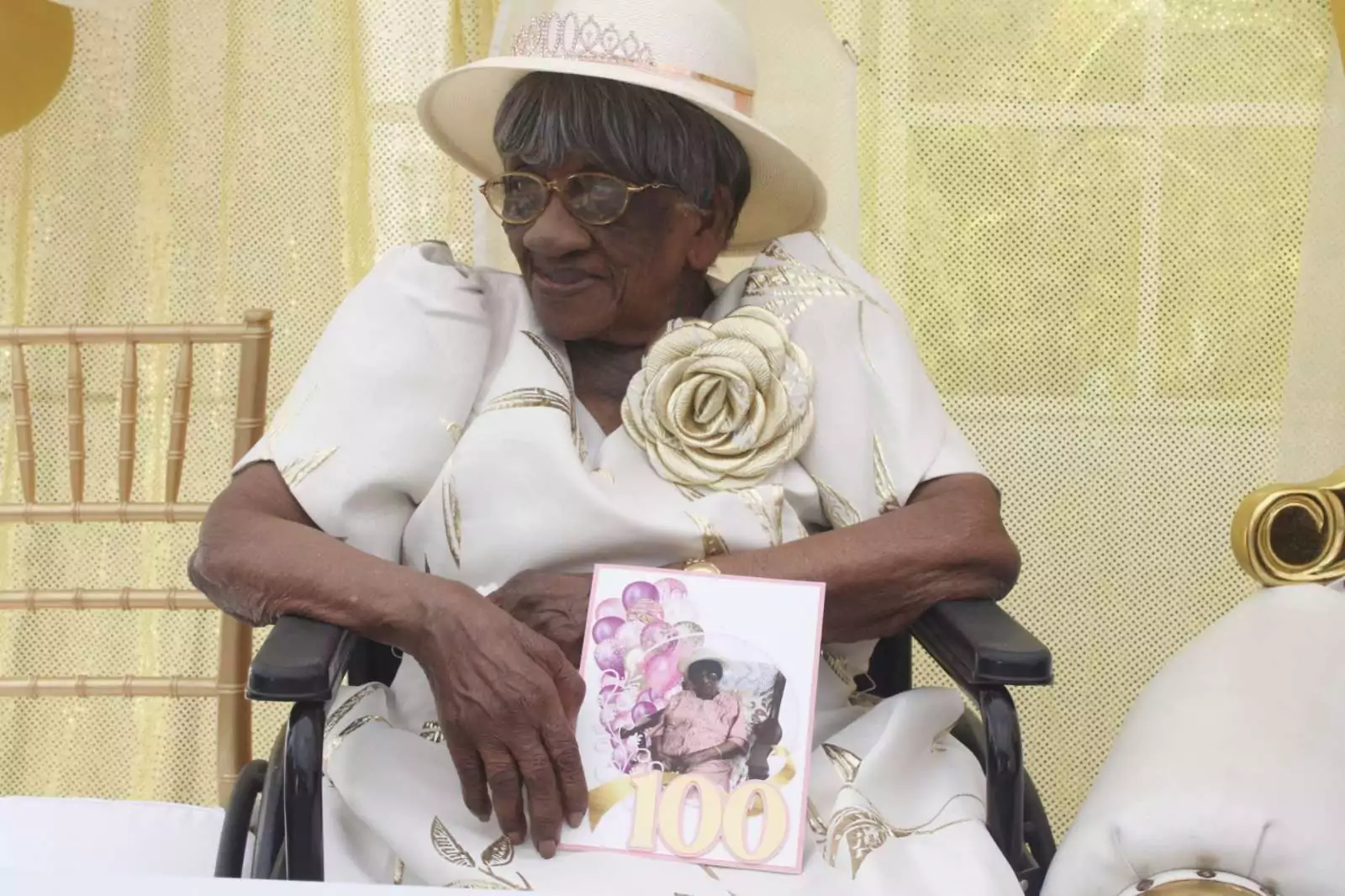
The Ministry of Social and Urban Transformation today honoured Mrs. Alberta Roberts-Nicholas of Old Road Village as she celebrated her 100th birthday, recognising a life marked by faith, service, and an unwavering commitment to family and community.
The celebration, organised by the Community Development and Citizen’s Engagement Division, brought together family members, friends, government officials, and residents of Old Road to pay tribute to the centenarian.
Born on June 18, 1926, to Joseph and Grace Roberts, Mrs. Roberts-Nicholas has spent her life serving others as a seamstress, homemaker, devoted churchwoman, and respected community figure.
For nearly 80 years, she has been a faithful member of the Old Road Seventh-day Adventist Church, where she served in various ministries and became known for her compassion and willingness to assist the sick, persons with disabilities, and those facing hardship.
Minister of State in the Ministry of Social and Urban Transformation, Hon. Kiz Johnson, presented Mrs. Roberts-Nicholas with a cheque for EC$10,000 on behalf of the Government of Antigua and Barbuda, in keeping with the Government’s commitment to honour citizens who attain the milestone age of 100 years.
“Reaching 100 years of age is a rare and remarkable blessing,” Minister Johnson said. “It represents strength, perseverance, faith, and the support of family over many decades. Mrs. Roberts-Nicholas’ life reminds us of the importance of caring for the elderly. Our seniors are not only witnesses to history, but they are also teachers, caregivers, mentors, and pillars within our communities.”
This story was first published by Antigua News on : antigua.news/2026/06/18/ministry-honours-old-road-centenarian-alberta-roberts-nicholas-on-her-100th-birthday. © 2026 Antigua News. Republication without permission is not allowed.

About the author
The Editorial Staff refers to all reporters employed by Antigua.news. When an article is not an original creation of Antigua.news—such as when it is based on a press release, other media articles, letters to the editor, or court decisions—one of our staff members is responsible for overseeing its publication.
Read our editorial standards and corrections policy. Spotted an error? Contact the newsroom.
More from Antigua and Barbuda
View section
BREAKING: Firefighters Respond to Blaze at Christ the King High School
Crews are at the school on Old Parham Road, while a separate fire has been reported on Friars Hill Road.
By Shermain Bique-Charles

Antigua Rejected $100 Million Royal Caribbean Plan Over Fort James Beach Access
The prime minister says the cruise company sought exclusive access to the proposed development area. The government is drawing up plans for a public beach park at Fort James.
By Shermain Bique-Charles

Antigua Eyes New Air Routes but Sees Hotel Capacity as a Hurdle
Turkish Airlines, Qatar Airways and Emirates are among the carriers the government would like to attract.
By Shermain Bique-Charles

World Fisheries Day Puts Spotlight on Antigua and Barbuda’s Fisherfolk
The observance honours local fishers and calls for better working conditions and more opportunities for women and young people in fisheries and aquaculture.
By Shermain Bique-Charles
Comments
Be the first to comment.