
Teen Fighting for Life After Gunman Opens Fire on Two Youths in St. John’s

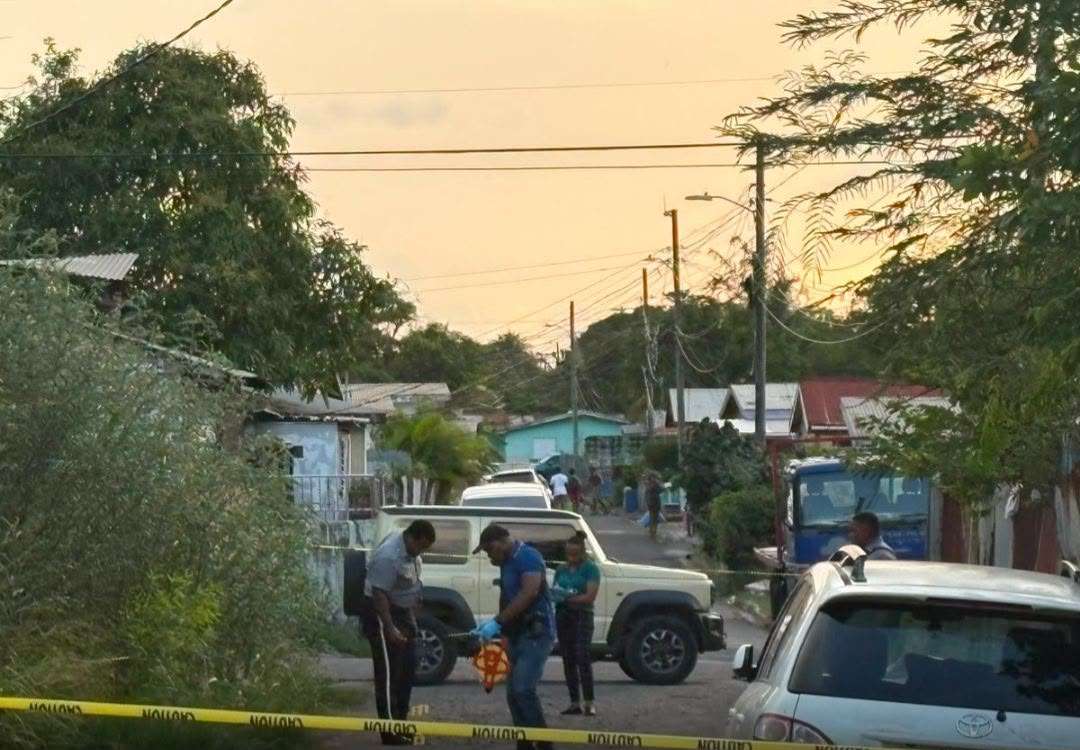
A 16-year-old boy is fighting for his life after he and another teenager were shot by a lone gunman in St. John’s on Wednesday evening, in what police are treating as a targeted attack.
The shooting unfolded shortly after 5:30 p.m. on July 1 and has left investigators searching for the person responsible.
According to police, the two teenagers were walking along Armstrong Road when they were approached by a man dressed entirely in black with his face covered. Without warning, the assailant allegedly opened fire, hitting both youths before fleeing the area on foot.
The younger victim suffered a gunshot wound to the chest and remains in critical condition at hospital.
The second victim, a 17-year-old, was shot in both legs. Although his injuries are serious, they are not considered life-threatening, and he remains under medical care.
The brazen attack has sent shockwaves through the community, adding to growing concerns over gun violence involving young people.
Investigators have described the suspect as a slim-built man, approximately 5 feet 6 inches tall. No further description has been released, and police have not disclosed a possible motive for the shooting.
Crime scene investigators spent several hours processing the area as detectives interviewed potential witnesses and searched for evidence that could help identify the gunman.
Police are appealing to anyone who may have seen the incident or who has information that could assist the investigation to come forward. Members of the public can contact the Criminal Investigations Department at 462-3913 or 462-3914, call the anonymous Crime Stoppers hotline at 800-TIPS (8477), or dial 911.
The investigation remains ongoing.
This story was first published by Antigua News on : antigua.news/2026/07/02/teen-fighting-for-life-after-gunman-opens-fire-on-two-youths-in-st-johns. © 2026 Antigua News. Republication without permission is not allowed.

About the author
The Editorial Staff refers to all reporters employed by Antigua.news. When an article is not an original creation of Antigua.news—such as when it is based on a press release, other media articles, letters to the editor, or court decisions—one of our staff members is responsible for overseeing its publication.
Read our editorial standards and corrections policy. Spotted an error? Contact the newsroom.
More from Antigua and Barbuda
View section
Pilots, Flight Attendants and Aviation Specialists Added to CARICOM Skills Movement
The decision opens a pathway to wider regional employment for qualified aviation professionals, with legal changes to follow.
By Shermain Bique-Charles

Freeland Pitches Multi-Sport Weekends to Grow Tourism in Antigua and Barbuda
The Minister of State in the Ministry of Tourism says coordinating races, tournaments and games could draw more visitors from neighbouring islands.
By Shermain Bique-Charles

Investigation Continues After Fire Destroys Three Homes in Cooks Extension
A fourth home sustained minor damage in last Thursday morning’s blaze. No one was injured.
By Shermain Bique-Charles

Nuri Katz Says EU ‘Dictated the Same Terms’ in Caribbean Citizenship Programme Talks
The founder and president of Apex Capital Partners expects a rush of applications after Antigua and Barbuda and St Kitts and Nevis announced similar timetables for winding down their citizenship by investment programmes.
By Shermain Bique-Charles
Comments (4)
Lf July 2, 2026, 8:48 AM
Anonymous July 2, 2026, 1:58 PM
Anonymous July 2, 2026, 2:16 PM
Juju Bee July 2, 2026, 5:13 PM