
Road Closures, Traffic Diversions Expected as Police Conduct Three-Day CHOGM Security Exercise

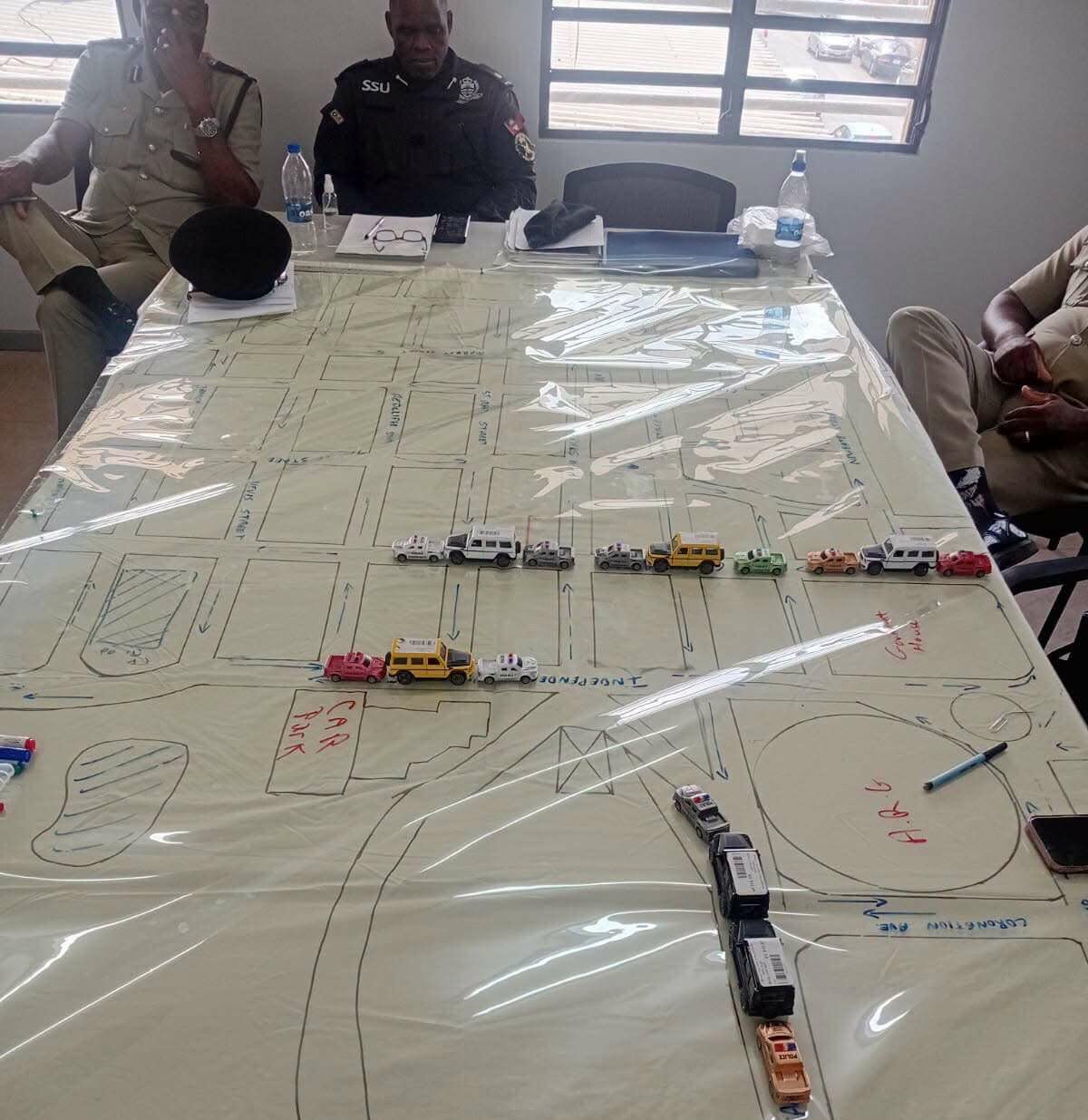
Motorists are being advised to prepare for temporary road closures, traffic diversions, and increased security measures across several major roadways beginning Wednesday, July 8, as Antigua and Barbuda stages a three-day national security exercise ahead of the Commonwealth Heads of Government Meeting (CHOGM) 2026.
The exercise, Exercise STRONGHOLD, will run from July 8 to July 10 and is being coordinated by the National Security Planning Committee to test the country’s preparedness for hosting Commonwealth leaders later this year.
Roads expected to be affected include those leading to the American University of Antigua (AUA) and hotels in the island’s northern corridor, as well as Sir George Walter Highway, Sir Sydney Walling Highway, Old Parham Road, Friars Hill Road, and streets surrounding the Antigua and Barbuda National Performing Arts Centre, formerly the Deluxe Cinema.
A designated security zone will also be established in St. John’s, extending from Newgate Street North to New Street South and from Parliament Drive East to Corn Alley West, where additional vehicle restrictions will be enforced.
According to the Royal Police Force of Antigua and Barbuda, the exercise is intended to assess the nation’s security readiness, emergency response capabilities, inter-agency coordination, and operational effectiveness ahead of CHOGM.
Throughout the exercise, security personnel will be deployed at strategic locations to manage traffic, regulate pedestrian movement within designated security areas, and ensure the safe movement of vehicles and the public.
Police are urging motorists to plan their journeys in advance, expect delays, follow the directions of law enforcement officers, and allow additional travel time while the exercise is underway.
Residents are also encouraged to stay informed by monitoring official announcements and advisories as Antigua and Barbuda continues preparations to host one of the largest international meetings ever staged in the country.
The National Security Planning Committee has thanked the public for its patience and cooperation, acknowledging that the temporary disruptions are necessary to ensure the country’s readiness for CHOGM 2026.
This story was first published by Antigua News on : antigua.news/2026/07/07/road-closures-traffic-diversions-expected-as-police-conduct-three-day-chogm-security-exercise. © 2026 Antigua News. Republication without permission is not allowed.

About the author
The Editorial Staff refers to all reporters employed by Antigua.news. When an article is not an original creation of Antigua.news—such as when it is based on a press release, other media articles, letters to the editor, or court decisions—one of our staff members is responsible for overseeing its publication.
Read our editorial standards and corrections policy. Spotted an error? Contact the newsroom.
More from Antigua and Barbuda
View section
Firefighters Respond to House Fire on All Saints Road
Cause of blaze at property east of John I. Martin remains unknown as investigations continue
By Shermain Bique-Charles

Police Renew Appeal for Missing 21-Year-Old Yobachi Charles
Armstrong Road resident has been missing since October 30, with several searches yet to locate him.
By Shermain Bique-Charles

India Offers Support for Mango Processing and Emergency Healthcare in Antigua and Barbuda
CHOGM bilateral talks explored grant assistance for food processing, sea ambulances and field hospitals, alongside wider trade and energy cooperation.
By Shermain Bique-Charles

EC$17 Million Earmarked for Community Sports Facility Upgrades
Funding will be included in the 2027 Budget Estimates to improve facilities for training, competition and recreation across Antigua and Barbuda.
By Shermain Bique-Charles
Comments
Be the first to comment.