
APUA Adjusts Business Centre Hours as Operation Stronghold Security Exercise Begins

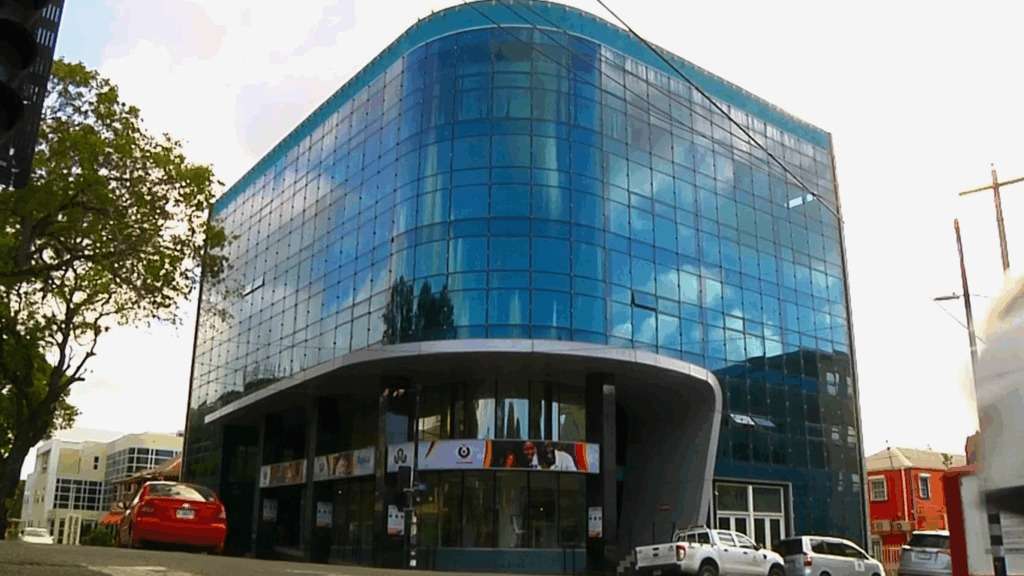
Customers of the Antigua Public Utilities Authority (APUA) will experience temporary changes to services this week as the national Operation Stronghold Security Exercise brings traffic and access restrictions to sections of St. John’s.
APUA said pedestrian access along High Street will be restricted on Wednesday, July 8, from approximately 8:00 a.m. to 9:30 a.m., while vehicular traffic within the designated security zone will also be affected under measures implemented by the Royal Police Force of Antigua and Barbuda.
The utility company is also adjusting the operating hours of its Independence Avenue Business Centre. On Friday, July 10, the facility will open from 12:30 p.m. to 4:00 p.m. only because of the ongoing security exercise.
Despite the temporary adjustment, APUA said all other bill payment locations and inet stores across the island will continue to operate during their normal business hours.
To ensure customers can still access essential services, the APUA Mobile Bus will be stationed at the former Head Office in Cassada Gardens from 9:00 a.m. to 1:00 p.m., offering customer service assistance during the period.
The authority is also encouraging customers to take advantage of its digital services to avoid disruptions. Bills can be viewed and paid through APUA’s online portal, the My inet Home platform, participating online banking and credit union services, while inet customers can complete transactions using the My inet mobile app.
Operation Stronghold is part of Antigua and Barbuda’s preparations for hosting the Commonwealth Heads of Government Meeting (CHOGM) later this year. The multi-agency exercise is designed to test the country’s security readiness and will involve temporary road closures and restricted access in parts of the capital over a three-day period.
APUA thanked customers for their understanding and cooperation while the exercise is underway.
This story was first published by Antigua News on : antigua.news/2026/07/08/apua-adjusts-business-centre-hours-as-operation-stronghold-security-exercise-begins. © 2026 Antigua News. Republication without permission is not allowed.

About the author
The Editorial Staff refers to all reporters employed by Antigua.news. When an article is not an original creation of Antigua.news—such as when it is based on a press release, other media articles, letters to the editor, or court decisions—one of our staff members is responsible for overseeing its publication.
Read our editorial standards and corrections policy. Spotted an error? Contact the newsroom.
More from Antigua and Barbuda
View section
Freeland Pitches Multi-Sport Weekends to Grow Tourism in Antigua and Barbuda
The Minister of State in the Ministry of Tourism says coordinating races, tournaments and games could draw more visitors from neighbouring islands.
By Cory Wayland

Investigation Continues After Fire Destroys Three Homes in Cooks Extension
A fourth home sustained minor damage in last Thursday morning’s blaze. No one was injured.
By Shermain Bique-Charles

Nuri Katz Says EU ‘Dictated the Same Terms’ in Caribbean Citizenship Programme Talks
The founder and president of Apex Capital Partners expects a rush of applications after Antigua and Barbuda and St Kitts and Nevis announced similar timetables for winding down their citizenship by investment programmes.
By Shermain Bique-Charles

Fernandez Pledges Tourism Authority Support for Love Link Caribbean Season Two
The Antigua and Barbuda reality series has drawn more than 5.2 million YouTube views across 162 countries and territories in its debut season.
By Shermain Bique-Charles
Comments (1)
Apex Jones July 8, 2026, 2:51 PM