
PM Browne Welcomes Thousands to Antigua Carnival, Urges Safe and Memorable Celebrations

By Cory Wayland
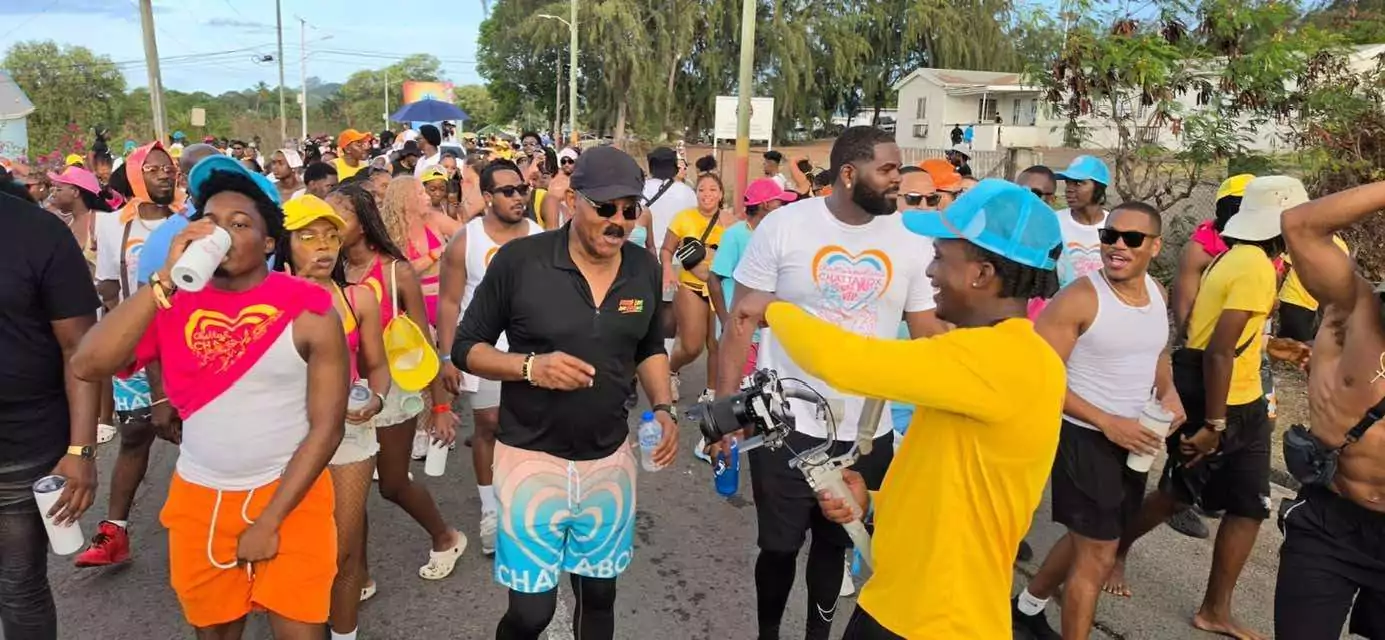
Prime Minister Gaston Browne has extended a warm welcome to residents, returning nationals and visitors as Antigua Carnival 2026 reaches its peak, encouraging everyone to embrace the nation’s rich culture while celebrating responsibly.
In a special Carnival message, the Prime Minister described the festival as a celebration of Antigua and Barbuda’s history, unity and vibrant traditions, inviting both first-time visitors and longtime Carnival enthusiasts to immerse themselves in the experience.
“Whether you’re coming home to celebrate or visiting our shores for the very first time, I extend a heartfelt welcome to Antigua and Barbuda,” Browne said.
He noted that Carnival is much more than colourful costumes and entertainment, describing it as an opportunity to reconnect with family and friends, enjoy the country’s music and cuisine, and create lasting memories.
The Prime Minister also appealed to revelers to look out for one another throughout the festivities, stressing the importance of safety, respect and responsible behaviour.
“Have fun, celebrate responsibly, look out for one another, and help us make this a safe, memorable and joyous Carnival for all,” Browne urged.
He said the collective spirit of the people is what makes Antigua Carnival one of the Caribbean’s premier summer festivals and encouraged everyone to showcase the warmth and hospitality for which the twin-island nation is known.
Closing his message, Browne offered a heartfelt greeting to nationals at home and abroad.
“Welcome home. Welcome to paradise. Happy Carnival.”
The Prime Minister’s remarks come as thousands of locals and visitors continue to participate in the wide array of Carnival events, which have drawn strong crowds and reinforced the festival’s role as one of Antigua and Barbuda’s biggest cultural and tourism attractions.
This story was first published by Antigua News on : antigua.news/2026/07/31/pm-browne-welcomes-thousands-to-antigua-carnival-urges-safe-and-memorable-celebrations. © 2026 Antigua News. Republication without permission is not allowed.

About the author
Cory Wayland is the Social Media Co-ordinator at Antigua.News, where he manages digital content strategy, audience engagement, and real-time news publications across social platforms. With a keen eye for trending topics and a commitment to factual storytelling, Cory plays a key role in shaping the online voice of Antigua.News.
Read our editorial standards and corrections policy. Spotted an error? Contact the newsroom.
More from Antigua and Barbuda
View section
Trade Winds Hotel Workers Meet With Union Representative
The visit was part of the Antigua and Barbuda Workers’ Union’s regular outreach to hotel employees.
By Cory Wayland

WISH to Host ‘Behind the Screen’ Workshop Addressing Digital Violence Against Women and Girls
WISH and regional partners will host a workshop in Antigua on December 5 to raise awareness of digital violence against women and girls and promote online safety.
By Editorial Staff

AIDS Secretariat Symposium Tackles HIV Stigma, Prevention and Sexual Health Awareness
Health professionals and community stakeholders gathered for an afternoon of discussions on HIV prevention, testing, treatment, sexual consent, mental health and healthy relationships ahead of World AIDS Day.
By Cory Wayland

Police Launch Operation Season Watch, Remove 12 Vehicles From Roads in Christmas Crackdown
Police stopped approximately 140 vehicles during coordinated patrols and checkpoints as Commissioner Everton Jeffers warns that intensified crime-fighting and traffic enforcement will continue into the new year.
By Cory Wayland
Comments (1)
Apex Jones August 1, 2026, 9:58 PM