
Antigua and Barbuda Moves Ahead With Passenger Name Record System

By Cory Wayland
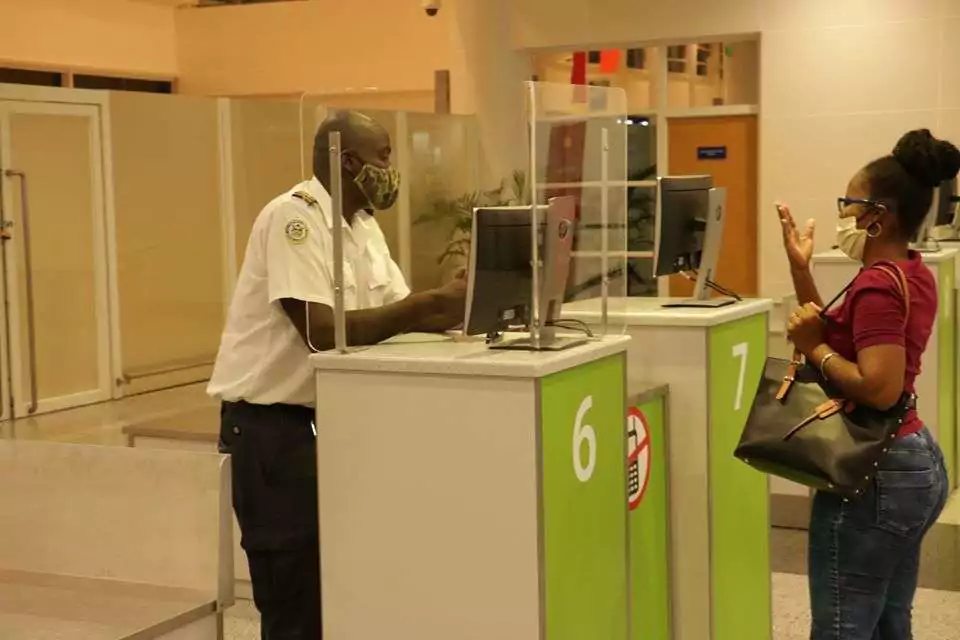
Antigua and Barbuda is moving closer to implementing a new passenger information system aimed at identifying potential security risks and strengthening the country’s ability to combat transnational crime.
Cabinet has agreed to proceed with a Passenger Name Record (PNR) Framework in partnership with the Caribbean Community Implementation Agency for Crime and Security, CARICOM IMPACS.
Foreign Affairs, Trade and Immigration Minister E. Paul Chet Greene updated Cabinet on the initiative, which follows the passage of legislation governing the collection and use of Passenger Name Record information in Antigua and Barbuda.
Under the arrangement, the country will gain access to CARICOM IMPACS’ regional PNR system, which allows authorities to securely collect, process and analyse passenger information for risk-assessment purposes.
The system is intended to help border and security officials identify potentially high-risk travellers while ensuring passenger information is handled in accordance with local laws and data-protection requirements.
The initiative will also support the establishment of Antigua and Barbuda’s Passenger Information Unit, which will be responsible for handling and analysing the information.
Officers assigned to the unit will receive specialised training in passenger risk analysis, intelligence development, PNR processing and data protection.
CARICOM IMPACS will also assist with developing the policies, procedures and operational protocols required to run the unit.
According to the government, using the existing regional system will allow Antigua and Barbuda to benefit from CARICOM’s security infrastructure and expertise without the significantly higher cost of establishing and maintaining an independent national system.
Cabinet has approved moving ahead with the arrangement, with CARICOM IMPACS and national authorities expected to finalise technical requirements, responsibilities and a timeline for implementation.
The government said the initiative forms part of wider efforts to modernise border management, strengthen national security and deepen security cooperation across the Caribbean.
This story was first published by Antigua News on : antigua.news/2026/08/28/antigua-and-barbuda-moves-ahead-with-passenger-name-record-system. © 2026 Antigua News. Republication without permission is not allowed.

About the author
Cory Wayland is the Social Media Co-ordinator at Antigua.News, where he manages digital content strategy, audience engagement, and real-time news publications across social platforms. With a keen eye for trending topics and a commitment to factual storytelling, Cory plays a key role in shaping the online voice of Antigua.News.
Read our editorial standards and corrections policy. Spotted an error? Contact the newsroom.
More from Antigua and Barbuda
View section
Bishop Browne Calls for End to Sunday Scheduling of National Independence Food Fair
Kingdom Leaders head urges organisers to respect religious worship days when planning national celebrations and avoid scheduling future food fairs on Sundays.
By Cory Wayland

Stray Dog Removal Exercise Begins in St. John’s Ahead of CHOGM
Veterinary and Livestock Division asks the public to report stray dogs in the capital during the October 26–November 6 exercise.
By Shermain Bique-Charles

Air Conditioning Could Become a Requirement for Passenger Buses
Browne says rising temperatures warrant consideration of stronger passenger-comfort standards.
By Shermain Bique-Charles

Antigua and Barbuda Honours Six National Heroes Today
A ceremony at Heroes Park will this morning recognise contributions to freedom, political leadership, education and sport.
By Shermain Bique-Charles
Comments (3)
Glen August 28, 2026, 10:20 AM
Nezma August 29, 2026, 8:05 AM
Juju Bee August 29, 2026, 9:12 PM