
PABRO Installs Surveillance Cameras to Combat Illegal Dumping at Byams Wharf

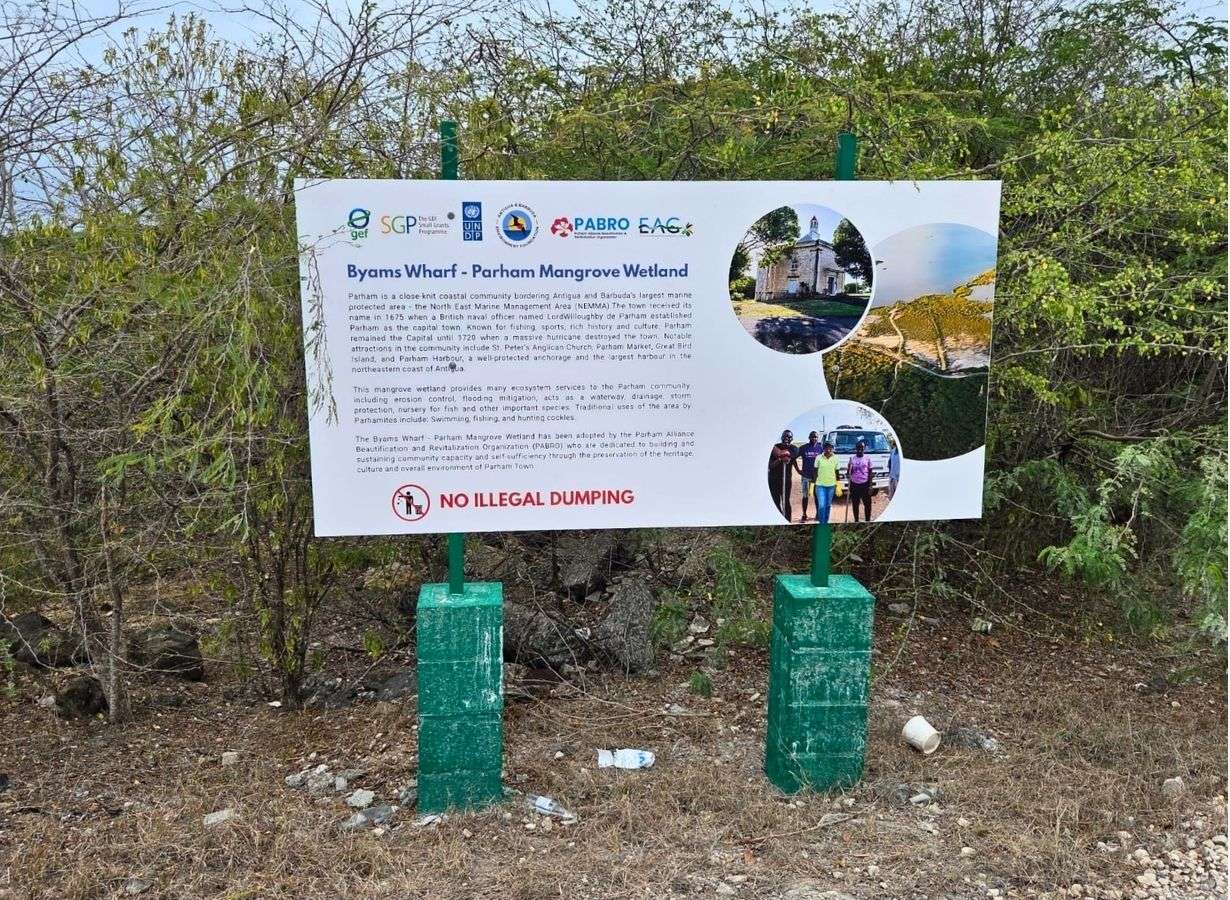
The Parham Alliance Beautification and Revitalization Organisation (PABRO) has installed surveillance cameras at Byams Wharf as part of an ongoing conservation project aimed at protecting the area’s environmentally important wetland.
The cameras, which were installed over the weekend, will be used to monitor the area and deter illegal dumping, a practice that threatens the wetland and its surrounding ecosystem.
PABRO purchased the surveillance equipment and covered the cost of its installation, demonstrating the organisation’s commitment to preserving and revitalising the Parham community.
PABRO Public Relations Officer Stallone Gardner said protecting the wetland is particularly important because it serves as a habitat for mangroves and other forms of plant and animal life.
Mangroves play a critical role in coastal ecosystems by providing habitats for wildlife, supporting marine life, reducing coastal erosion and helping to protect communities from storm surges and flooding.
The cameras are expected to strengthen monitoring at Byams Wharf and help identify individuals who illegally dispose of garbage and other waste in the area.
PABRO is also hoping the initiative will encourage greater community responsibility and remind residents and visitors that protecting the wetland requires the cooperation of everyone.
The wider conservation project is funded by the Antigua and Barbuda Environment Foundation. It forms part of PABRO’s continuing efforts to improve the appearance of the Parham community while safeguarding its natural resources.
The organisation is urging members of the public to dispose of waste responsibly and support its efforts to preserve Byams Wharf for future generations.
This story was first published by Antigua News on : antigua.news/2026/09/07/pabro-installs-surveillance-cameras-to-combat-illegal-dumping-at-byams-wharf. © 2026 Antigua News. Republication without permission is not allowed.

About the author
Shermain Bique-Charles is an accomplished journalist with over 24 years of dynamic experience in the industry. Renowned for her exceptional storytelling and investigative skills, she has garnered numerous awards that highlight her commitment to journalistic integrity and excellence. Her work not only informs but also inspires, making her a respected voice in the field.
Read our editorial standards and corrections policy. Spotted an error? Contact the newsroom.
More from Antigua and Barbuda
View section
Commonwealth Leaders Unite for Cricket Showdown at Sir Vivian Richards Stadium
King Charles III joins ceremonial coin toss as Caribbean and international Commonwealth representatives meet for friendly competition.
By Shermain Bique-Charles

Browne Calls For Greater Investment And Strategic Partnerships To Strengthen Small States
Addressing Commonwealth ministers in Antigua and Barbuda, the Prime Minister urged member countries to move beyond declarations and deliver practical investments in climate resilience, renewable energy and economic development.
By Cory Wayland

VIDEO: Antiguans And Barbudans In Philadelphia Raise National Flag To Mark 45th Independence Anniversary
The Antigua and Barbuda Association of Philadelphia hosted its fifth annual flag-raising ceremony at Philadelphia City Hall, where the city officially recognised October 26 to November 1 as Antigua and Barbuda Week.
By Cory Wayland

Saint Lucia’s Prime Minister Philip J. Pierre Congratulates Antigua And Barbuda On 45th Independence
Pierre congratulated the nation on behalf of the Saint Lucian Government and people, highlighting the longstanding relationship between the two Caribbean countries as Antigua and Barbuda hosted CHOGM 2026.
By Cory Wayland
Comments (4)
Yaeee September 7, 2026, 2:42 PM
Informed citizen September 7, 2026, 2:49 PM
Lena September 8, 2026, 5:29 PM
Juju Bee September 9, 2026, 3:14 PM