
A Royal Welcome and a Commonwealth Celebration
Their Majesties conclude a visit to Antigua and Barbuda during CHOGM 2026


Their Majesties King Charles III and Queen Camilla concluded their visit to Antigua and Barbuda on Wednesday, 4 November 2026. The visit, which began with the King’s official arrival on Friday, 30 October, coincided with the Commonwealth Heads of Government Meeting (CHOGM) 2026 and brought Their Majesties into contact with the country’s culture, history, communities and natural environment.
Across the programme, Their Majesties met community organisations, young people, educators, artists, environmental groups and leaders from across the Commonwealth.
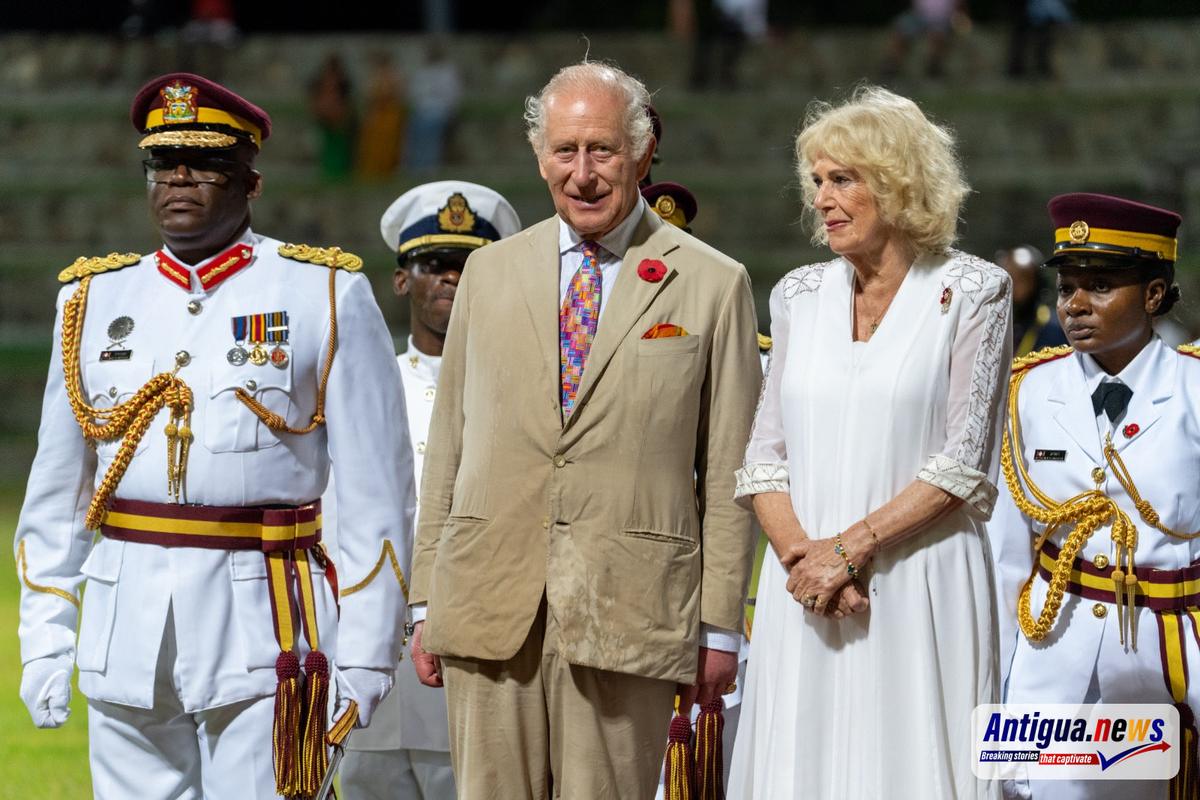
The engagements reflected Antigua and Barbuda’s heritage and national identity, as well as the work taking place to support education, community service, environmental stewardship and opportunity for young people.
On Sunday, 1 November, Their Majesties attended a church service at St. John’s Pentecostal House of Restoration and later joined the Independence Ceremonial Parade at Sir Vivian Richards Stadium. The parade marked the country’s 45th anniversary of Independence and celebrated the service and achievements of Antiguans and Barbudans. The King also met the Prime Minister and the Governor-General and took part in the Commonwealth Cricket Celebration, including the ceremonial coin toss for the Heads of Government match.
The following day, Their Majesties visited Government House, where they met representatives of charitable organisations, uniformed youth groups and education initiatives.
They viewed the Government House Art Gallery and Museum, including an exhibition on the history of Antigua and Barbuda, and unveiled a plaque marking the restoration of Government House. The visit also recognised the contribution of local artists, students and craftspeople.
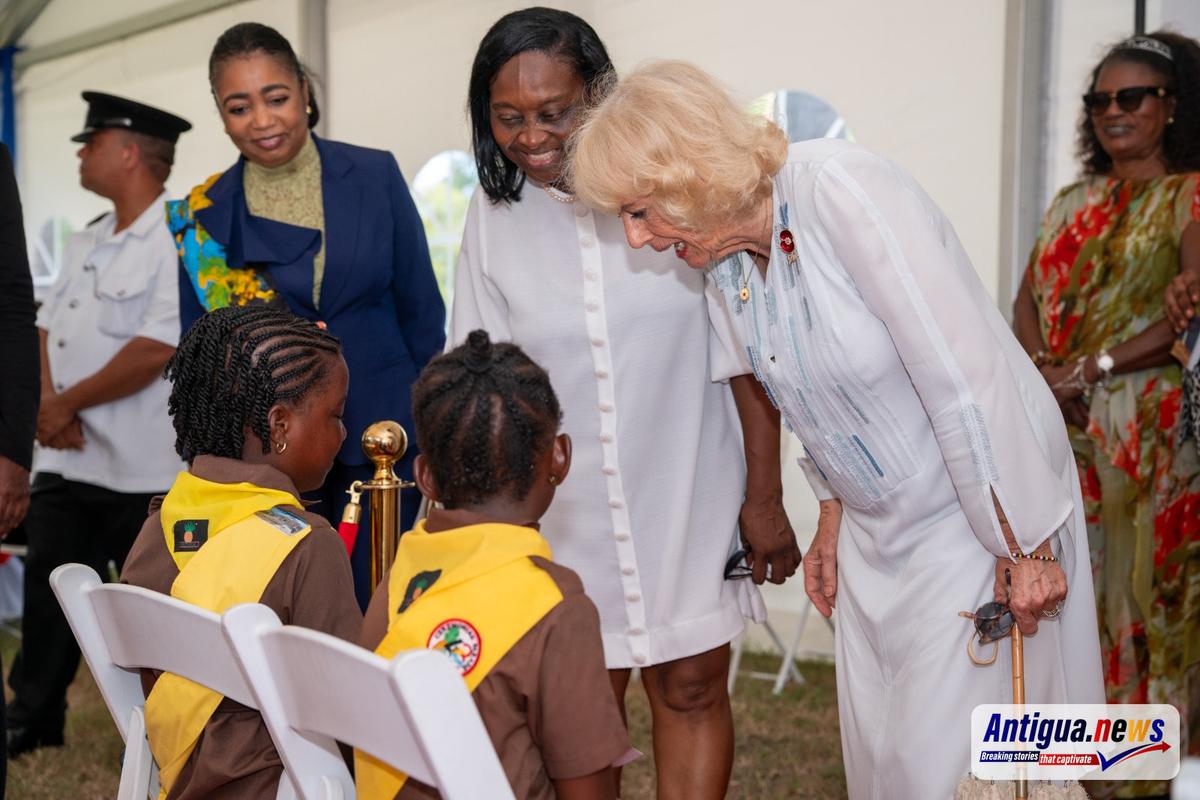
At Agave Gardens, Their Majesties learned about the Antigua and Barbuda Horticultural Society’s work in seed preservation, drought-resistant planting and horticulture. They met traditional seedworkers and local artisans and heard how heritage plants and locally sourced products support food security, livelihoods and the preservation of traditional skills.
The Queen later attended the CHOGM Women’s Forum at the American University of Antigua, where she met organisations working to prevent violence against women and girls. The King visited Nelson’s Dockyard to learn about heritage conservation, coral restoration and efforts to address sargassum. He also supported the launch of the Commonwealth Nature Initiative and attended the Commonwealth Business Forum at the Sticky Wicket, where he met Commonwealth leaders, business representatives and investors.
On Tuesday, 3 November, Their Majesties attended the opening of CHOGM at the National Performing Arts Centre. The Queen visited Princess Margaret School, where she met students participating in a Queen’s Commonwealth Writing Competition workshop and viewed a student art exhibition. The King attended a reception for newly appointed Heads of Government at Weatherills, while Their Majesties also took part in an oceans engagement at Fort James Beach, meeting people working in coastal protection, marine conservation and water safety.
The day concluded with Their Majesties hosting a dinner for Commonwealth Heads of Government at Blue Waters Resort. The occasion brought together leaders and delegates from across the Commonwealth during Antigua and Barbuda’s hosting of CHOGM.
The dinner marked the close of a programme through which Their Majesties experienced the people, culture and ambitions of Antigua and Barbuda and joined Commonwealth leaders in the host nation.
This story was first published by Antigua News on : antigua.news/2026/11/05/a-royal-welcome-and-a-commonwealth-celebration. © 2026 Antigua News. Republication without permission is not allowed.

About the author
The Editorial Staff refers to all reporters employed by Antigua.news. When an article is not an original creation of Antigua.news—such as when it is based on a press release, other media articles, letters to the editor, or court decisions—one of our staff members is responsible for overseeing its publication.
Read our editorial standards and corrections policy. Spotted an error? Contact the newsroom.
More from Antigua and Barbuda
View section
Minister Turner Calls for Disability Inclusion to Shape Urban Renewal and Public Services
Minister urges persons with disabilities to be involved in urban renewal, employment support and emergency preparedness.
By Shermain Bique-Charles

Minister Johnson: Women Must Be Given More Than the Burden of Surviving Crises
Minister calls for stronger social protection, sustained support for women’s organisations and real influence over policy at Commonwealth People’s Forum.
By Shermain Bique-Charles

OPINION: Reflection on Our Nation’s Journey
Edward H. P. Croft reflects on his historic role in Antigua and Barbuda’s Independence, 45 years of national progress, and the importance of faith, unity and purpose in shaping the nation’s future.
By Editorial Staff

Antigua and Barbuda Nears WHO Cervical Cancer Screening Target as Progress Highlighted at CHOGM
Dr. Cherrie Tulloch outlined the country's progress in HPV vaccination, nationwide screening and early detection during the launch of the CHOGM 2026 Spouses’ Programme.
By Cory Wayland
Comments
Be the first to comment.