
5 dead, dozens injured as multiple earthquakes strike Iran
By Tata
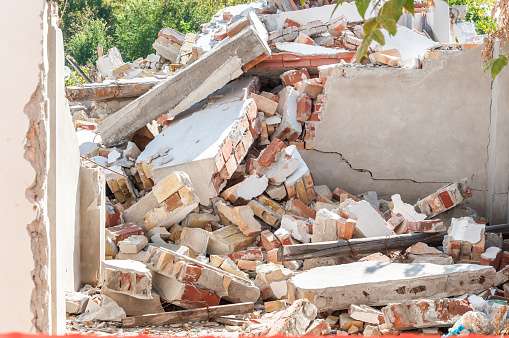
At least five people have died, and dozens more were injured as a 6.1 magnitude earthquake struck Iran. According to local reports, the disaster happened around 2 am local time. The Iranian RCS reported that the quake struck at exactly 02:02 am.
“An earthquake with a magnitude of 6.1 on the Richter scale, at a depth of 10 km, shook the vicinity…at 02:02 am,” the Iranian RCS tweeted. “[Four] assessment teams were sent to the earthquake site.”
After the mid-night earthquake, two other severe quakes struck the same area. All five deaths were recorded in the first quake.
The governor of Bandar Langeh, Foad Moradzadeh, told IRNA that nobody was harmed in the second quake.
“All of the victims died in the first earthquake and no one was harmed in the next two severe quakes as people were already outside their homes,” said Governor Foad Moradzadeh.
In another tweet by the Iranian Red Cresent association, the RCS said the region experienced three quakes.
“After the first [earthquake] of 6.1 [magnitude], two earthquakes of 6.1 [magnitude] and 6.3 [magnitude] shook the port of Khmer and Kong province again,” the association said on Twitter.
“Currently, 75 rescue-operational forces and emergency teams are present in the earthquake-affected areas with the use of 12 operational vehicles,” it added.
Currently, the number of injuries stands at 44, and many houses were destroyed. Despite the frequent earthquakes in Iran, most houses in the rural areas are not constructed to withstand the quakes.
On average, Iran experience one earthquake every day. According to ESKP, “The reason is the course of several tectonic plates below the country. At the Gulf of Oman, the origin of the earthquake, one plate shifts below another, which is why “very deep earthquakes” occur in this region.”
This story was first published by Antigua News on : antigua.news/2022/07/02/5-dead-dozens-injured-as-multiple-earthquakes-strike-iran. © 2022 Antigua News. Republication without permission is not allowed.
Read our editorial standards and corrections policy. Spotted an error? Contact the newsroom.
More from World
View section
Powerful Earthquake Strikes China Leaving 16 Dead And Hundreds Of Homes Destroyed
Rescue teams race against time in Tibet after a magnitude 7 earthquake leaves dozens injured, displaces thousands and triggers widespread destruction.
By Cory Wayland

Kenyan Preacher Paul Mackenzie Convicted of Murdering 191 People in Shakahola Massacre
Former church leader found guilty alongside 28 others in a case involving the deaths of 190 children and one adult who were allegedly subjected to deadly religious fasting.
By Cory Wayland

Priest Speaks About Life and Death in Final Sermon Before Falling Crucifix Kills Him During Mass
Father Patricio Sánchez urged worshippers to cherish their time with God and loved ones before a large wooden crucifix fell and fatally struck him during a church service in Ecuador.
By Cory Wayland

Florida Attorney General James Uthmeier Announces Arrest Warrant for Former Cuban Leader Raúl Castro Over 1996 Aircraft Shootdown
James Uthmeier confirms murder conspiracy charge against the 95-year-old former president over the 1996 shootdown of two civilian aircraft that killed four men.
By Cory Wayland
Comments
Be the first to comment.