
Finnish PM Sanna Marin Issues an Apology for ‘Inappropriate’ Photos taken at Residence
By Tata
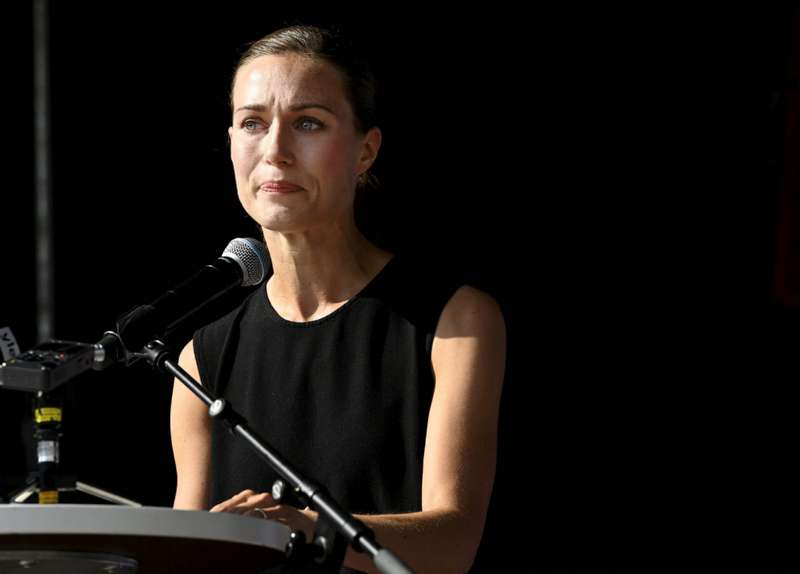
Sanna Marin has yet again apologized after a picture of two topless ladies shot at a party inside the Finnish prime minister’s official residence last month was shared on social media.
“I think the picture is not appropriate, I apologize for it. Such a picture should not have been taken,” Marin said. But otherwise “nothing extraordinary happened” at the party, she added.
The photo was initially posted on Sabina Särkkä’s TikTok account, though it has since been removed. Särkkä who is a model and influencer was depicted in the picture with another lady, not Marin, kissing while raising up their tops and having a “Finland” sign placed over their breasts.
Marin confirms that the photograph was taken at the residence, Kesäranta, when she hosted guests there on July 8 following the Ruisrock music festival.
The 36-year-old prime minister had earlier made international headlines last week after a video of her drinking and dancing heavily at a private party surfaced online – a situation that generated mixed reactions.
Her opposition criticized her and deemed her actions inappropriate, claiming that her friendship choices revealed a lack of discretion and that leaked pictures and videos could subject her to ridicule.
However, a lot of people have backed her right and freedom to party.
In an effort to show their support for the prime minister, Finnish ladies have recorded videos of themselves dancing and drinking.
Speaking to reporters last week, Marin herself said she hoped that “in the year 2022, it is accepted that even decision-makers get to dance, sing and go to parties”.
She further stated that the videos were “private, not intended for public viewing”, and that she felt confident there was other content. “I feel like footage is shot all the time, everywhere, and it doesn’t feel good,” she said. “Even normal things are made to look bad.”
In response to claims that drugs may have been consumed at the party, Marin, who was the world’s youngest prime minister when she was elected in 2019, said she has never used drugs in her entire life – “not even in my teenage years”- she said. She, however, voluntarily availed herself to undergo a drug test “to clear up suspicions” with the results coming out negative on Monday.
This story was first published by Antigua News on : antigua.news/2022/08/25/finnish-pm-sanna-marin-issues-an-apology-for-inappropriate-photos-taken-at-residence. © 2022 Antigua News. Republication without permission is not allowed.
Read our editorial standards and corrections policy. Spotted an error? Contact the newsroom.
More from World
View section
Myanmar Says It Will Defy Parts of the Rohingya Genocide Ruling
The Gambia won an order for the safe return of Rohingya refugees. Myanmar’s president says he will choose which measures to accept, and an armed group controls most of the land they fled.
By Dario Item

Spain Votes After an Eviction Shook Its Government
An elderly tenant’s eviction helped trigger the November 29 snap election. Pedro Sánchez is recovering in some polls, but the right still has the clearer route to a governing majority.
By Dario Item

Dozens of KFC Restaurants Closing Across 10 U.S. States as Major Franchise Operator Files for Bankruptcy
Financial troubles, falling sales and millions in unpaid franchise fees have forced a major KFC operator into bankruptcy, with 72 restaurant locations affected and more closures possible.
By Cory Wayland

Robert Pattinson is the new James Bond
The Twilight and The Batman star succeeds Daniel Craig as 007 in the next James Bond film, directed by Denis Villeneuve and written by Steven Knight.
By Mick the Ram
Comments
Be the first to comment.