
Russian Missile Kills 22 Ukrainians, Injures More than 50 on Independence Day
By Tata
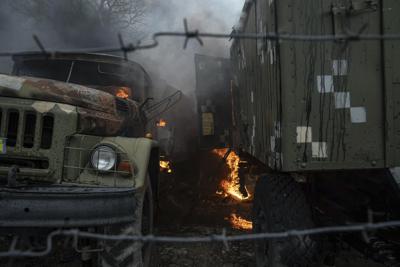
As Ukraine was celebrating its 31st independence anniversary on Wednesday, there were fears that Russia would mark the celebration with bombardments. Before the end of the day, the fears were realized as a Russian missile attack killed 22 people and set a train carrying passengers on fire.
The speaker of Parliament, Ruslan Stefanchuk, first made the revelation on Twitter, saying 15 people died, including an 11-year-old child.
“Just recently, 15 people, including an 11-year-old child, were killed during a rocket attack on the Chaplyne railway station. About 50 more were wounded,” Ruslan said.
“What else is needed for the world to recognize this ersatz country as a terrorist?” he asked. “We will not forget. We will not forgive.”
In a video address on Wednesday evening, President Zelensky confirmed the incident. However, as of Wednesday evening, the death toll had risen to 22.
“Chaplyne is our pain today. As of this moment, there are *22 dead, five of them burned in the car, a teenager died, he was 11 years old, a Russian rocket destroyed his house. Search and rescue operations at the railway station continue. We will definitely make the occupiers answer for everything they have done. And we will certainly throw out the invaders from our land,” Zelensky said.
The 44-year-old said the rockets hit a train in Chaplyne, a town not too far from Donetsk in Eastern Ukraine, adding that four carriages were on fire.
On Tuesday, Zelensky warned residents to stay indoors for fears that Russia could attack as Ukraine is celebrating its independence.
Secretary of State, Anthony Blinken condemned Russia’s actions and called on nations to stand with Ukraine.
“Russia’s missile strike on a train station full of civilians in Ukraine fits a pattern of atrocities. We will continue, together with partners from around the world, to stand with Ukraine and seek accountability for Russian officials,” Blinken said on Twitter.
On Wednesday, it completed six months since Russia invaded Ukraine. It coincided with the Country’s 31st independence celebrations.
This story was first published by Antigua News on : antigua.news/2022/08/25/russian-missile-kills-22-ukrainians-injures-more-than-50-on-independence-day. © 2022 Antigua News. Republication without permission is not allowed.
Read our editorial standards and corrections policy. Spotted an error? Contact the newsroom.
More from World
View section
Myanmar Says It Will Defy Parts of the Rohingya Genocide Ruling
The Gambia won an order for the safe return of Rohingya refugees. Myanmar’s president says he will choose which measures to accept, and an armed group controls most of the land they fled.
By Dario Item

Spain Votes After an Eviction Shook Its Government
An elderly tenant’s eviction helped trigger the November 29 snap election. Pedro Sánchez is recovering in some polls, but the right still has the clearer route to a governing majority.
By Dario Item

Dozens of KFC Restaurants Closing Across 10 U.S. States as Major Franchise Operator Files for Bankruptcy
Financial troubles, falling sales and millions in unpaid franchise fees have forced a major KFC operator into bankruptcy, with 72 restaurant locations affected and more closures possible.
By Cory Wayland

Robert Pattinson is the new James Bond
The Twilight and The Batman star succeeds Daniel Craig as 007 in the next James Bond film, directed by Denis Villeneuve and written by Steven Knight.
By Mick the Ram
Comments
Be the first to comment.