
UWI’s 2022-27 strategic plan approved and underway

The University of the West Indies’ 2022-2027 strategic direction has been reportedly approved. In a statement to the press, from the UWI headquartered in Jamaica, the university said the latest initiative is dubbed ‘RevenueRevolution’.
This according to the statement is the second phase of The UWI Triple A Strategy which was given the green light by the University council during a special meeting of its members held in July and is now underway as the new academic year begins.
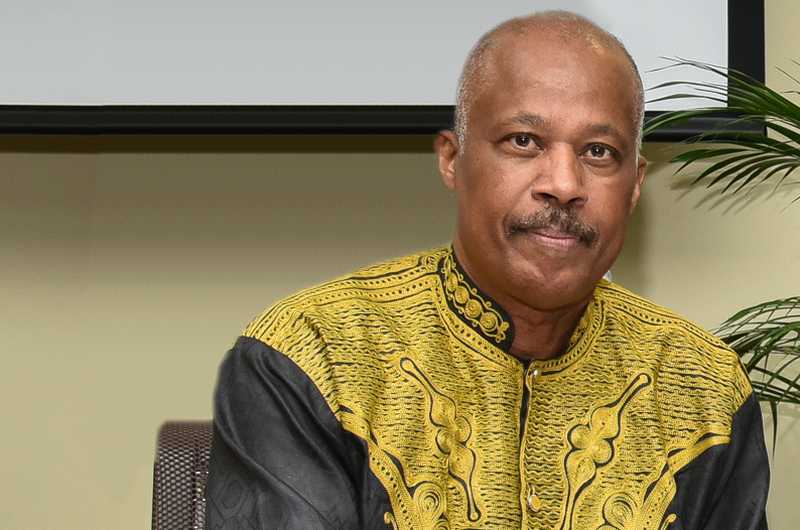
Vice-Chancellor of The UWI, Professor Sir Hilary Beckles, said “The University’s leadership is confident in the Triple A Strategy’s continued success. As we pursue this next critical strategic cycle, the Revenue Revolution, we look forward to the continued partnership of our UWI community including Caribbean governments, regional and international corporations, and development partners.”
Under the leadership of Vice-Chancellor Beckles, The UWI’s strategic plan is formulated as a ten-year strategy, compartmentalized into two, five-year phases.
“It is themed the Triple A Strategy because of its focus on widening Access to quality tertiary education, Alignment of the University with academic-industry partnerships relevant to the region’s needs, and improved Agility through global connections and initiatives, “ the statement read.
The first phase, ‘the Reputation Revolution mobilized from 2017-2022 focused on building The UWI’s global reputation and led to The UWI steadily advancing to the top tier of Times Higher Education’s global universities rankings. This achievement set in place all the vital elements needed for the second phase, The Reputation Revolution centered now on the conversion of The UWI’s reputational value into much-needed revenue to stabilize the University and improve its financial health as well as the leveraging of digital transformation,” according to UWI.
Vice-Chancellor Beckles also noted a specific and significant target for 2022-2027: “One of our major objectives in this strategic cycle is to utilize the resources and capabilities of the institution to earn a net of US$250million over the next five years. To achieve this, we will monetize our strong international reputation by expanding our educational goods and services to a global market.”
This story was first published by Antigua News on : antigua.news/2022/08/29/uwis-2022-27-strategic-plan-approved-and-underway. © 2022 Antigua News. Republication without permission is not allowed.

About the author
Shermain Bique-Charles is an accomplished journalist with over 24 years of dynamic experience in the industry. Renowned for her exceptional storytelling and investigative skills, she has garnered numerous awards that highlight her commitment to journalistic integrity and excellence. Her work not only informs but also inspires, making her a respected voice in the field.
Read our editorial standards and corrections policy. Spotted an error? Contact the newsroom.
More from Caribbean
View section
BREAKING | Dominica Heads to the Polls on December 16
Nomination Day is November 30 as Prime Minister Roosevelt Skerrit seeks a fresh mandate for the Dominica Labour Party.
By Shermain Bique-Charles

DOMINICA: Relief as Three Missing Men Are Found Alive at Sea Near Aves Islands
Davel Baron, Ryan Royer and a third man were rescued by a cargo vessel after being found drifting at sea, bringing relief following days of uncertainty over their whereabouts.
By Cory Wayland

Two Men Vanish at Sea in Dominica, Sparking Growing Fears for Their Safety
Police issue missing-person alerts for Davel Baron and Ryan Royer as concerns grow over their whereabouts.
By Cory Wayland

Saint Lucia Makes Decision on Citizenship by Investment Programme Amid EU Pressure
Prime Minister Philip J. Pierre confirms his government has formally responded to the European Union but says the decision will remain confidential until Brussels acknowledges receipt of the correspondence.
By Cory Wayland
Comments
Be the first to comment.