
Guyana PM launches 1000 men program

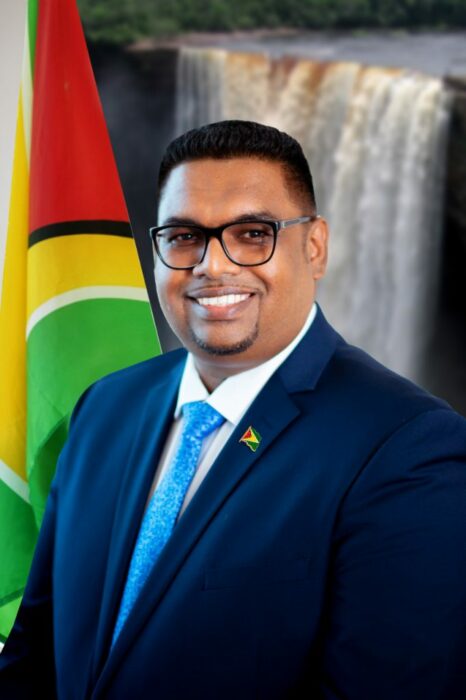
In an effort to address the issues and challenges faced by men and boys in Guyana, President Irfaan Ali has announced the 1000-men program which aims to bring men across the country together.
The president will lead the initiative that will see the Guyana Defense Force, the Guyana Police Force, and 100 local sportsmen, 100 religious’ leaders, 100 male teachers, community workers, farmers, and, entertainers being part of the program.
“This 1,000-men program is to reverse the strategy in dealing with the problems faced by young boys and men in our society. The mission of these 1,000 men is to work in every community to eradicate hunger, to work in every single community to lift those who are emotionally affected, and socially affected.
“It is to change every society and bring positive living and positive light to every single community. It is to work against violence, it is working to make men better, at being good men, responsible men, responsible boys, responsible youths in the society,” Ali said.
“Because from within these organizations themselves we have to create a change, we have to create a positive mindset, a positive attribute. So, this is a major mission that we are launching all across the country,” he said.
Ali added that “men in every community are on a mission to make a positive change. It is refocusing the thinking of men themselves, to understand that we have to be an active partner in making the changes we need in our society.”
President Ali noted that there was a need for people to comprehend the importance of the family.
“We are a beautiful country. We are one of few countries that have a very dynamic society. We are rich in religious heritage. We have the ability to take the message…Understanding that we have an important responsibility towards each other,” Ali said.
This story was first published by Antigua News on : antigua.news/2022/10/17/guyana-pm-launches-1000-men-program. © 2022 Antigua News. Republication without permission is not allowed.

About the author
Shermain Bique-Charles is an accomplished journalist with over 24 years of dynamic experience in the industry. Renowned for her exceptional storytelling and investigative skills, she has garnered numerous awards that highlight her commitment to journalistic integrity and excellence. Her work not only informs but also inspires, making her a respected voice in the field.
Read our editorial standards and corrections policy. Spotted an error? Contact the newsroom.
More from Caribbean
View section
VIDEO: Doctors at Dominica China Friendship Hospital Stage Protest Outside Medical Facility
Healthcare professionals at the Dominica China Friendship Hospital gather outside the medical facility in an apparent protest, raising concerns over issues yet to be officially confirmed.
By Cory Wayland

St. Kitts DPP Seeks Antigua’s Help in Outstanding Case Involving Former Resort Clerk
By Shermain Bique-Charles

Royal Caribbean in Talks to Buy Half of Sandals in Reported $3 Billion Deal
By Shermain Bique-Charles

Four Killed in Latest US Military Strike on Suspected Drug Vessel in Caribbean
By Shermain Bique-Charles
Comments
Be the first to comment.