
Former UWP leader tells Dominicans to “leave the election alone”

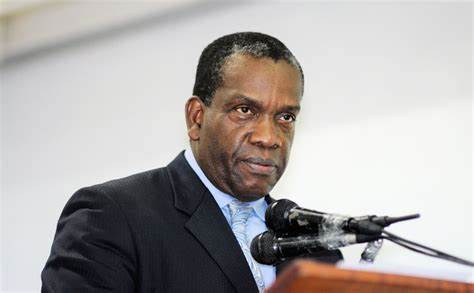
The man who walked out on the main opposition party in Dominica is now calling for residents to “stand down” from the upcoming general elections.
Lennox Linton, who resigned from the United Workers Party on October 2nd because of what he says was treachery within the party said residents should “leave the elections alone”
What he means is that they should not participate in the elections carded for December 6th. Since Dominica’s Prime Minister Roosevelt Skerrit called a snap election, there has been mounting pressure for the opposition to boycott
But now Linton said on a local radio station in Roseau that “we in the United Workers Party have decided that we will not be contesting the elections and our advice to the people of Dominica is do not vote in this election.”
He also advised potential candidates from other parties, “do not participate either”, saying that the election is a “Mr. Skerrit’s elections.”
“It’s not Dominica’s elections,” he remarked. “Let Mr. Skerrit have his elections by himself and the people who have chosen to join him. That is my advice…This is not about political parties anymore; this is about Roosevelt’s Skerrit against the people of Dominica and their electoral process which he believes belongs to him and therefore he can do what he wants with it. It is not about Mr. Skerrit, it’s about Dominica, it’s about Skerrit trying to take Dominica’s right to elect its government away from Dominica, and when that happens Dominica must respond,” Linton said
According to the former UWP leader, “every Dominica individual and institution who believes in what the UWP stands for, who believes in a Dominica for all Dominicans, “will understand what we are talking about and suggesting tonight, that this election of the 6th of December is Mr. Skerrit’s election and he should be left to participate in it by himself.”
He said the country should go down in history as having no participation in elections.
“Let the [record] show that this is what it was. It was a Mr. Skerrit election,” he said.
Elections are due in Dominica, not for another two and a half years. Many believe that PM Skerrit was rushing the elections as a form of abusing his power
The opposition maintains that in the absence of electoral reform and a cleaning up of the voter’s list, there should be no elections in the Commonwealth.
This story was first published by Antigua News on : antigua.news/2022/11/15/former-uwp-leader-tells-dominicans-to-leave-the-election-alone. © 2022 Antigua News. Republication without permission is not allowed.

About the author
Shermain Bique-Charles is an accomplished journalist with over 24 years of dynamic experience in the industry. Renowned for her exceptional storytelling and investigative skills, she has garnered numerous awards that highlight her commitment to journalistic integrity and excellence. Her work not only informs but also inspires, making her a respected voice in the field.
Read our editorial standards and corrections policy. Spotted an error? Contact the newsroom.
More from Caribbean
View section
VIDEO: Doctors at Dominica China Friendship Hospital Stage Protest Outside Medical Facility
Healthcare professionals at the Dominica China Friendship Hospital gather outside the medical facility in an apparent protest, raising concerns over issues yet to be officially confirmed.
By Cory Wayland

St. Kitts DPP Seeks Antigua’s Help in Outstanding Case Involving Former Resort Clerk
By Shermain Bique-Charles

Royal Caribbean in Talks to Buy Half of Sandals in Reported $3 Billion Deal
By Shermain Bique-Charles

Four Killed in Latest US Military Strike on Suspected Drug Vessel in Caribbean
By Shermain Bique-Charles
Comments
Be the first to comment.