
Brazil’s goalkeeper is yet to make a save after two matches as the team progresses to the knockout stage
By Tata
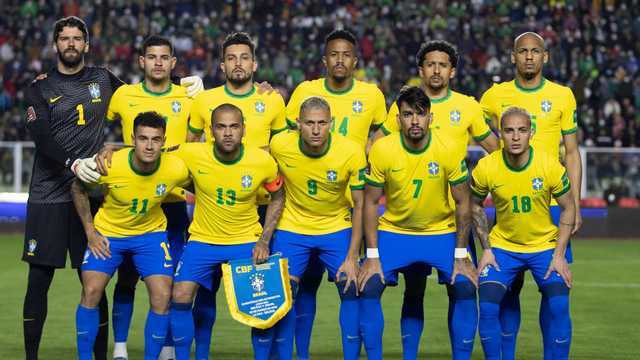
Brazil has sealed a spot in the FIFA world cup round of 16 with their opponents having no shot on target. Brazil secured its place in the knockout after beating Switzerland 1-0 on Monday. After more than 200 minutes of football in Qatar, the goalkeeper of the team is yet to save a shot because no shot has come in his direction.
Given their perfect start to their world cup campaign, Brazil will hope to maintain their 100 percent record when they face Cameroon in their last group stage match.
Brazil kicked off their world cup campaign with a 2-0 victory over Serbia before beating Switzerland on Monday. The South American giants put up a remarkable performance in both encounters, and one of the talking points was how they managed to deprive both teams of having a shot on target, leaving their goalkeeper with no saves.
Richarlison’s goals in the 62nd and 73rd-minute made the difference against Serbia. Casemiro’s goal in the 83rd minute gave them the victory over Switzerland after Vinicius Junior’s effort in the 64th minute was ruled out by VAR.
Brazil now has a total of 33 shots, 15 on target, ten shots off target, and eight blocked shots. The team also had a combined possession of 122%, 14 corner kicks, 33 crosses, and six counterattacks.
Should Brazil eventually finish top of Group G, they will face group H runner-up, which would be either Portugal, Ghana, South Korea or Uruguay. At the moment, Portugal is the only team that has secured qualification in the group. All three other countries still have a chance of qualifying.
This story was first published by Antigua News on : antigua.news/2022/11/29/brazils-goalkeeper-is-yet-to-make-a-save-after-two-matches-as-the-team-progresses-to-the-knockout-stage. © 2022 Antigua News. Republication without permission is not allowed.
Read our editorial standards and corrections policy. Spotted an error? Contact the newsroom.
More from Style
View section
The Best TV Shows of the 21st Century Didn’t Stay on Screen
Breaking Bad leads the New York Times’ new ranking. But from Mad Men’s tailoring to Fleabag’s confessions, the real story is what these series left behind
By Dario Item

Giorgio Armani Remembered for Contributions to Antigua and Barbuda
By Shermain Bique-Charles

‘BB Service’ Claims Road March Victory
By Editorial Staff

LETTER: Swag or Sag? Boy, Pull Your Pants Up!
By Editorial Staff
Comments
Be the first to comment.