
Investigations into missing gun salute at cop’s funeral in JA

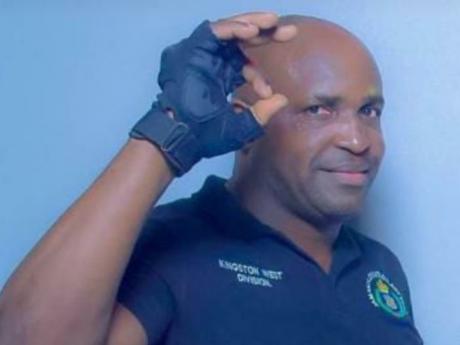
When a slain officer in Jamaica did not get the customary 21-gun salute during his official funeral and thanksgiving service, heads rolled.
Corporal Oliver Mullin who served over 15 years in the police service was killed by gunmen while responding to a call on October 20. But at his official funeral service, there was no salute.
Commissioner of Police Major General Antony Anderson said he is awaiting a report as to who should take the blame for the failure.
He said once that person is pinpointed, that member or member will be disciplined. His exact words were “swift corrective action” against the person(s).
The commissioner said he was displeased, in an email sent to members of the police force, with what was clearly a “glaring omission which he described as letting down the slain officer, his family, and the JCF which he served for 15 years before being killed by gunmen while responding to a call on Third Street in Trench Town, St Andrew on Thursday, October 20,”.
But there’s still no definitive date on when exactly the report to the commissioner can be expected, as the head of the Constabulary Communications Unit (CCU), Senior Superintendent of Police Stephanie Lindsay, could not provide a deadline for the report ordered by Major General Anderson.
“There was no firing party, so the commissioner is asking the person who is responsible for the organization (of the funeral) to respond to the breakdown. He was not satisfied that that very critical component was not there. We have a protocol and there are a couple of things that should be done in a prescribed format and order, especially when a member dies in the line of duty,” SSP Lindsay told reporters in Jamaica.
The 21-gun salute, executed by seven persons firing three volleys, usually at intervals of one minute, is considered to be one of the highest tributes to a slain officer or head of a country.
This story was first published by Antigua News on : antigua.news/2022/11/29/investigations-into-missing-gun-salute-at-cops-funeral-in-ja. © 2022 Antigua News. Republication without permission is not allowed.

About the author
The Editorial Staff refers to all reporters employed by Antigua.news. When an article is not an original creation of Antigua.news—such as when it is based on a press release, other media articles, letters to the editor, or court decisions—one of our staff members is responsible for overseeing its publication.
Read our editorial standards and corrections policy. Spotted an error? Contact the newsroom.
More from Caribbean
View section
BREAKING | Dominica Heads to the Polls on December 16
Nomination Day is November 30 as Prime Minister Roosevelt Skerrit seeks a fresh mandate for the Dominica Labour Party.
By Shermain Bique-Charles

DOMINICA: Relief as Three Missing Men Are Found Alive at Sea Near Aves Islands
Davel Baron, Ryan Royer and a third man were rescued by a cargo vessel after being found drifting at sea, bringing relief following days of uncertainty over their whereabouts.
By Cory Wayland

Two Men Vanish at Sea in Dominica, Sparking Growing Fears for Their Safety
Police issue missing-person alerts for Davel Baron and Ryan Royer as concerns grow over their whereabouts.
By Cory Wayland

Saint Lucia Makes Decision on Citizenship by Investment Programme Amid EU Pressure
Prime Minister Philip J. Pierre confirms his government has formally responded to the European Union but says the decision will remain confidential until Brussels acknowledges receipt of the correspondence.
By Cory Wayland
Comments
Be the first to comment.