
Police want parents support to address gang violence

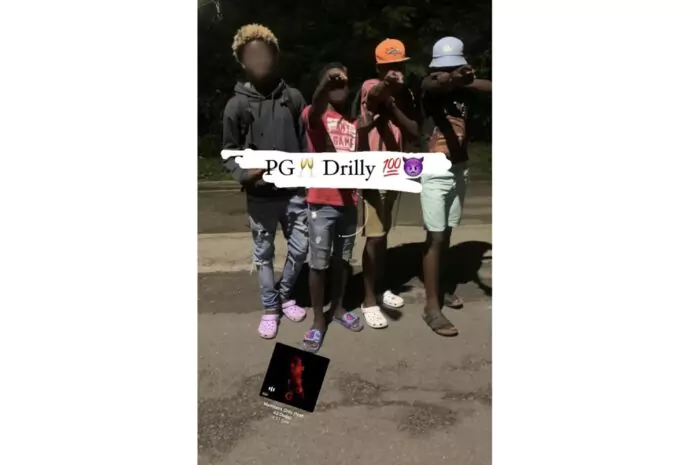
Lawmen in Antigua and Barbuda want the help of parents as it continues to address the recent spate of violence among young people in the country,
The police used a press statement on Tuesday to call on parents to shoulder their responsibilities and get more involved in the supervision of their children.
“The administration is of the firm view that the recent upsurge of violent behavior among young people is a result of some parents failing to provide proper support and nurturing to their child\children. This lack of involvement on the part of some parents in the lives of our youths is reprehensible, and should no longer be tolerated,” the statement said.
To have the matter properly addressed, the police say they will be collaborating with the Ministry of Education and other stakeholders; including some of the parents to assist our youths in fulfilling their potential to become positive citizens in Antigua and Barbuda.
“Members of the public are also asked to get involved and report any suspicious gatherings or disorderly behavior among young people to the police without delay. The police will be expecting the full cooperation of everyone going forward,” the statement said.
Earlier this week, a 15-year-old student of the Antigua Grammar School, after a premeditated attack by three unknown young men wearing hoodies and armed with a machete.
It is said that gangs called – 2 Drilly, its affiliate 2 Drilly Girls, and alleged rival 700 Bones —are behind the attacks.
Attorney General and Minister for Public Safety Steadroy Benjamin has since announced that there will be a review of the Child Justice Act which was passed in 2016 to make it so that these young criminals are held fully accountable for their actions.
He also said that the “the Minister of Education will be convening a meeting with the heads of the two schools and the police will also be conducting their strategy meeting.”
This story was first published by Antigua News on : antigua.news/2022/11/29/police-want-parents-support-to-address-gang-violence. © 2022 Antigua News. Republication without permission is not allowed.

About the author
The Editorial Staff refers to all reporters employed by Antigua.news. When an article is not an original creation of Antigua.news—such as when it is based on a press release, other media articles, letters to the editor, or court decisions—one of our staff members is responsible for overseeing its publication.
Read our editorial standards and corrections policy. Spotted an error? Contact the newsroom.
More from Antigua and Barbuda
View section
Canada, UK and Regional Partners Supporting CHOGM Security
Greene says international assistance will supplement local forces as Antigua and Barbuda prepares to host Commonwealth delegations.
By Shermain Bique-Charles

Grenada Follows Antigua and Barbuda in Recruiting Healthcare Workers from Ghana
Sixty Ghanaian healthcare professionals arrive in Grenada for an expected two-year assignment to support health services.
By Shermain Bique-Charles

Minister Johnson Champions Education and Entrepreneurship as Pathways to Lasting Economic Independence
Speaking at a regional forum in Panama, Minister Kiz Johnson highlighted education, childcare support and business financing as pathways to lasting economic independence
By Shermain Bique-Charles

Popcaan to Return to Antigua After 13 Years for One Nation Festival
The Jamaican dancehall star is the first headliner announced for the January 9, 2027 festival at the Antigua Recreation Grounds.
By Shermain Bique-Charles
Comments
Be the first to comment.