
Dredging at Parham and St. Johns Harbour delayed

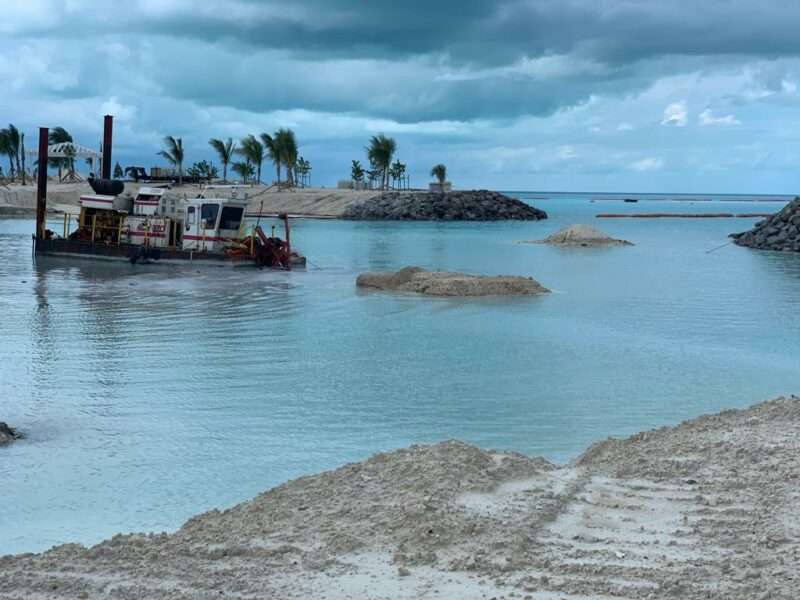
Dredging at the Parham Harbour has come to an unfortunate standstill.
Chief of Staff in the Prime Minister’s Office Lionel ‘Max’ Hurst explained during the Post Cabinet Press Briefing that the project has been delayed due to some unexpected developments.
“We heard through the Minister responsible that the dredging at the Parham Harbour has been a challenge. It has been a challenge because they have encountered rock where before we were told there was only sand or some soft material.
So, another firm, called Dutch Dredging, has been organized by Blue Ocean to take on some of the dredging where the rock is to be found, they will not only operate the dredging in the Parham Harbour area but will also complete some of the dredging in St. Johns Harbour.

“There were questions about the surveys which should have shown the density of the rock and should have allowed the firms to determine if they had the machines necessary to address it. It appears as though the surveys were not as accurate as they should have been and as a consequence, this problem with the hard rock has delayed the progress.
“We are giving deadlines to Blue Ocean as well as Dutch Dredging and we are also ensuring that the surveys are more accurate so that they know precisely what it is they have to do in order to get the job done and if they can’t do it, we are not spending any more money with them. We will spend it with those who can achieve the objective,” Hurst explained.
It was last March that Cabinet announced dredging would take place at the Crabbs Peninsula to increase the size of ships passing through the area, in order to bring an increased amount of cement and LNG on island.
A timeline of four months was given for completion, but the work is still ongoing.
A similar storyline to the ongoing dredging at St John’s Harbour to make way for larger cruise vessels.
Representatives from Blue Ocean were expected to meet over the weekend with Cabinet to resolve issues and commence the work.
This story was first published by Antigua News on : antigua.news/2025/01/27/dredging-at-parham-and-st-johns-harbour-delayed. © 2025 Antigua News. Republication without permission is not allowed.

About the author
The Editorial Staff refers to all reporters employed by Antigua.news. When an article is not an original creation of Antigua.news—such as when it is based on a press release, other media articles, letters to the editor, or court decisions—one of our staff members is responsible for overseeing its publication.
Read our editorial standards and corrections policy. Spotted an error? Contact the newsroom.
More from Antigua and Barbuda
View section
VIDEO: Ministry of Works Condemns Deliberate Damage to Road Construction Machinery
The Ministry has denounced the damage to equipment used in road improvement projects, reaffirming its commitment to upgrading major highways and community roads.
By Cory Wayland

Multimillion-Dollar Potters Transformation to Deliver Major Sporting and Community Hub
Renamed Harrison Potters Sports Centre will feature an Olympic-sized pool, expanded sporting facilities and new opportunities for students, athletes and small businesses.
By Shermain Bique-Charles

Commonwealth Countries Offered Space-Based Data Storage Under New SMI and Lonestar Partnership
Announced during CHOGM 2026 in Antigua and Barbuda, the collaboration will explore storing important records in orbit, with a commitment to provide one terabyte of data storage to each Commonwealth country.
By Cory Wayland

Prime Minister Dickon Mitchell Secures Historic Second Term as NDC Wins 14 of Grenada’s 15 Seats
The National Democratic Congress expands its parliamentary majority from nine to 14 seats, leaving the opposition New National Party with just one constituency.
By Cory Wayland
Comments
Be the first to comment.