
FTX crypto boss Sam Bankman-Fried denied bail in Bahamas

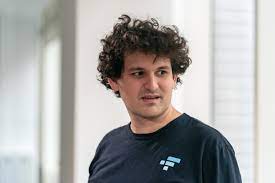
Sam Bankman-Fried, the founder of the failed cryptocurrency exchange FTX, has been denied bail by a judge in the Bahamas.
US authorities charged Bankman-Fried with one of the biggest financial frauds in US history on Tuesday.
Securities and Exchange Commission (SEC) Chair Gary Gensler said the ex-FTX boss built a house of cards on a foundation of deception.
Bankman-Fried has indicated that he will fight extradition to the US.
Bahamas Chief Magistrate JoyAnn Ferguson-Pratt denied the petition for his release on bail, citing a “great” risk of flight, and ordered that he be kept on remand at a correctional facility until 8 February.
He was arrested in the Bahamas yesterday.

Last month, FTX filed for bankruptcy in the US, leaving many users unable to withdraw their funds.
According to a court filing, FTX owed its 50 largest creditors almost $3.1bn (£2.5bn).
Among the most serious allegations against Bankman-Fried is that he used billions of dollars of customer funds to prop up his investment trading company, Alameda.
It is unclear how much people who have funds in the exchange will get back at the end of bankruptcy proceedings – though many experts have warned it may be a small fraction of what they deposited.
Bankman-Fried faces eight criminal charges in the US, including wire fraud, money laundering and conspiracy to defraud.
He also faces civil charges including misleading investors who put more than $1bn into the company.
Officials have also accused him of violating campaign finance laws.
At a news conference on Tuesday, Damian Williams, the US Attorney for the Southern District of New York, described the fraud Mr Bankman-Fried is accused of as among the largest in US history. (Source BBC)
https://news.yahoo.com/ftx-founder-sam-bankman-fried-020450110.html
Watch the latest video at foxbusiness.com
This story was first published by Antigua News on : antigua.news/2022/12/14/ftx-crypto-boss-sam-bankman-fried-denied-bail-in-bahamas. © 2022 Antigua News. Republication without permission is not allowed.

About the author
The Editorial Staff refers to all reporters employed by Antigua.news. When an article is not an original creation of Antigua.news—such as when it is based on a press release, other media articles, letters to the editor, or court decisions—one of our staff members is responsible for overseeing its publication.
Read our editorial standards and corrections policy. Spotted an error? Contact the newsroom.
More from Caribbean
View section
VIDEO: Doctors at Dominica China Friendship Hospital Stage Protest Outside Medical Facility
Healthcare professionals at the Dominica China Friendship Hospital gather outside the medical facility in an apparent protest, raising concerns over issues yet to be officially confirmed.
By Cory Wayland

St. Kitts DPP Seeks Antigua’s Help in Outstanding Case Involving Former Resort Clerk
By Shermain Bique-Charles

Royal Caribbean in Talks to Buy Half of Sandals in Reported $3 Billion Deal
By Shermain Bique-Charles

Four Killed in Latest US Military Strike on Suspected Drug Vessel in Caribbean
By Shermain Bique-Charles
Comments
Be the first to comment.