
Bolt to receive BBC lifetime award

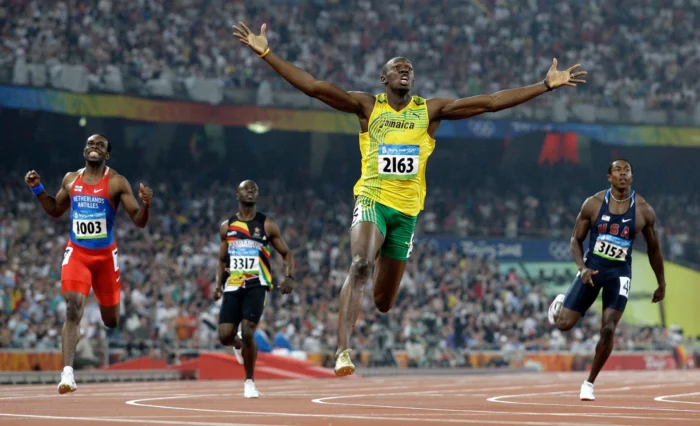
Source Loop
In about five days from now on December 21, Retired Jamaican sprinting legend Usain Bolt will be honored with the Lifetime Achievement award at BBC Sports Personality of the Year
Bolt, the world 100m and 200m record holder retired after the 2017 World Championships in London in August, where he ended his glittering career with bronze in the men’s 100m.
He clocked his world record 100m time of 9.58 seconds at the 2009 World Championships in Berlin. His 200m world record is 19.19 seconds and he achieved that record four days after his 100m record in Berlin.
Bolt, 36, was crowned Olympic 100m and 200m champions at three successive Games – Beijing 2008, London 2012, and Rio 2016.
He is the only athlete to win both the 100m and 200m at three consecutive Olympics.
“I’m living proof that if you work hard, you can get anything you want,” the eight-time Olympic gold medallist told BBC Sport.
“One thing my dad taught me was if you want something, work hard for it. He showed me by working hard to provide for me, my mum, and my sister, so when he told me, I believed it.
“Just be focused and work towards it.”
Bolt won the 100m, the 200m and the 4x100m relay at Beijing 2008, London 2012, and Rio 2016 for a total of nine gold medals, tied for the most of any track athlete. However, Bolt and his Jamaican team was stripped of their 4x100m gold medal from the Beijing Games because one runner, Nesta Carter, was found guilty of a doping violation.
Carter initially tested negative after the race in 2008 but his sample was one of many retested by the International Olympic Committee in 2016. It was found to contain a prohibited stimulant methylhexaneamine.
Previous winners of the BBC Sports Personality of the Year Lifetime Achievement award include Billie Jean King, Pele, Bobby Charlton, Tanni Grey-Thompson, David Beckham, Jessica Ennis-Hill, Chris Hoy, and last year’s recipient Simone Biles.
This story was first published by Antigua News on : antigua.news/2022/12/16/bolt-to-receive-bbc-lifetime-award. © 2022 Antigua News. Republication without permission is not allowed.

About the author
The Editorial Staff refers to all reporters employed by Antigua.news. When an article is not an original creation of Antigua.news—such as when it is based on a press release, other media articles, letters to the editor, or court decisions—one of our staff members is responsible for overseeing its publication.
Read our editorial standards and corrections policy. Spotted an error? Contact the newsroom.
More from Caribbean
View section
BREAKING | Dominica Heads to the Polls on December 16
Nomination Day is November 30 as Prime Minister Roosevelt Skerrit seeks a fresh mandate for the Dominica Labour Party.
By Shermain Bique-Charles

DOMINICA: Relief as Three Missing Men Are Found Alive at Sea Near Aves Islands
Davel Baron, Ryan Royer and a third man were rescued by a cargo vessel after being found drifting at sea, bringing relief following days of uncertainty over their whereabouts.
By Cory Wayland

Two Men Vanish at Sea in Dominica, Sparking Growing Fears for Their Safety
Police issue missing-person alerts for Davel Baron and Ryan Royer as concerns grow over their whereabouts.
By Cory Wayland

Saint Lucia Makes Decision on Citizenship by Investment Programme Amid EU Pressure
Prime Minister Philip J. Pierre confirms his government has formally responded to the European Union but says the decision will remain confidential until Brussels acknowledges receipt of the correspondence.
By Cory Wayland
Comments
Be the first to comment.