
WHO chief says many reasons for hope in 2023

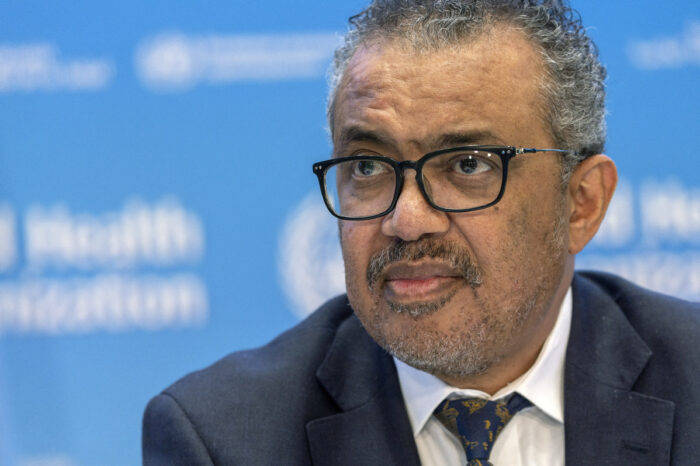
Although 2022 has been a highly challenging year for global health, there are still many reasons for hope as the new year approaches, the head of the World Health Organization (WHO) said on Wednesday.
During 2022, the third year of the COVID-19 pandemic, there were also global outbreaks of mpox, cholera outbreaks in many countries, and an Ebola outbreak in Uganda. Drought and flooding hit the greater Horn of Africa and the Sahel, and there was flooding in Pakistan.
However, WHO Director-General, Dr. Tedros Adhanom Ghebreyesus said at a press briefing on Wednesday that the COVID-19 pandemic is waning, as is the global mpox outbreak, and there have been no new cases of Ebola in Uganda for more than three weeks.
“We are hopeful that each of these emergencies will be declared over at different points next year,” he said.
The number of weekly reported COVID-19 deaths worldwide has dropped by almost 90 percent since the peak at the end of January, he added, when the Omicron wave was in full swing.
However, he also warned that the pandemic is not over. Gaps in surveillance, testing and sequencing still make it difficult to understand exactly how the virus is changing; and gaps in vaccination have left millions of people, especially health workers and the elderly, at high risk of severe disease and death.

The WHO chief identified five priorities for the world health authority in 2023: focusing on health promotion and disease prevention by shifting from sick care to healthcare; promoting universal health coverage, particularly primary healthcare; strengthening emergency preparedness and response; pushing forward research, science and technology; and continuing to reform the WHO.
He also said that political commitment from national leaderships is crucial, since all five priorities should be implemented at national level. (China Daily)
This story was first published by Antigua News on : antigua.news/2022/12/23/who-chief-says-many-reasons-for-hope-in-2023. © 2022 Antigua News. Republication without permission is not allowed.

About the author
The Editorial Staff refers to all reporters employed by Antigua.news. When an article is not an original creation of Antigua.news—such as when it is based on a press release, other media articles, letters to the editor, or court decisions—one of our staff members is responsible for overseeing its publication.
Read our editorial standards and corrections policy. Spotted an error? Contact the newsroom.
More from Caribbean
View section
BREAKING | Dominica Heads to the Polls on December 16
Nomination Day is November 30 as Prime Minister Roosevelt Skerrit seeks a fresh mandate for the Dominica Labour Party.
By Shermain Bique-Charles

DOMINICA: Relief as Three Missing Men Are Found Alive at Sea Near Aves Islands
Davel Baron, Ryan Royer and a third man were rescued by a cargo vessel after being found drifting at sea, bringing relief following days of uncertainty over their whereabouts.
By Cory Wayland

Two Men Vanish at Sea in Dominica, Sparking Growing Fears for Their Safety
Police issue missing-person alerts for Davel Baron and Ryan Royer as concerns grow over their whereabouts.
By Cory Wayland

Saint Lucia Makes Decision on Citizenship by Investment Programme Amid EU Pressure
Prime Minister Philip J. Pierre confirms his government has formally responded to the European Union but says the decision will remain confidential until Brussels acknowledges receipt of the correspondence.
By Cory Wayland
Comments
Be the first to comment.