
Usain Bolt’s lawyers give SSL 10 days to return missing millions

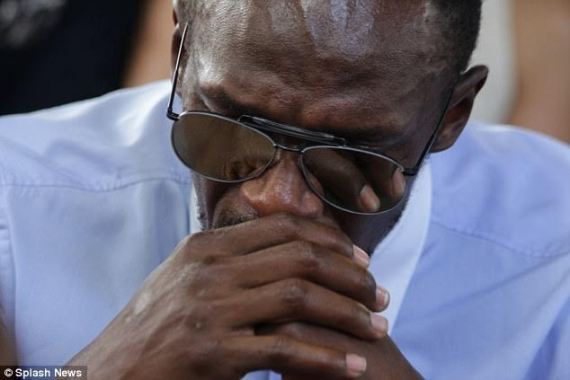
The company holding investments for the eight-time Olympic champion Usain Bolt has been given ten days to return his missing funds or run the risk of facing criminal and civil action.
Bolt’s lawyers made their intention known in a letter to Stocks and Securities Limited (SSL). The company is in the face of the massive reported fraud that is currently unfolding at the investment firm.
According to reports, Bolt had invested significant sums, reportedly towards his “self-designed pension”.
Bolts law firm of Frater, Binns and Gordon told SSL in a letter that his account contained in excess of US$12 million as of October 31, 2022m but according to the letter, the account currently contains US$12,000 (J$1.8 million).
His attorneys are demanding payment of US$12,758,181.74 within 10 days.
Bolt is not the only one in the predicament. About 20 people have had their accounts depleted in the reported fraudulent activities now being probed at SSL.

Meanwhile, the Financial Investigations Division (FID) said the length of time during which questionable actions ”were taken against some of the affected accounts in the SSL probe was over a decade”
Last week, reports from Jamaica indicated that Bolt lost millions that he invested with the firm.
Following the news, the SSL management has said that they have taken steps to secure assets in its control and strengthened internal protocols to detect suspicious activity in the shortest time possible.
Furthermore, the bank said that “it became aware of fraudulent activity by a former employee of the company and, following initial internal investigations, the management referred the matter to the relevant law enforcement authorities to facilitate a thorough and complete examination of all its aspects”.
This story was first published by Antigua News on : antigua.news/2023/01/18/usain-bolts-lawyers-give-ssl-10-days-to-return-missing-millions. © 2023 Antigua News. Republication without permission is not allowed.

About the author
The Editorial Staff refers to all reporters employed by Antigua.news. When an article is not an original creation of Antigua.news—such as when it is based on a press release, other media articles, letters to the editor, or court decisions—one of our staff members is responsible for overseeing its publication.
Read our editorial standards and corrections policy. Spotted an error? Contact the newsroom.
More from Caribbean
View section
BREAKING | Dominica Heads to the Polls on December 16
Nomination Day is November 30 as Prime Minister Roosevelt Skerrit seeks a fresh mandate for the Dominica Labour Party.
By Shermain Bique-Charles

DOMINICA: Relief as Three Missing Men Are Found Alive at Sea Near Aves Islands
Davel Baron, Ryan Royer and a third man were rescued by a cargo vessel after being found drifting at sea, bringing relief following days of uncertainty over their whereabouts.
By Cory Wayland

Two Men Vanish at Sea in Dominica, Sparking Growing Fears for Their Safety
Police issue missing-person alerts for Davel Baron and Ryan Royer as concerns grow over their whereabouts.
By Cory Wayland

Saint Lucia Makes Decision on Citizenship by Investment Programme Amid EU Pressure
Prime Minister Philip J. Pierre confirms his government has formally responded to the European Union but says the decision will remain confidential until Brussels acknowledges receipt of the correspondence.
By Cory Wayland
Comments
Be the first to comment.