
Support for Haiti to dominate talks at CARICOM heads meeting in Nassau

Antigua and Barbuda will be represented at the 44th Meeting of the Conference of Heads of Government of CARICOM on February 15 and 16 and continued support for Haiti will form an integral part of the talks.
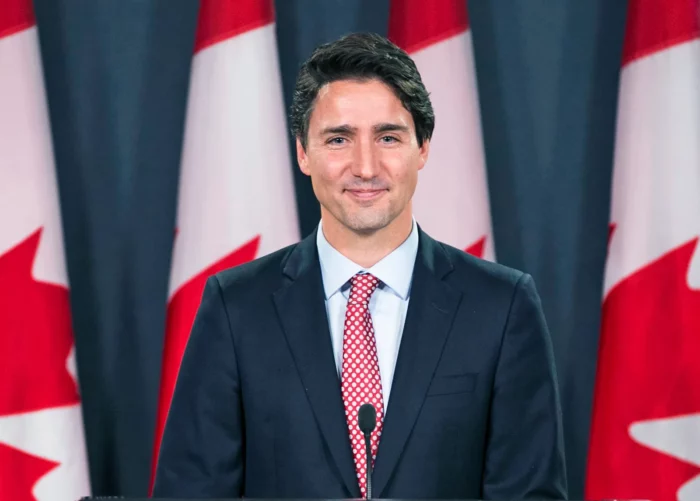
The high-level meeting is taking place in Nassau and Canada’s Prime Minister Justin Trudeau has announced that he will travel to the Bahamas, to attend the meeting
Trudeau will drive progress on shared priorities, including continued support for the Haitian people.
The meeting will provide an opportunity for the leaders to consider further regional political, security, and humanitarian assistance in support of the Haitian people and Haitian-led solutions to the ongoing situation in Haiti, which is having a devastating impact on the Haitian people.
Discussions and bilateral meetings will also be held among CARICOM leaders and Trudeau is expected to work to strengthen Canada’s partnership with countries in the Caribbean region, including by advancing democracy, human rights, economic growth that benefits everyone, and developing clean energy.

Trudeau says he will also work with CARICOM leaders to “increase trade and investment between Canada and the Caribbean to create jobs and growth, and advocate for climate action and resilience for the region, which is particularly vulnerable to climate change and natural disasters”
“Canada and the Caribbean Community share strong ties between our peoples, common values, and a strong commitment to fighting climate change. I look forward to meeting with the leaders of CARICOM to discuss how we can continue to work together to support the people of Haiti, strengthen the Caribbean region, and build a better future for people and businesses in Canada, the Caribbean, and around the world,” Trudeau explained
This story was first published by Antigua News on : antigua.news/2023/02/12/support-for-haiti-to-dominate-talks-at-caricom-heads-meeting-in-nassau-2. © 2023 Antigua News. Republication without permission is not allowed.

About the author
The Editorial Staff refers to all reporters employed by Antigua.news. When an article is not an original creation of Antigua.news—such as when it is based on a press release, other media articles, letters to the editor, or court decisions—one of our staff members is responsible for overseeing its publication.
Read our editorial standards and corrections policy. Spotted an error? Contact the newsroom.
More from Caribbean
View section
BREAKING | Dominica Heads to the Polls on December 16
Nomination Day is November 30 as Prime Minister Roosevelt Skerrit seeks a fresh mandate for the Dominica Labour Party.
By Shermain Bique-Charles

DOMINICA: Relief as Three Missing Men Are Found Alive at Sea Near Aves Islands
Davel Baron, Ryan Royer and a third man were rescued by a cargo vessel after being found drifting at sea, bringing relief following days of uncertainty over their whereabouts.
By Cory Wayland

Two Men Vanish at Sea in Dominica, Sparking Growing Fears for Their Safety
Police issue missing-person alerts for Davel Baron and Ryan Royer as concerns grow over their whereabouts.
By Cory Wayland

Saint Lucia Makes Decision on Citizenship by Investment Programme Amid EU Pressure
Prime Minister Philip J. Pierre confirms his government has formally responded to the European Union but says the decision will remain confidential until Brussels acknowledges receipt of the correspondence.
By Cory Wayland
Comments
Be the first to comment.