
Ukrainian President wants CARICOM leaders to support his country

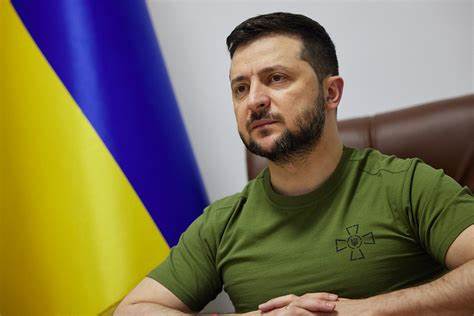
Ukrainian President Volodymyr Zelenskyy has used an opportunity at the 44th CARICOM meeting, to plead to member states and leaders to support a motion being presented at the United Nations next week condemning Russia’s invasion and continued war with Ukraine.
In an address to member states virtually, he said, “I thank you for being on the side of the law. I thank you for your efforts to bring stability to your region and the world. But real stability is possible only when we all together protect the world from state thuggery…so I encourage you to further cooperation”.

He said “we will present at the UN General Assembly a resolution on a comprehensive, just, and sustainable peace in Ukraine, and hence the restoration of the full force of the international rules-based order. Your votes matter,”.
Last year, CARICOM issued a joint statement, condemning the military attacks and invasion of Ukraine by Russia.
In their statement, they called for the immediate and complete withdrawal of the military presence and cessation of any further actions that may intensify the current perilous situation in that country.
“The recognition by The Russian Federation of the regions of Donetsk and Luhansk represents a violation of the territorial integrity and sovereignty of Ukraine,” CARICOM said, noting that “the hostilities against Ukraine go counter to the principles of respect for sovereignty, territorial integrity, non-interference in the internal affairs of another sovereign state and the prohibition on the threat or use of force, and the peaceful resolution of disputes, which are the bedrock of this Community” he added.
This story was first published by Antigua News on : antigua.news/2023/02/18/ukrainian-president-wants-caricom-leaders-to-support-his-country. © 2023 Antigua News. Republication without permission is not allowed.

About the author
The Editorial Staff refers to all reporters employed by Antigua.news. When an article is not an original creation of Antigua.news—such as when it is based on a press release, other media articles, letters to the editor, or court decisions—one of our staff members is responsible for overseeing its publication.
Read our editorial standards and corrections policy. Spotted an error? Contact the newsroom.
More from Caribbean
View section
BREAKING | Dominica Heads to the Polls on December 16
Nomination Day is November 30 as Prime Minister Roosevelt Skerrit seeks a fresh mandate for the Dominica Labour Party.
By Shermain Bique-Charles

DOMINICA: Relief as Three Missing Men Are Found Alive at Sea Near Aves Islands
Davel Baron, Ryan Royer and a third man were rescued by a cargo vessel after being found drifting at sea, bringing relief following days of uncertainty over their whereabouts.
By Cory Wayland

Two Men Vanish at Sea in Dominica, Sparking Growing Fears for Their Safety
Police issue missing-person alerts for Davel Baron and Ryan Royer as concerns grow over their whereabouts.
By Cory Wayland

Saint Lucia Makes Decision on Citizenship by Investment Programme Amid EU Pressure
Prime Minister Philip J. Pierre confirms his government has formally responded to the European Union but says the decision will remain confidential until Brussels acknowledges receipt of the correspondence.
By Cory Wayland
Comments
Be the first to comment.