
Antigua deploys armed forces to Saint Lucia in fight against crime

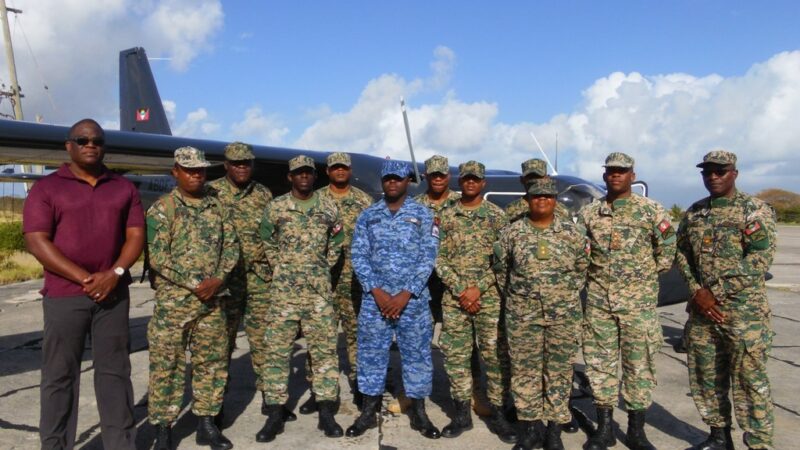
Seven members of the Antigua and Barbuda Defense Force left the island today for St Lucia, to assist in crime fighting on the neighboring island.
The Government of Saint Lucia has been requesting assistance from the Regional Security System (RSS) of which Antigua and Barbuda is part, to lend some security assistance.
St Lucia has seen a wave of criminal activities over the past couple of weeks, with several residents losing their lives. seven people in the southern town of Vieux Fort have since died.
According to a press statement from the Defense Force, the deployment is focused directly on providing support to the Royal Saint Lucia Police Force as a result of the recent upsurge in violence and crime there.
The senior command of the police force was present at the airport to support and encourage the officers as they were preparing to depart Antigua.
They were told to be ambassadors of Antigua and Barbuda and to perform their duties with commitment and professionalism
This is the second RSS deployment, rotating the first deployed contingent, and it is anticipated to last a total of three weeks.
On March 16, six police officers from the Royal St Vincent and the Grenadines Police Force (RSVGPF) were deployed to Saint Lucia to help the country in its fight against gang violence.
Caribbean countries have been expressing regret over the upsurge in gang violence that is currently taking place in St Lucia.
Grenada’s prime Minister, Dickon Mitchell, who is the Chairman of the Regional Security System (RSS), was one such leader.

This story was first published by Antigua News on : antigua.news/2023/04/08/antigua-deploys-armed-forces-to-saint-lucia-in-fight-against-crime. © 2023 Antigua News. Republication without permission is not allowed.

About the author
The Editorial Staff refers to all reporters employed by Antigua.news. When an article is not an original creation of Antigua.news—such as when it is based on a press release, other media articles, letters to the editor, or court decisions—one of our staff members is responsible for overseeing its publication.
Read our editorial standards and corrections policy. Spotted an error? Contact the newsroom.
More from Caribbean
View section
BREAKING | Dominica Heads to the Polls on December 16
Nomination Day is November 30 as Prime Minister Roosevelt Skerrit seeks a fresh mandate for the Dominica Labour Party.
By Shermain Bique-Charles

DOMINICA: Relief as Three Missing Men Are Found Alive at Sea Near Aves Islands
Davel Baron, Ryan Royer and a third man were rescued by a cargo vessel after being found drifting at sea, bringing relief following days of uncertainty over their whereabouts.
By Cory Wayland

Two Men Vanish at Sea in Dominica, Sparking Growing Fears for Their Safety
Police issue missing-person alerts for Davel Baron and Ryan Royer as concerns grow over their whereabouts.
By Cory Wayland

Saint Lucia Makes Decision on Citizenship by Investment Programme Amid EU Pressure
Prime Minister Philip J. Pierre confirms his government has formally responded to the European Union but says the decision will remain confidential until Brussels acknowledges receipt of the correspondence.
By Cory Wayland
Comments
Be the first to comment.