
St Kitts PM continues to monitor situation in Haiti following kidnapping

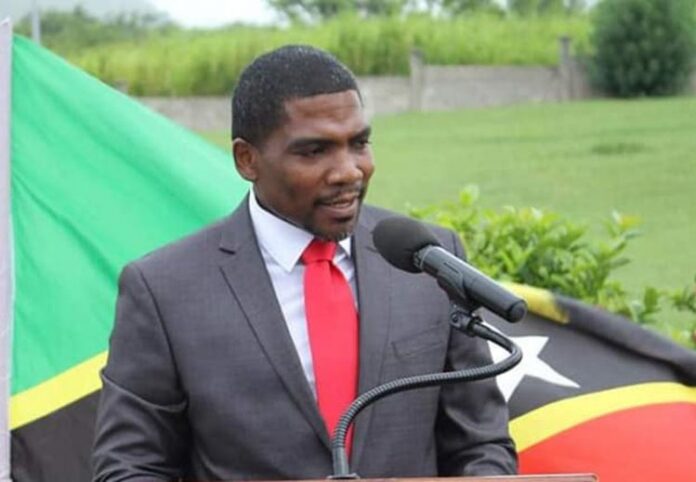
The St Kitts government say they have been monitoring the situation in Haiti, after the kidnapping of the country’s Honorary Consul, Harold Marzouka Jr recently.
Dr Terrance Drew, told an interview with the Caribbean Media Corporation Tuesday that the government continues to receive information regarding the abduction.
Marzouka Jr, was taken last week Saturday by heavily armed forces in Haiti. Marzouka was also a businessman in Haiti
“We are still gathering information and so far, as we are concerned there has been no loss of life and we continue to work. But at this time, we are continuing to get information,” Dr Drew said.
In an earlier statement, the government said it is “outraged by the kidnapping” of its Honorary Consul and his father and that “the Consulate’s official vehicle was also seized.
The St Kitts government also condemned the kidnapping in a statement immediately after the kidnapping.
“The Government of St Kitts and Nevis expresses outright condemnation of this and other cowardly acts which lawless agents in Haiti continue to indiscriminately utilize to terrorize Haitian citizens and residents alike.
“The Government of St Kitts and Nevis is deeply concerned about the safety of Mr Marzouka and hope that he will be returned to his home and loved ones soon. It is the Government’s wish that the Marzouka family will find solace in the fact that the Government and people of Saint Kitts and Nevis stand in solidarity with them at this undoubtedly traumatic time,” the statement added.
In the statement, the St Kitts and Nevis called for the violence and crime in Haiti to end.
They also appealed to CARICOM and other international humanitarian crises agencies to speak out against the situation in Haiti.

This story was first published by Antigua News on : antigua.news/2023/04/18/st-kitts-pm-continues-to-monitor-situation-in-haiti-following-kidnapping. © 2023 Antigua News. Republication without permission is not allowed.

About the author
The Editorial Staff refers to all reporters employed by Antigua.news. When an article is not an original creation of Antigua.news—such as when it is based on a press release, other media articles, letters to the editor, or court decisions—one of our staff members is responsible for overseeing its publication.
Read our editorial standards and corrections policy. Spotted an error? Contact the newsroom.
More from Caribbean
View section
BREAKING | Dominica Heads to the Polls on December 16
Nomination Day is November 30 as Prime Minister Roosevelt Skerrit seeks a fresh mandate for the Dominica Labour Party.
By Shermain Bique-Charles

DOMINICA: Relief as Three Missing Men Are Found Alive at Sea Near Aves Islands
Davel Baron, Ryan Royer and a third man were rescued by a cargo vessel after being found drifting at sea, bringing relief following days of uncertainty over their whereabouts.
By Cory Wayland

Two Men Vanish at Sea in Dominica, Sparking Growing Fears for Their Safety
Police issue missing-person alerts for Davel Baron and Ryan Royer as concerns grow over their whereabouts.
By Cory Wayland

Saint Lucia Makes Decision on Citizenship by Investment Programme Amid EU Pressure
Prime Minister Philip J. Pierre confirms his government has formally responded to the European Union but says the decision will remain confidential until Brussels acknowledges receipt of the correspondence.
By Cory Wayland
Comments (1)
Anonymous April 18, 2023, 10:15 PM