
Gov’t looking for investor to purchase US$15M Cancer Center

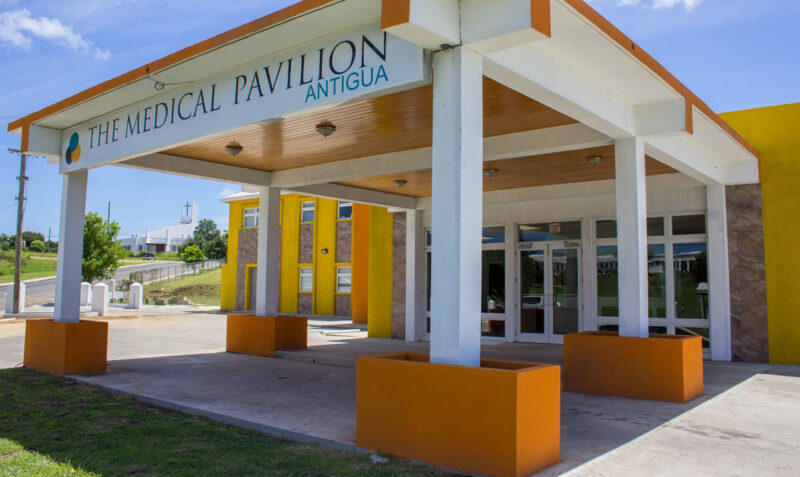
Antigua and Barbuda’s Cancer Center is up for sale and the government says it needs to find an investor, willing to pump US$15 million dollars into the facility, in order to keep the doors open.
Cancer Centre Eastern Caribbean Ltd has been struggling financially over the years and its principals informed the government not too long ago, that it was ending business here because it was just not profitable to keep it open.
Lionel Max Hurst, the Chief of Staff in the Office of the Prime Minister said at Thursday’s Cabinet press briefing that the principals wanted US$15 million for the center.
“The Minister of Health informed the Cabinet that all the patients from Antigua and Barbuda who are reliant upon the cancer center will have an opportunity to travel outside of Antigua and Barbuda at the expense of the medical benefit service, the MBS. They will have an opportunity to travel outside of Antigua and Barbuda in order to receive the treatment. A part of the reason for so doing is that the cost which the seller of the asset is demanding is a little excessive. In fact, very excessive,” Hurst said.
He said it is the government’s objective to acquire the center so that the Antiguans and Barbudans and others from the OECS who wish to use it can continue to do so.
“The challenge we face, of course, is that the cost which he is demanding is much higher than we are prepared to pay. So, we’re looking for alternate solutions in the meantime because we’ve got to negotiate a cost that is reasonable and that the Antigua and Barbuda government can afford,” Hurst added
The facility, located is located in the Medical Pavilion on Queen Elizabeth Highway, will be closing at the end of the month after its main shareholder wrote to the
The cancer center first opened in 2015

This story was first published by Antigua News on : antigua.news/2023/04/21/govt-looking-for-investor-to-purchase-us15m-cancer-center. © 2023 Antigua News. Republication without permission is not allowed.

About the author
The Editorial Staff refers to all reporters employed by Antigua.news. When an article is not an original creation of Antigua.news—such as when it is based on a press release, other media articles, letters to the editor, or court decisions—one of our staff members is responsible for overseeing its publication.
Read our editorial standards and corrections policy. Spotted an error? Contact the newsroom.
More from Caribbean
View section
BREAKING | Dominica Heads to the Polls on December 16
Nomination Day is November 30 as Prime Minister Roosevelt Skerrit seeks a fresh mandate for the Dominica Labour Party.
By Shermain Bique-Charles

DOMINICA: Relief as Three Missing Men Are Found Alive at Sea Near Aves Islands
Davel Baron, Ryan Royer and a third man were rescued by a cargo vessel after being found drifting at sea, bringing relief following days of uncertainty over their whereabouts.
By Cory Wayland

Two Men Vanish at Sea in Dominica, Sparking Growing Fears for Their Safety
Police issue missing-person alerts for Davel Baron and Ryan Royer as concerns grow over their whereabouts.
By Cory Wayland

Saint Lucia Makes Decision on Citizenship by Investment Programme Amid EU Pressure
Prime Minister Philip J. Pierre confirms his government has formally responded to the European Union but says the decision will remain confidential until Brussels acknowledges receipt of the correspondence.
By Cory Wayland
Comments (1)
Craig Wyre April 21, 2023, 1:56 PM