
JAMAICA: Buggery, abortion laws won’t be changed during constitutional reform process

JAMAICA GLEANER

Minister of Legal and Constitutional Affairs Marlene Malahoo Forte yesterday sought to allay fears among members of the religious community, disclosing that the Government did not intend to disturb any savings law clauses in the Constitution or repeal pre-existing laws that would go against fundamental beliefs held by the Church.
In her contribution to the Sectoral Debate in Parliament on Tuesday, Malahoo Forte “put to ease” concerns held by the Christian community regarding any changes that might be made to savings clauses in the Constitution.
The savings provisions in the Charter of Fundamental Rights and Freedoms protects the buggery law and the law prohibiting abortion from being challenged under the Charter of Rights.
“This Andrew Holness-led administration is on no path to collide with the Church or any other well-thinking member of the Jamaican society on issues which define the fabric of our society, even in the presence of challenges,” she said.
The minister noted that, as a nation, “we have many problems and we are going to have to work out these problems and hear from each other and learn to live better with our differences”.
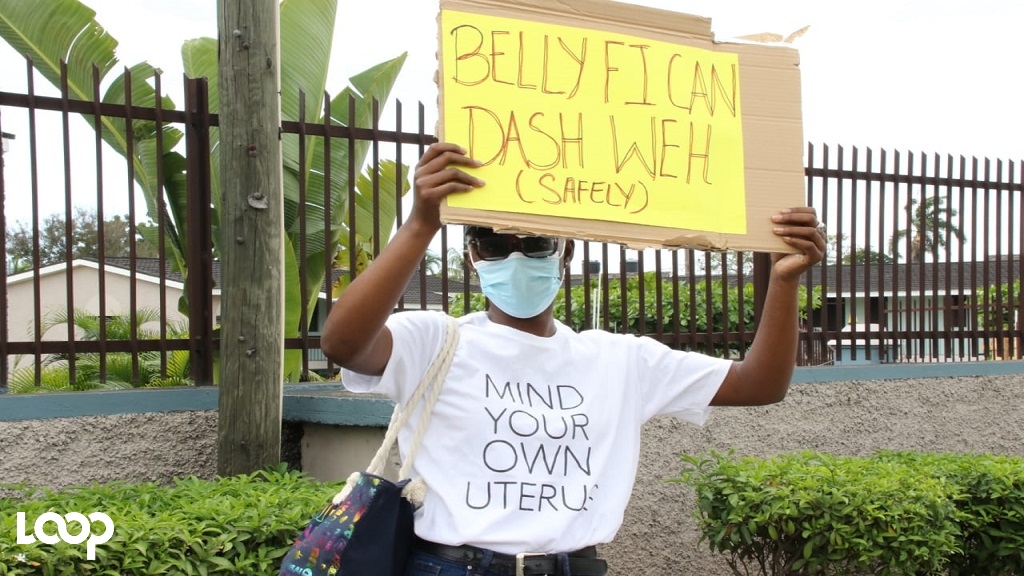
Diverting from her prepared text, Malahoo Forte said she has heard the issue of abortion raised by one of her parliamentary colleagues.
However, the minister took a personal position that would not see her supporting the controversial issue.
“I say to people that changing the law for abortion will never be my platform for the simple reason that my mother told me that when she was pregnant with me, at every stage of her pregnancy, she was told to abort me,” she divulged.
Malahoo Forte said her mother was told that “if she didn’t abort me, she would die and I would die”.
She added: “I, in honour of my mother and in respect of my life, take a certain position.
“For my own history, my own narrative, circumstances around my own life, the abortion issue is not mine. Let me just make it clear.”
This story was first published by Antigua News on : antigua.news/2023/06/07/jamaica-buggery-abortion-laws-wont-be-changed-during-constitutional-reform-process. © 2023 Antigua News. Republication without permission is not allowed.

About the author
The Editorial Staff refers to all reporters employed by Antigua.news. When an article is not an original creation of Antigua.news—such as when it is based on a press release, other media articles, letters to the editor, or court decisions—one of our staff members is responsible for overseeing its publication.
Read our editorial standards and corrections policy. Spotted an error? Contact the newsroom.
More from Caribbean
View section
BREAKING | Dominica Heads to the Polls on December 16
Nomination Day is November 30 as Prime Minister Roosevelt Skerrit seeks a fresh mandate for the Dominica Labour Party.
By Shermain Bique-Charles

DOMINICA: Relief as Three Missing Men Are Found Alive at Sea Near Aves Islands
Davel Baron, Ryan Royer and a third man were rescued by a cargo vessel after being found drifting at sea, bringing relief following days of uncertainty over their whereabouts.
By Cory Wayland

Two Men Vanish at Sea in Dominica, Sparking Growing Fears for Their Safety
Police issue missing-person alerts for Davel Baron and Ryan Royer as concerns grow over their whereabouts.
By Cory Wayland

Saint Lucia Makes Decision on Citizenship by Investment Programme Amid EU Pressure
Prime Minister Philip J. Pierre confirms his government has formally responded to the European Union but says the decision will remain confidential until Brussels acknowledges receipt of the correspondence.
By Cory Wayland
Comments
Be the first to comment.