
Pee-wee Herman actor Paul Reubens dies from cancer at 70

USA TODAY
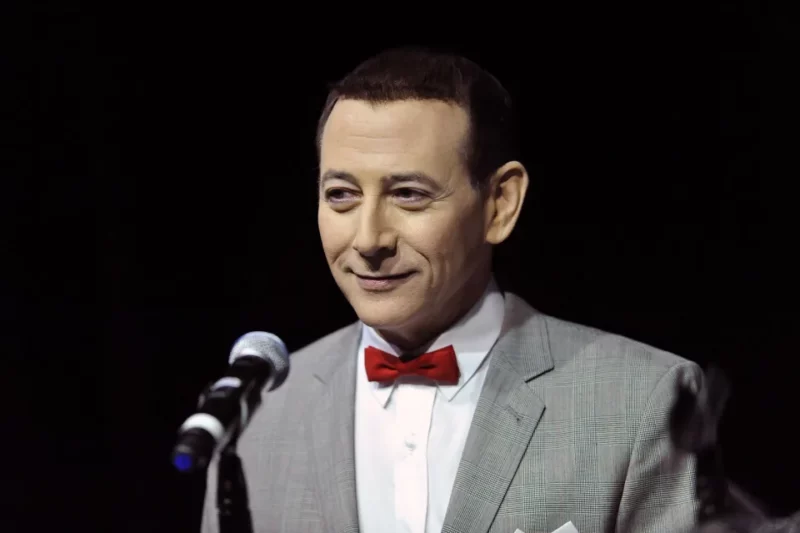
Paul Reubens, the children’s entertainer known as Pee-wee Herman, has died after a battle with cancer. He was 70.
Reubens’ estate confirmed news of his death on his official Instagram page Monday.
“Last night we said farewell to Paul Reubens, an iconic American actor, comedian, writer, and producer whose beloved character Pee-wee Herman delighted generations of children and adults with his positivity, whimsy, and belief in the importance of kindness,” the announcement read.
“Paul bravely and privately fought cancer for years with his trademark tenacity and wit. A gifted and prolific talent, he will forever live in the comedy pantheon and in our hearts as a treasured friend and man of remarkable character and generosity of spirit.”
The post included a quote from Reubens himself, apologizing to fans for dealing with his health privately.
“Please accept my apology for not going public with what I’ve been facing the last six years,” he said.
“I have always felt a huge amount of love and respect from my friends, fans and supporters. I have loved you all so much and enjoyed making art for you.”
Reubens is best known as Pee-wee Herman, a fictional and comedic character Reubens developed in the 1970s that he premiered in stage shows for the Los Angeles improv troupe “The Groundlings.”
The man-child character was so popular he eventually nabbed an HBO special and later, a 1985 film with Tim Burton, “Pee-wee’s Big Adventure,” in which Reubens toned down the innuendo to make Pee-wee family-friendly.
In 1986 CBS launched “Pee-wee’s Playhouse,” a Saturday morning children’s program that ran until 1990.
The character was revived after a long hiatus in 2010 for the stage show “The Pee-wee Herman Show,” which ran in LA and on Broadway, and six years later by Netflix for the film “Pee-wee’s Big Holiday,” produced by Judd Apatow and co-starring Joe Manganiello.

This story was first published by Antigua News on : antigua.news/2023/07/31/pee-wee-herman-actor-paul-reubens-dies-from-cancer-at-70. © 2023 Antigua News. Republication without permission is not allowed.

About the author
The Editorial Staff refers to all reporters employed by Antigua.news. When an article is not an original creation of Antigua.news—such as when it is based on a press release, other media articles, letters to the editor, or court decisions—one of our staff members is responsible for overseeing its publication.
Read our editorial standards and corrections policy. Spotted an error? Contact the newsroom.
More from Caribbean
View section
BREAKING | Dominica Heads to the Polls on December 16
Nomination Day is November 30 as Prime Minister Roosevelt Skerrit seeks a fresh mandate for the Dominica Labour Party.
By Shermain Bique-Charles

DOMINICA: Relief as Three Missing Men Are Found Alive at Sea Near Aves Islands
Davel Baron, Ryan Royer and a third man were rescued by a cargo vessel after being found drifting at sea, bringing relief following days of uncertainty over their whereabouts.
By Cory Wayland

Two Men Vanish at Sea in Dominica, Sparking Growing Fears for Their Safety
Police issue missing-person alerts for Davel Baron and Ryan Royer as concerns grow over their whereabouts.
By Cory Wayland

Saint Lucia Makes Decision on Citizenship by Investment Programme Amid EU Pressure
Prime Minister Philip J. Pierre confirms his government has formally responded to the European Union but says the decision will remain confidential until Brussels acknowledges receipt of the correspondence.
By Cory Wayland
Comments
Be the first to comment.