
Grenada to establish national security council

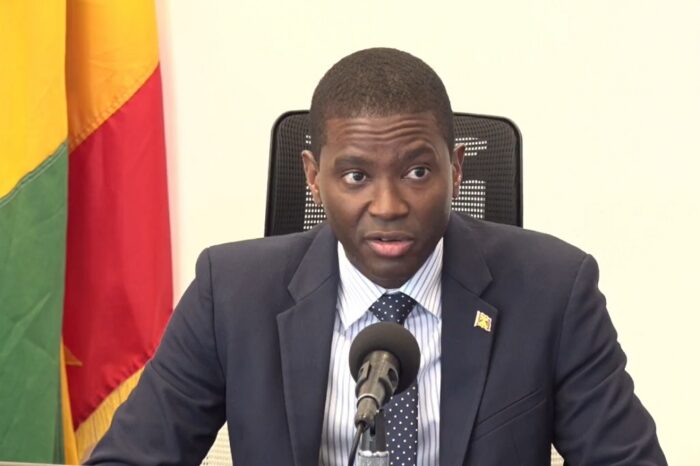
The Prime Minister of Grenada, Dickon Mitchell, announced on Thursday night that a national security council will be created to develop strategies and policies aimed at protecting citizens.
The council will be responsible for devising a comprehensive national security policy and strategy that aligns with Grenada’s security objectives and priorities.
The Prime Minister acknowledged the recent surge in violent incidents and emphasized that law enforcement alone is insufficient in ensuring safety and security. Therefore, an integrated approach is required to address the evolving local, regional, and global dynamics of crime and violence.
The national security council steering committee will consist of skilled individuals from various sectors, and consultations will be conducted with citizens, including young people and church leaders, to gather insights on ensuring collective safety and security.
The Prime Minister of Grenada announced that he plans to hold discussions with various groups, including non-governmental organizations, law enforcement, prison authorities, trade unions, businesses, health sector workers, and others to create a comprehensive national security plan.
The goal of these consultations is to encourage open dialogue, share innovative ideas, and reach a consensus on the best measures to maintain law and order and ensure that Grenada remains a safe, secure, and stable society.
The Prime Minister urged all stakeholders, including the opposition, to participate in these discussions and emphasized that everyone has a responsibility to contribute to the safety of their communities.
With the annual Carnival celebrations approaching, the Prime Minister called for a safe and enjoyable celebration for all individuals to enjoy Grenada’s rich heritage.

This story was first published by Antigua News on : antigua.news/2023/08/05/grenada-to-establish-national-security-council. © 2023 Antigua News. Republication without permission is not allowed.

About the author
The Editorial Staff refers to all reporters employed by Antigua.news. When an article is not an original creation of Antigua.news—such as when it is based on a press release, other media articles, letters to the editor, or court decisions—one of our staff members is responsible for overseeing its publication.
Read our editorial standards and corrections policy. Spotted an error? Contact the newsroom.
More from Caribbean
View section
BREAKING | Dominica Heads to the Polls on December 16
Nomination Day is November 30 as Prime Minister Roosevelt Skerrit seeks a fresh mandate for the Dominica Labour Party.
By Shermain Bique-Charles

DOMINICA: Relief as Three Missing Men Are Found Alive at Sea Near Aves Islands
Davel Baron, Ryan Royer and a third man were rescued by a cargo vessel after being found drifting at sea, bringing relief following days of uncertainty over their whereabouts.
By Cory Wayland

Two Men Vanish at Sea in Dominica, Sparking Growing Fears for Their Safety
Police issue missing-person alerts for Davel Baron and Ryan Royer as concerns grow over their whereabouts.
By Cory Wayland

Saint Lucia Makes Decision on Citizenship by Investment Programme Amid EU Pressure
Prime Minister Philip J. Pierre confirms his government has formally responded to the European Union but says the decision will remain confidential until Brussels acknowledges receipt of the correspondence.
By Cory Wayland
Comments
Be the first to comment.