
Second annual sitting of a joint youth assembly to be held later today

By Aabigayle McIntosh
Two key pieces of resolutions calling for further integration of the islands in the Eastern Caribbean and another lobbying for greater efforts to ensure the integrity of the region’s Immigration System will be debated during the second annual sitting of a joint youth assembly.
The sitting which will be held at the Parliament of Antigua and Barbuda this morning will include delegates from the Youth Parliament Association of Antigua and Barbuda, St. Kitts National Youth Parliament (SKNYPA), and Montserrat National Youth Parliament (MNYP).
Public Relations Officer of the association Kaiesha Joseph explained that is becoming more and more harder to travel within the region and this is further exacerbated by the issues surrounding former Antigua-based carrier LIAT.
“As it relates to the second resolution with the Immigration system, we know lately there has been an influx of people coming in from across the region and we cannot really track them so we are looking for a safer security system in place.
“This morning we would have made reference to the fact that some Caribbean Islands have advanced since COVID and they are now using online immigration forms unlike Antigua and Barbuda which is still using paper,” Joseph said.
She stated further they are looking at those resolutions with the hope that the debate could inspire change among regional leaders. Joseph said that bills that are debated are then submitted to the relevant authorities.
The joint sitting will be broadcast live on state media. The visiting Youth Parliamentarians on Monday called on several government agencies and officials ahead of today’s sitting.
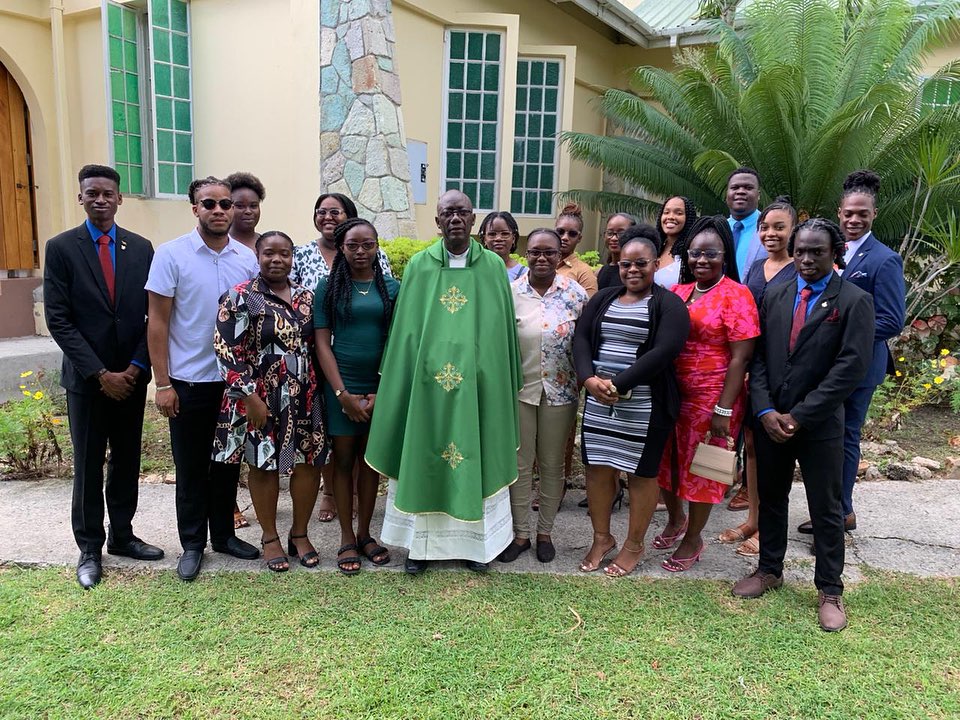
On Sunday a church service was also held to mark the start of working week visit.
This story was first published by Antigua News on : antigua.news/2023/08/15/second-annual-sitting-of-a-joint-youth-assembly-to-be-held-later-today. © 2023 Antigua News. Republication without permission is not allowed.

About the author
The Editorial Staff refers to all reporters employed by Antigua.news. When an article is not an original creation of Antigua.news—such as when it is based on a press release, other media articles, letters to the editor, or court decisions—one of our staff members is responsible for overseeing its publication.
Read our editorial standards and corrections policy. Spotted an error? Contact the newsroom.
More from Antigua and Barbuda
View section
Missing Man Ackly Roberts, 92, Found Dead by Police
Roberts had been reported missing after he was last seen on November 2.
By Shermain Bique-Charles

Commonwealth Plans Trade and Investment Conference to Advance US$2 Trillion Goal
Botchwey says ministers and business leaders will meet next year to tackle barriers and support investment.
By Shermain Bique-Charles

Gaston Browne Takes Commonwealth Chair as Samoa Hands Over Leadership
A ceremonial presentation marks the transfer of the Chair-in-Office role to Antigua and Barbuda.
By Shermain Bique-Charles

King Charles Expresses Profound Sorrow Over Transatlantic Slavery
Commonwealth head calls for partnerships that address historic wrongs through education, jobs and resilience.
By Shermain Bique-Charles
Comments
Be the first to comment.