
A&B Youth Secure Top Spot for Proposal on Drug Use Prevention

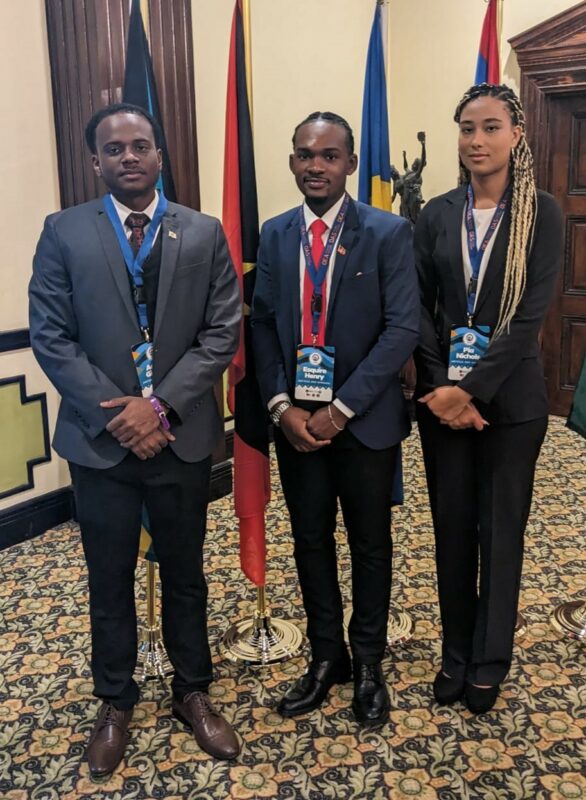
Antigua and Barbuda emerged as the winner of the Best Project Competition organized by the Executive Secretariat of the Inter-American Drug Abuse Control Commission (ES-CICAD).
The competition was part of the 2nd Caribbean Youth Forum on Drug Use Prevention held in the Bahamas from July 31 to August 4. Out of the 13 participating countries, Antigua and Barbuda’s proposal, Dekryption, stood out and was shortlisted from 15 to 6 teams.
The three-member delegation consisted of CARICOM Youth Ambassadors Esquire Henry and Pia Nichols and Aaron Gittens, a member of the National Youth Volunteer Corps.
Dekryption is a club aimed at young people aged 11 to 14 years old, providing them with a safe space to develop life skills and build psychosocial competence and mental fortitude.
During the competition, each team was given five minutes to present their strategic proposal to tackle substance use in schools. Gittens presented the assumptions, timeline, risks, recruitment and engagement strategies, and funding requirements concisely.
Henry emphasized that the success of the initiative relies on the collaboration of various stakeholders, including the Organisation of American States (OAS), which established CICAD, the Department of Youth Affairs, National Youth Volunteer Corps, Family and Social Service Division, and Office of National Drug and Money Laundering Control Policy (ONDCP).
After the impressive presentations from Jamaica, Suriname, Barbados, Grenada, and Dominica, only three spots were available. Antigua and Barbuda, Jamaica, and Suriname were announced as the winners, in that order.
Nichols, Henry, and Gittens expressed gratitude to the Department of Youth Affairs for their guidance and are looking forward to launching the project in the coming months.

This story was first published by Antigua News on : antigua.news/2023/09/03/ab-youth-secure-top-spot-for-proposal-on-drug-use-prevention. © 2023 Antigua News. Republication without permission is not allowed.

About the author
The Editorial Staff refers to all reporters employed by Antigua.news. When an article is not an original creation of Antigua.news—such as when it is based on a press release, other media articles, letters to the editor, or court decisions—one of our staff members is responsible for overseeing its publication.
Read our editorial standards and corrections policy. Spotted an error? Contact the newsroom.
More from Antigua and Barbuda
View section
Karim Edwards’ Trial Over Fatal Friars Hill Road Crash Postponed Until December
More than four years after the collision that claimed the life of medical student Kenneth Mathew and left Priyanjana Das with life-altering injuries, the accused driver is still awaiting trial.
By Cory Wayland

Jury Rejects Self-Defence Claim And Finds Kareem Simon Guilty Of Dennis Edwards’ Murder
Jury rejects Simon’s self-defence claim after video footage reveals details of the fatal confrontation on Lower All Saints Road.
By Cory Wayland

Tourism Ministry and ABTA Working with Bert Kirchner on Proposed Louis Tomlinson Campaign
Minister Michael Freeland has held talks on the project, which aims to turn international exposure into visitor interest and bookings.
By Shermain Bique-Charles

Your Child Is Safe at Home, But Are They Safe Online?
Games, chats and social media are where our children play and make friends. Here is what every parent and guardian needs to know to keep them safe there.
By Editorial Staff
Comments
Be the first to comment.