
Antigua and Barbuda signs landmark ocean protection treaty at UN

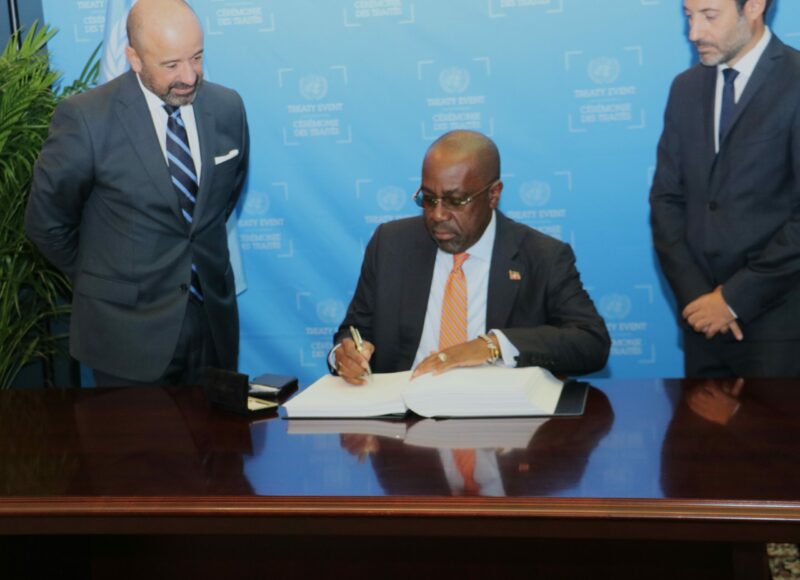
Antigua and Barbuda has become one of the first signatories to a historic agreement on marine biodiversity in the high seas, joining several other countries worldwide.
This agreement allows for the preservation and sustainable use of oceans. During the 78th session of the United Nations General Assembly, EP Chet Greene, Minister of Foreign Affairs and Trade, signed the Biodiversity Behind National Jurisdictions (BBNJ) Treaty, which outlines the principles that Antigua and Barbuda have committed to.
This landmark moment for Antigua and Barbuda follows almost twenty years of negotiations that culminated in June 2021, with the adoption of the internationally legally binding instrument.
The BBNJ Treaty required 60 ratifications to take effect, and Antigua and Barbuda is among the over 80 nations that have signed it as the first step towards ratification.
Minister Greene expressed his pride and the significance of this moment for Antigua and Barbuda.
He emphasized that the country has no power over the vastness of the ocean or the actions of those who use it to dispose of their waste.
However, with the BBNJ Treaty, Antigua and Barbuda now has a legal framework to protect its fragile marine space from pollution that enters it from well beyond its borders.
The Minister remarked that it is fulfilling for the country to be part of such an important process that led to this day.
Ms. Asha Challenger, First Secretary at the Antigua and Barbuda Mission to the United Nations, accompanied Minister Greene to the signing.
She is a key figure in Antigua and Barbuda’s efforts to impact the global initiative to protect the oceans.
Challenger is also the Vice President of the Intergovernmental Negotiating Committee on Plastic Pollution, which aims to create a binding legal agreement to end plastic pollution worldwide.

This story was first published by Antigua News on : antigua.news/2023/09/24/antigua-and-barbuda-signs-landmark-ocean-protection-treaty-at-un. © 2023 Antigua News. Republication without permission is not allowed.

About the author
The Editorial Staff refers to all reporters employed by Antigua.news. When an article is not an original creation of Antigua.news—such as when it is based on a press release, other media articles, letters to the editor, or court decisions—one of our staff members is responsible for overseeing its publication.
Read our editorial standards and corrections policy. Spotted an error? Contact the newsroom.
More from Antigua and Barbuda
View section
Antigua and Barbuda First in Eastern Caribbean to Sign UN Development Framework for 2027–2031
The agreement will guide cooperation on economic diversification, climate resilience, social protection and other development priorities.
By Shermain Bique-Charles

Parker Defends Call for Age of Consent at 18 in Response to ASPIRE
Senator calls for stronger protection against sexual exploitation alongside adolescent healthcare, education and safeguards for relationships between young people close in age.
By Shermain Bique-Charles

Greene Says CHOGM Could Open Doors for UWI Five Islands
Foreign minister identifies international student recruitment and academic connections as potential longer-term opportunities. Meta description: Greene says CHOGM could help UWI Five Islands promote its programmes and build connections with Commonwealth countries.
By Shermain Bique-Charles

West Indies Oil Seeks Coordination on Fuel Deliveries During CHOGM
Police ask the company to provide delivery dates and times so movements can be coordinated with security arrangements.
By Cory Wayland
Comments
Be the first to comment.