
New cemetery already fenced.

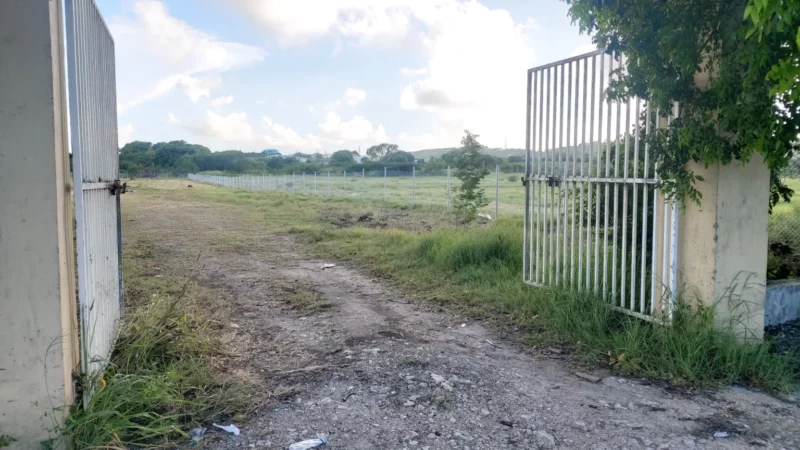
The new public cemetery at Tomlinson’s, along Sir Sydney Walling Highway, is set to be commissioned soon.
The government expects the first burial to take place there within a few weeks.
The establishment of this new cemetery is a response to the overcrowding issues faced by both the St John’s Public Cemetery and the Valley Church Public Cemetery.
Ambassador Lionel Hurst, the Chief of Staff in the Prime Minister’s Office, has stated that there will be changes in how the new cemetery is run.
The cemetery will be arranged in a way that will allow for the grass to be cut easily. This will be achieved by flattening the mounds of clay that often sit atop burial sites.
Headstones will be placed to adorn the entire cemetery, but they will not protrude above the grass level.
Hurst also acknowledged that there will be a need for a price adjustment for burial plots.
He said that a plot of land in Antigua can no longer cost $31, which is what it used to sell for. He could not give an exact amount but expects it to be slightly more costly.
The new cemetery is about three times as large as the current one and is expected to last for a very long time.

Hurst, who is also a historian, has reminded residents of the challenges some families faced in the past with respect to classism in attempting to bury their loved ones. However, he assured the public that the barriers that were broken down in that regard will remain broken in the operations of the new cemetery.
The old St John’s Public Cemetery, which spans four acres, has a rich history having been consecrated in 1889.
Hurst noted that at that time, the cemetery did not allow the poor to be buried there. Instead, the bodies of the poor and working class were buried in other cemeteries while St John’s Public Cemetery was reserved for those who had greater social standing.
This story was first published by Antigua News on : antigua.news/2023/09/29/new-cemetery-already-fenced. © 2023 Antigua News. Republication without permission is not allowed.

About the author
The Editorial Staff refers to all reporters employed by Antigua.news. When an article is not an original creation of Antigua.news—such as when it is based on a press release, other media articles, letters to the editor, or court decisions—one of our staff members is responsible for overseeing its publication.
Read our editorial standards and corrections policy. Spotted an error? Contact the newsroom.
More from Antigua and Barbuda
View section
Antigua and Barbuda Art Week 2026 to Bring Folklore and Creativity to Life with Exciting New Experiences
From the legendary Jam Bull to evening gallery tours, live painting battles and interactive workshops, this year's Art Week promises an immersive celebration of Antigua and Barbuda's artistic and cultural heritage.
By Cory Wayland

Freeland Challenges Qualifier Schedule as College Commitments Complicate Team Selection
Basketball president says the timing of another qualifying round created difficulties for overseas players and added financial pressure
By Shermain Bique-Charles

School League Referee Calls for Investigation Into Alleged Verbal Abuse by Grammar School Coach
Devon Ollivere is seeking a public apology and safeguards for match officials following an alleged confrontation with Chesley Browne at Radio Range Football Field.
By Editorial Staff

Janica Adams Earns Special Recognition at Regional Tourism Youth Congress
Antigua and Barbuda’s Junior Minister of Tourism impressed with a creative destination pitch highlighting culture, adventure and bun and cheese ice cream.
By Shermain Bique-Charles
Comments (1)
Thomas G.L. September 29, 2023, 11:02 AM