
Dominica announces gun amnesty

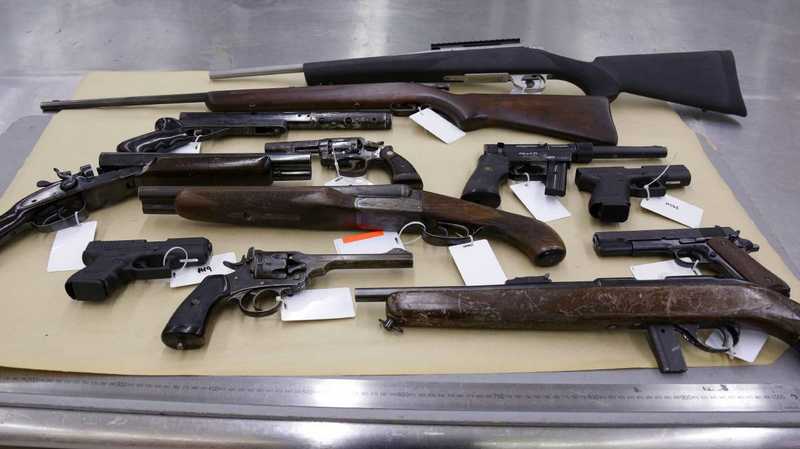
The government of Dominica has announced a one-month amnesty on guns and illegal possession of ammunition.
The amnesty is aimed at encouraging people in possession of illegal firearms or ammunition to surrender them to the police without fear of prosecution.
National Security Minister Rayburn Blackmoore announced that the amnesty would begin next month and end on October 31, 2023.
He also said that the government plans to amend existing legislation to impose stiffer penalties for gun-related crimes, including denying bail to persons awaiting trial on such charges. The proposed amendments will be presented to Parliament after the amnesty period ends.
Blackmoore urged those in possession of illegal firearms or ammunition to take advantage of the amnesty and surrender them at any police station.
He stressed that the amnesty is not a license to commit crimes with firearms and that those found guilty of doing so after the amnesty period will face a minimum of five years in jail.

He also warned that anyone found using an illegal firearm to hurt or kill someone will be jailed until the trial date of the case.
Prime Minister Roosevelt Skerrit has also urged those in possession of illegal firearms to turn them into the police, especially after the island recorded 12 murders so far this year.
Skerrit emphasized that illegal firearms are a serious threat to public safety, and that the police are taking a zero-tolerance approach to gun-related crimes.
He also warned that trading firearms can have deadly consequences, as some buyers may use them to commit violent crimes.
The proposed gun and ammunition amnesty is a step towards making Dominica a safer place.
It is hoped that the amnesty will encourage people to give up their illegal firearms and ammunition, and that the proposed legislative changes will help deter gun-related crimes.
This story was first published by Antigua News on : antigua.news/2023/09/30/dominica-announces-gun-amnesty. © 2023 Antigua News. Republication without permission is not allowed.

About the author
The Editorial Staff refers to all reporters employed by Antigua.news. When an article is not an original creation of Antigua.news—such as when it is based on a press release, other media articles, letters to the editor, or court decisions—one of our staff members is responsible for overseeing its publication.
Read our editorial standards and corrections policy. Spotted an error? Contact the newsroom.
More from Caribbean
View section
VIDEO: Doctors at Dominica China Friendship Hospital Stage Protest Outside Medical Facility
Healthcare professionals at the Dominica China Friendship Hospital gather outside the medical facility in an apparent protest, raising concerns over issues yet to be officially confirmed.
By Cory Wayland

St. Kitts DPP Seeks Antigua’s Help in Outstanding Case Involving Former Resort Clerk
By Shermain Bique-Charles

Royal Caribbean in Talks to Buy Half of Sandals in Reported $3 Billion Deal
By Shermain Bique-Charles

Four Killed in Latest US Military Strike on Suspected Drug Vessel in Caribbean
By Shermain Bique-Charles
Comments
Be the first to comment.